
How to return stock
1. When stock is GRVed and Invoiced you cannot do a RTS because the system does not have a credit note transaction for the RTS.
To return stock that is in stock you have to do transfer of the stock to the RTS warehouse.
2. The accountant should balance the RTS warehouse with the RTS-100 general ledger account each month. This cannot be ignored, otherwise this will only means that there will be right offs in the coming months.
3. How to transfer the stock to the RTS warehouse, see below.
- Go to Inventory>Stock in Warehouse
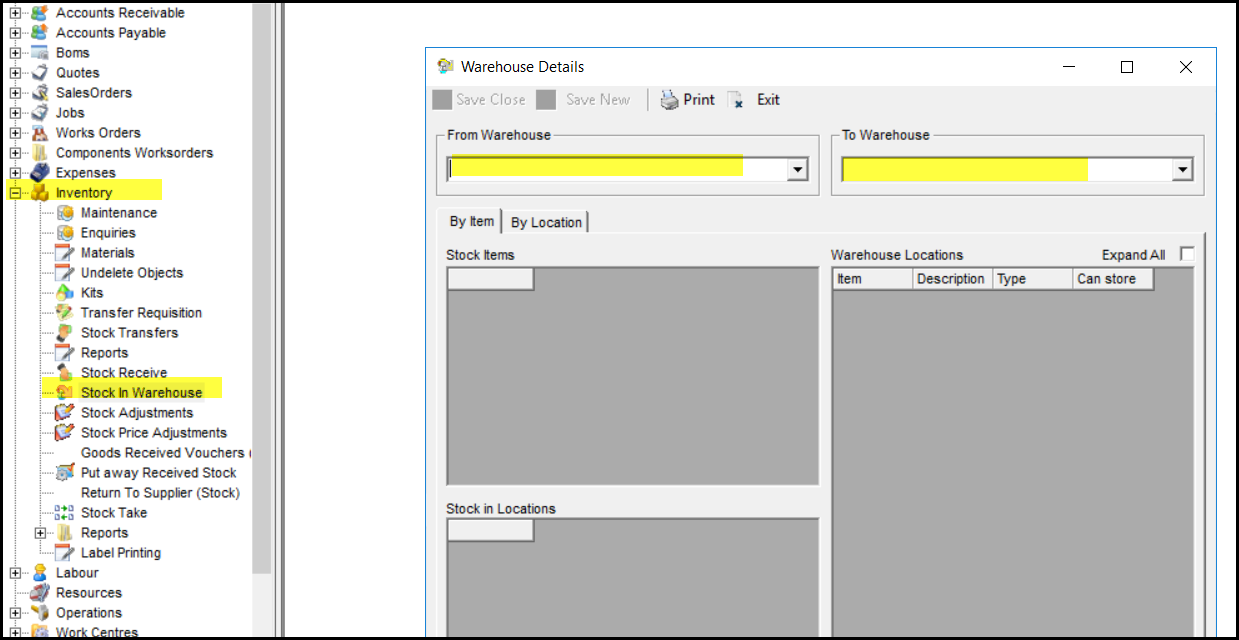
- On the left is the from warehouse and on the right the to warehouse
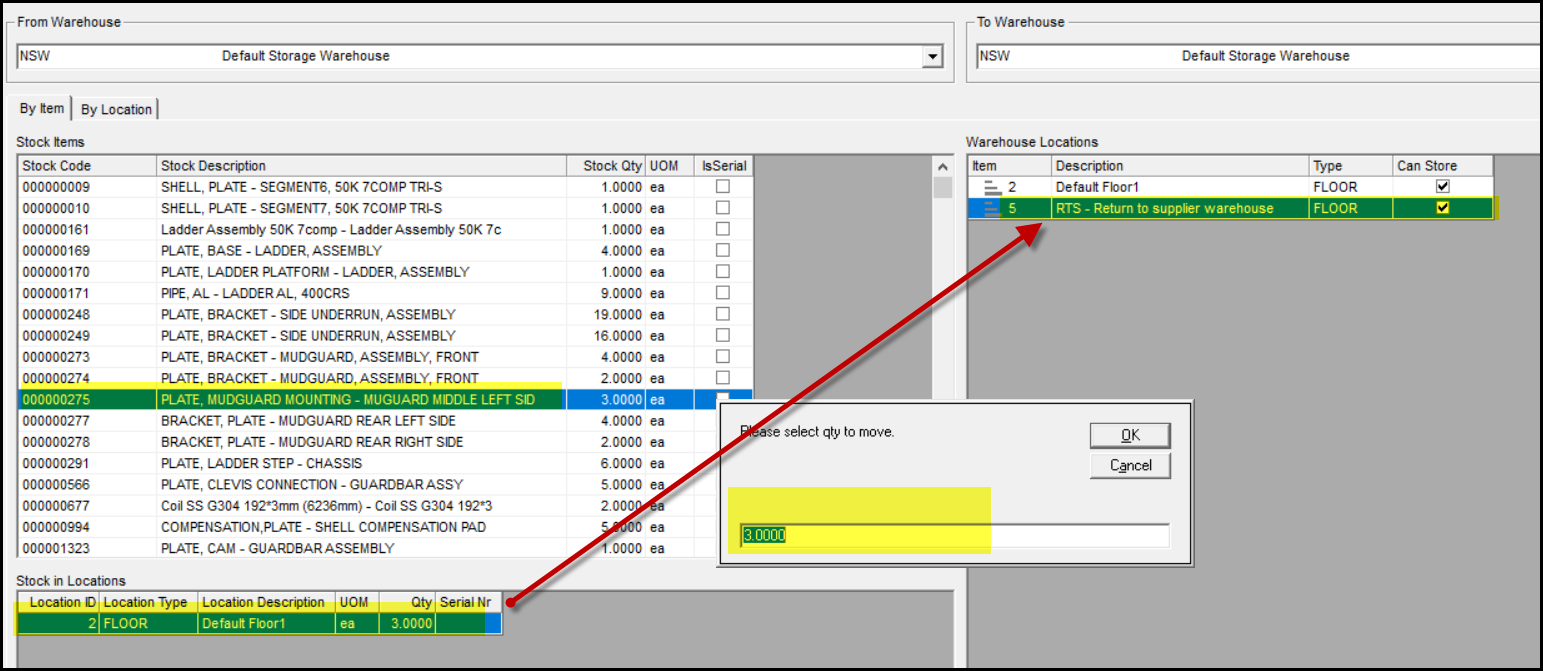
- Select the stock item on the left that you want to move to RTS warehouse
- Select on the right your warehouse and click on the RTS location
- If you click on the stock item it will show how much is in stock that you can move.
- Click on the item and drag it to the RTS warehouse
- The system will prompt if you want to move the full qty.
- Make sure that you type the correct qty.
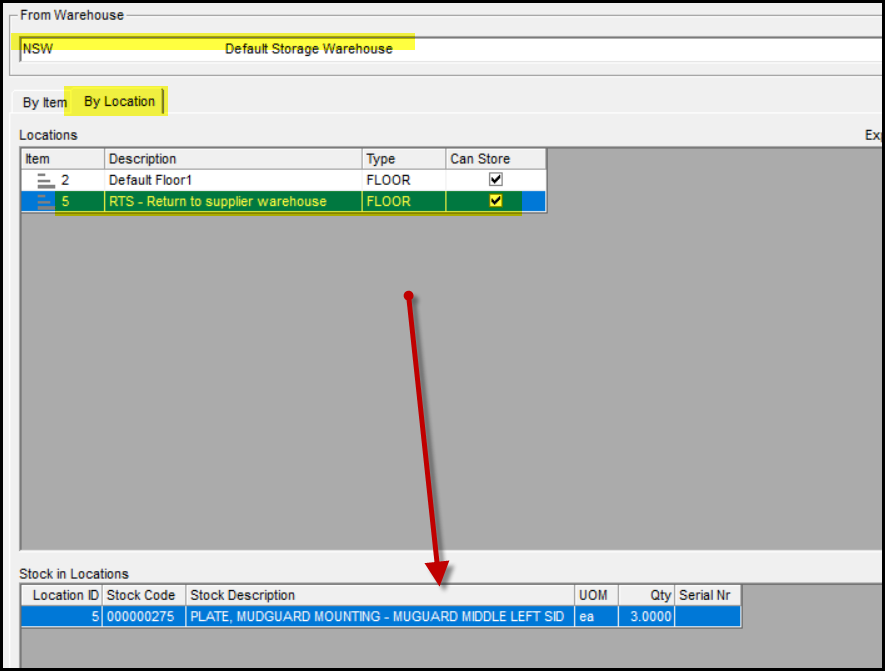
- To check if you moved it correct.
- You can click on the from warehouse again and the tab 'by location'
- The search will show all the stock in this location.
4. You have to do a stock adjustment to the RTS-100 general ledger to get the stock on hand to zero because you send it back or it is damaged. See training ing How to do a stock adjustment The balance in the account is all the credit notes we are waiting for.
5. You have to make out a manual RTS document for the supplier, the system does not have a RTS document if the stock is already GRV and Invoiced.
6. Now you wait for the supplier credit note
7. Once you received the credit note. Do a manual credit note - CN_GL to the general ledger account - RTS-100. See training on How to process a manual credit note
8. The manual credit note cancel out the debit in the RTS account.
Created with the Personal Edition of HelpNDoc: Free PDF documentation generator