
How to issue consumables
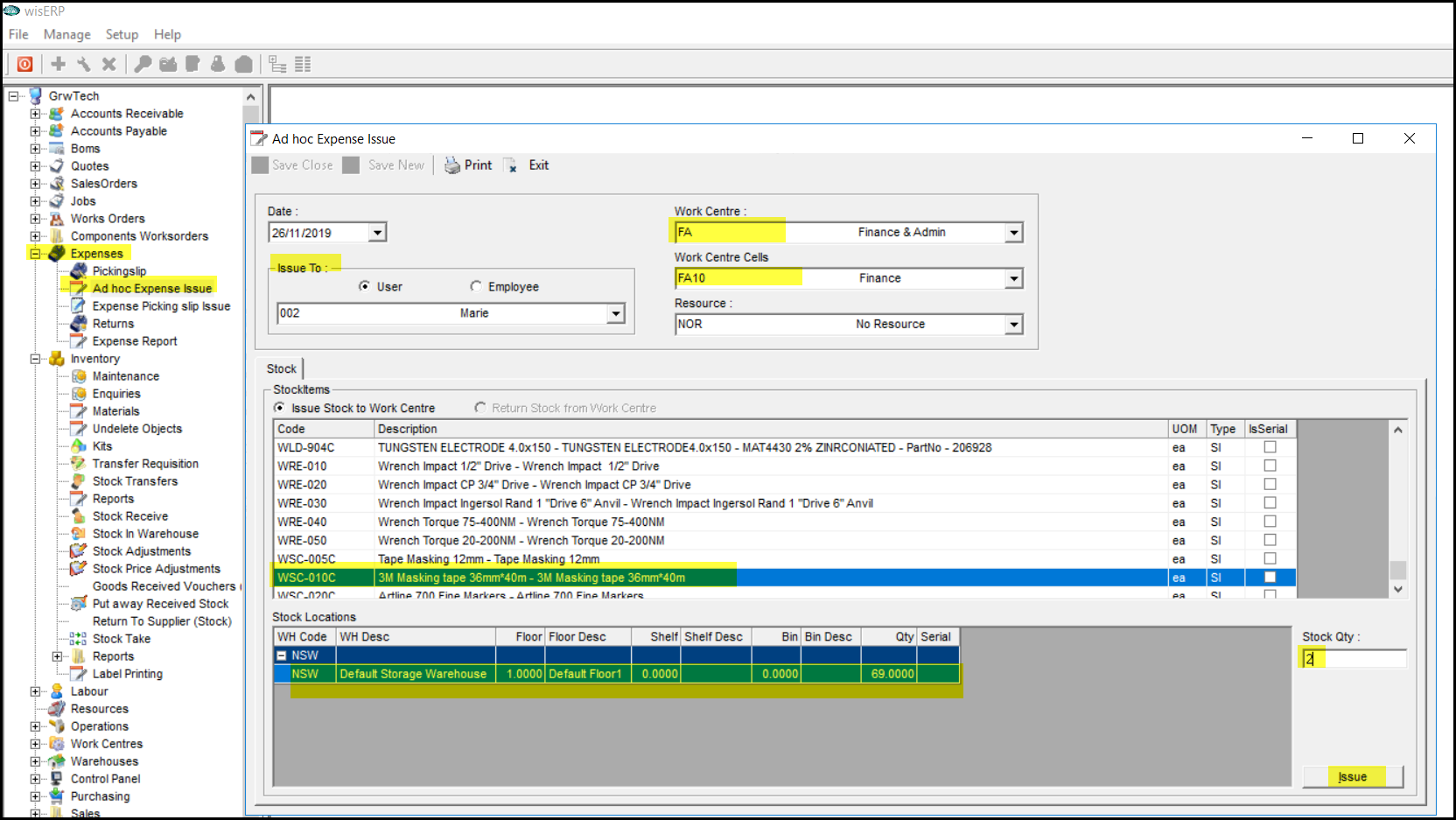
1. Click on Expenses
2. Click on Ad hoc Expense Issue
3. Select the issue to person
4. Select your work centre
5. Select your work centre cell
6. Click in the stock code column and start typing the firt 3 digits of your code.
7. When there is stock on hand to issue, it will appear in the window below.
8. Click on the stock line in this window.
9. Click on the stock qty field.
10. Type your qty that you want to issue.
11. Click on the issue field.
Created with the Personal Edition of HelpNDoc: Easily create PDF Help documents