
How to process a manual credit note
1. wisERP does not have standard credit note transaction to reverse an invoice.
2. You will use the manual transactions.
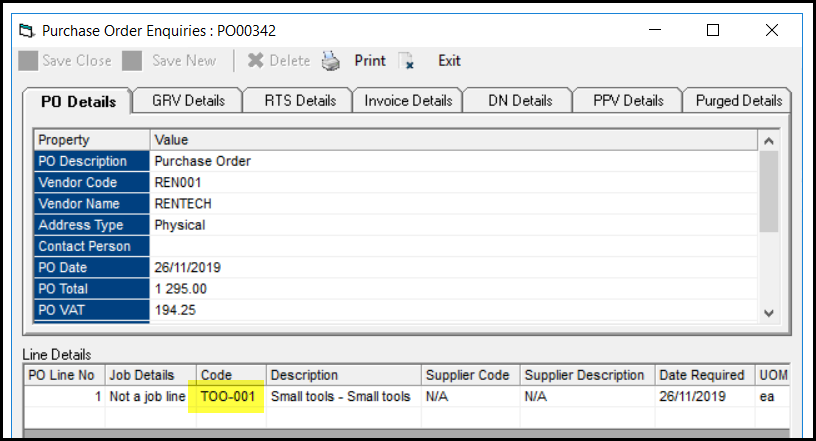
3. First you have to go to your PO to see which stock item was used with the GRV to see what general ledger was affected.
4. Example below show the PO under the Po enquiry screen.
5. TOO-001 - normally writes to workshop expense.
6. The stock group of the stock item determines the general ledger that will be used.
7. Go to stock enquiry to see the stock group of the item.
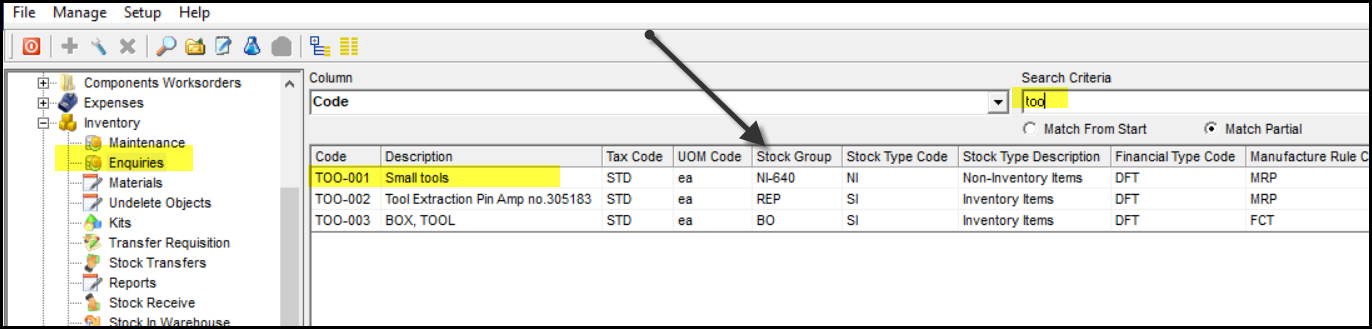
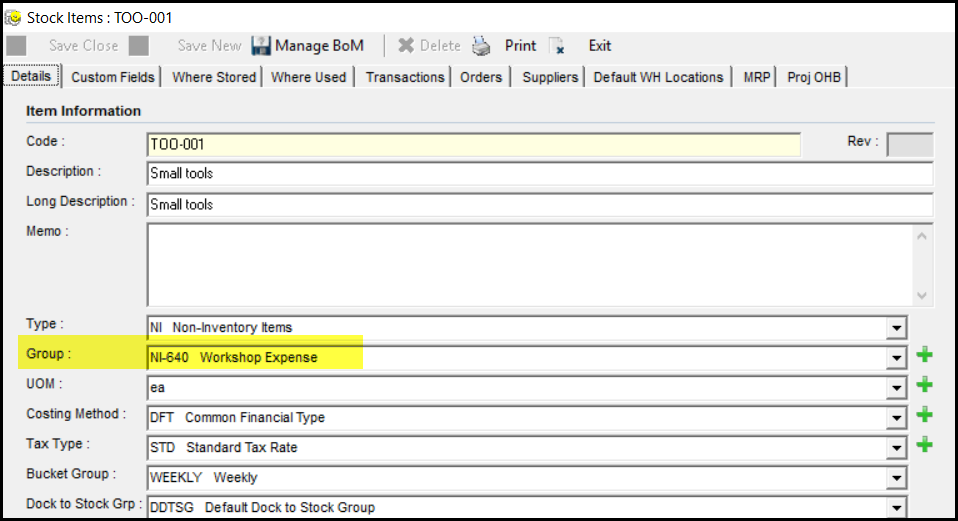
8. Double click to open the stock item
9. See below, the description next to show workshop expense. So this GRV will write to workshop expense.
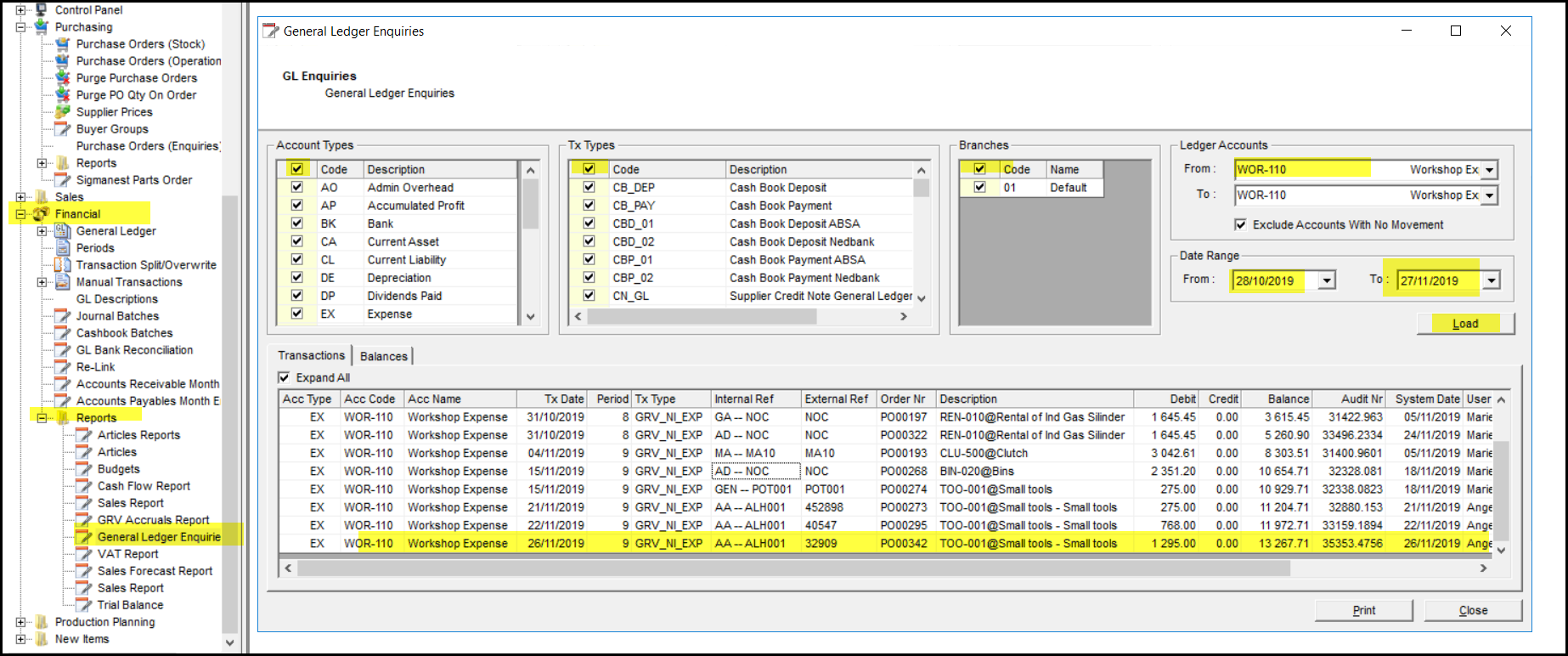
10. To make sure that the transaction wrote to workshop expense, go to the general ledger of workshop expense.
11. Call up the general ledger and look for you transaction. See what to tick and use to get the report.
12. If you find the transaction you are sure that it wrote to workshop expense. Now you can do your manual credit note against workshop expense.
13. To do the manual credit note follow these steps.
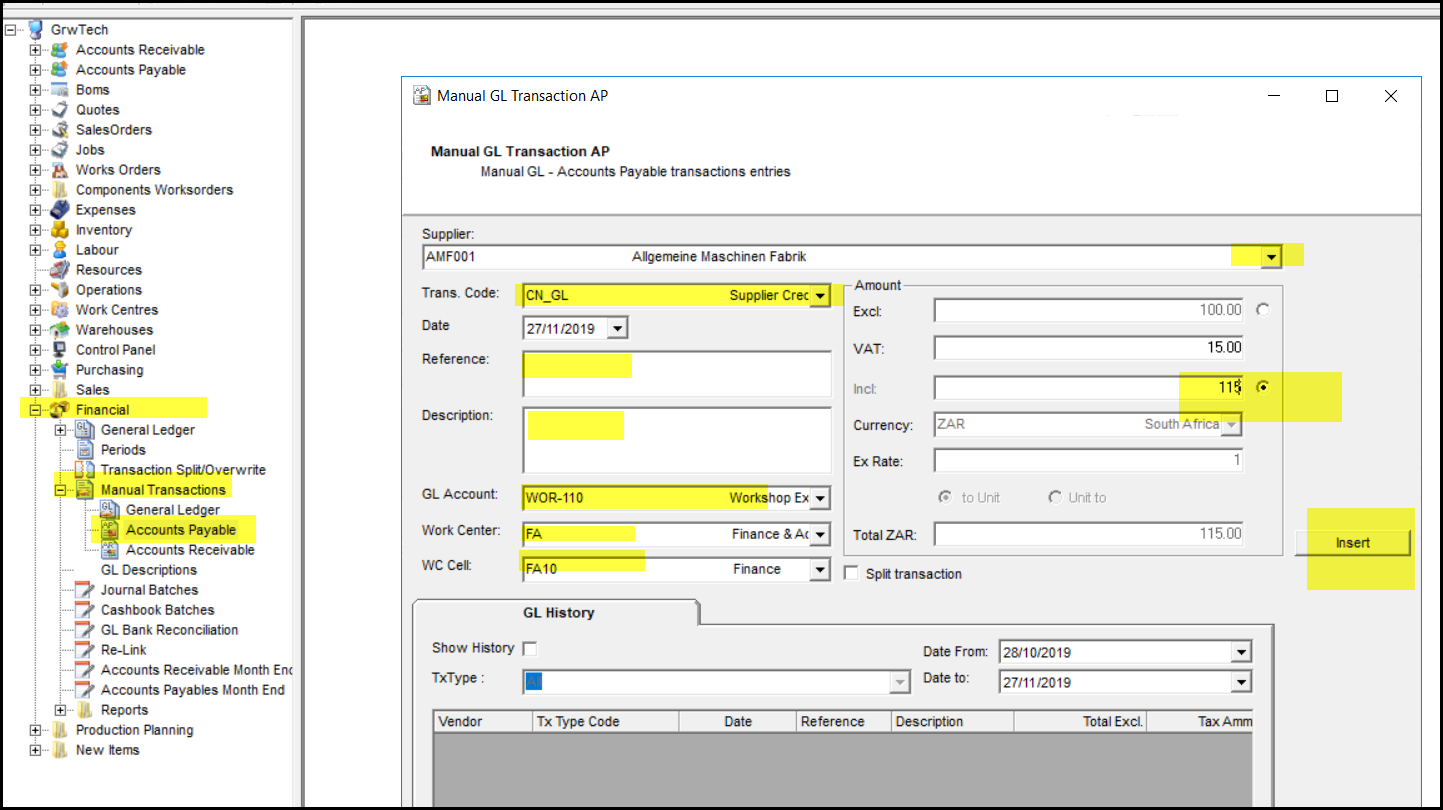
14. Go to Financial>Manual Transactions>accounts payable
15. Select your supplier and choose CN_GL complete the rest of the info and choose the correct general ledger account which in this case is WOR-110.
16. You can type in the amount exclusive or inclusive by choose the radio buttons next to the amounts.
17. Once all info is completed - select Insert
18. Your transaction is processed. The system does not process any printed documents for this manual transactions.
19. Go to payable enquiry screen to make sure your amount was processed correct.
Created with the Personal Edition of HelpNDoc: Create cross-platform Qt Help files