
How to do a stock enquiry
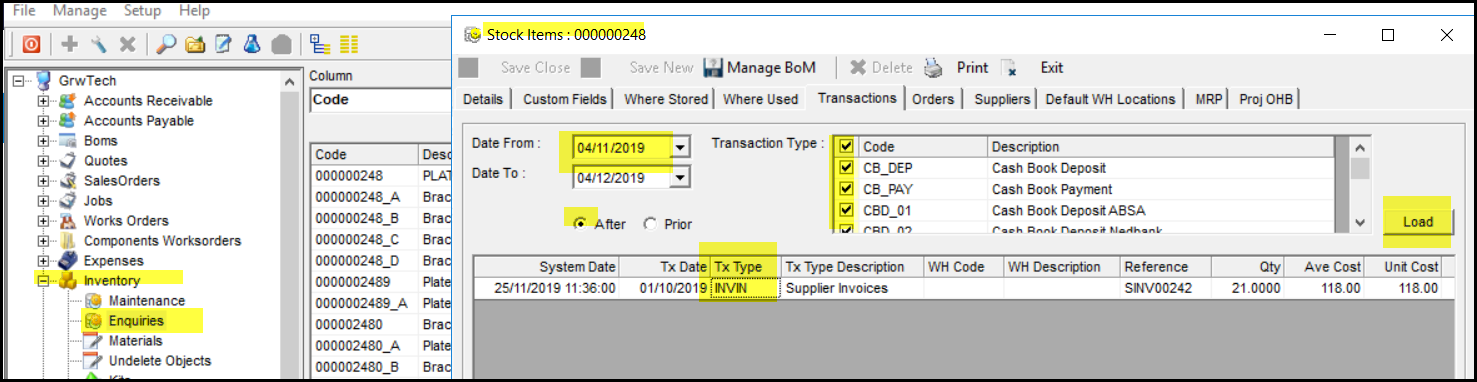
1. Go to Inventory
2. Enquiries
3. Look up the stock item and double click on it.
4. Go to 'Transactions'
5. Select your dates and tick After and tick all transaction type
6. Click on load.
7. You will see all the movement on the item.
8. The TxType wil show as a SAU or SAD for up and down adjustment.
Created with the Personal Edition of HelpNDoc: Produce online help for Qt applications