How to do a RTS
1. You should only use the RTS process when your GRV has not been invoiced yet.
2. To see this go to purchase order enquiries and view what happened with the PO.
3. If you want to do a RTS go to Inventory>Return to supplier
4. Click on the 'GREEN' + or right click in the blank space and 'Add'
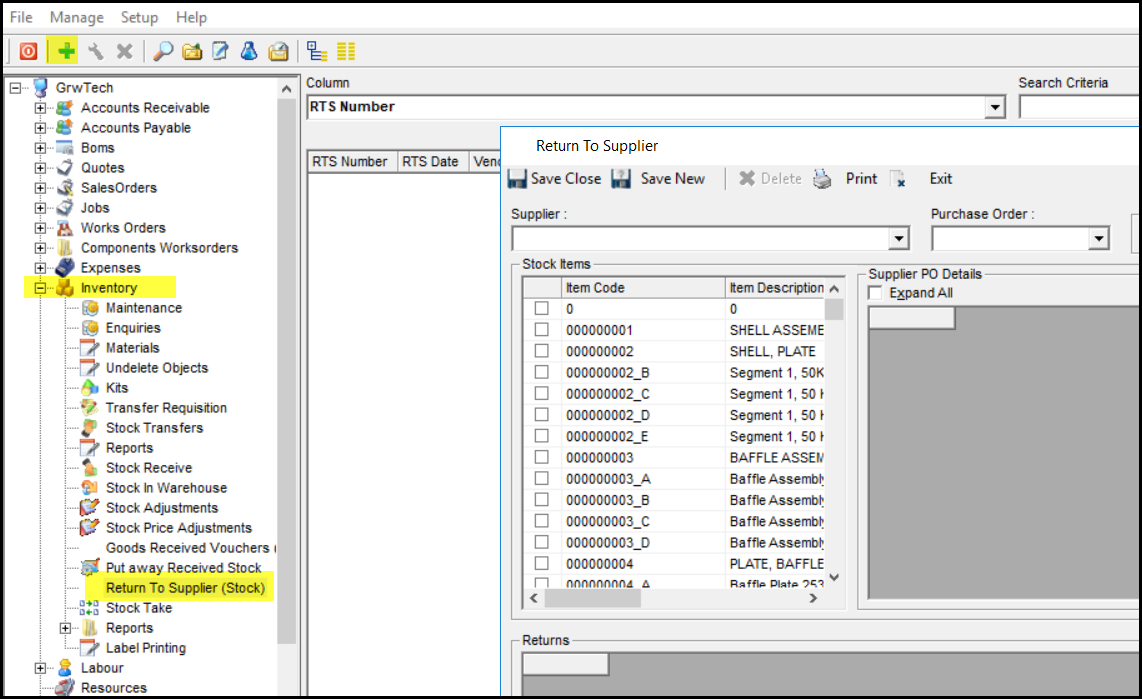
5. The RTS menu will po-up
6. Select your supplier and po code
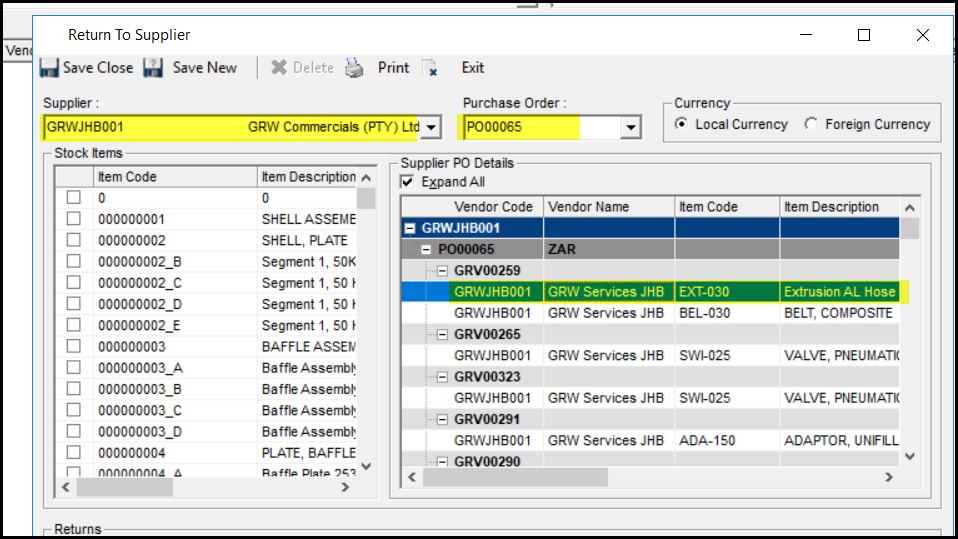
7. Double click on the item you want to return.
8. Enter the qty of the return
9. Accept
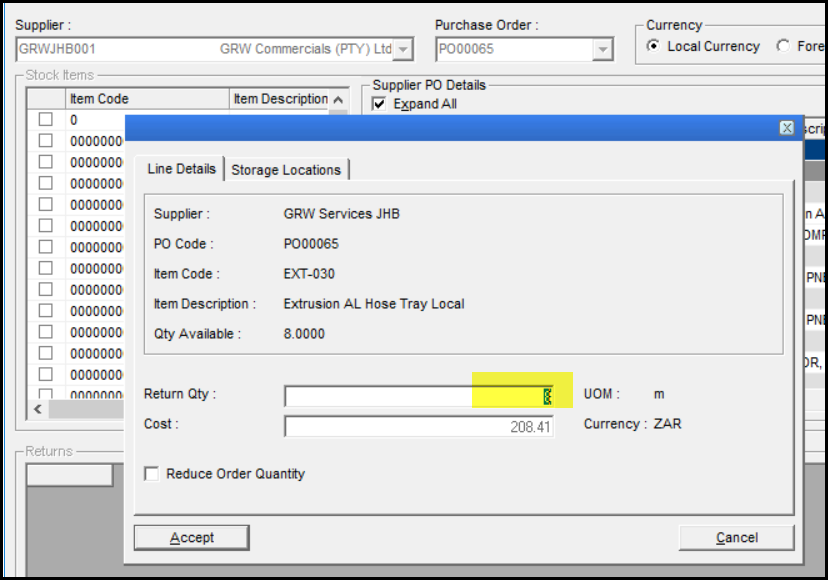
10. The PO is now open to GRV again.
Created with the Personal Edition of HelpNDoc: Free EPub producer