How to import supplier price breaks
1. Go to Supplier price breaks
2. Use the excel template to update your values and info. Save this as a price break for the specific supplier and save in your files for your own reference.
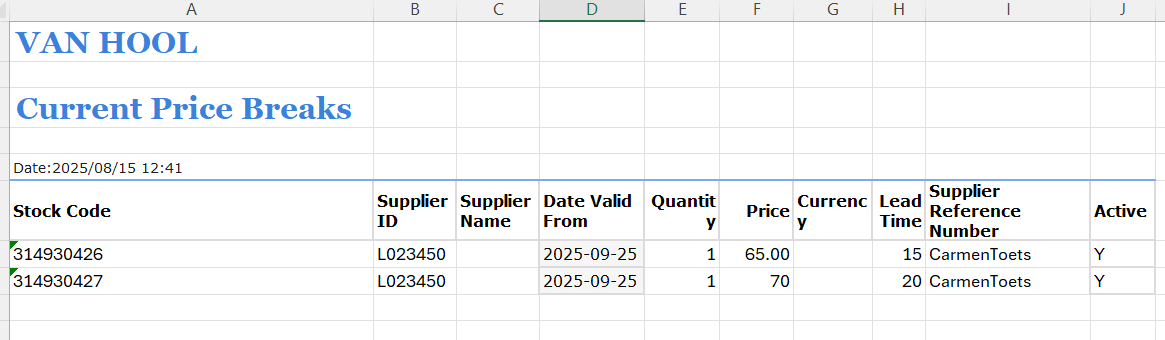
Copy the data - only the 'data' in the excel not the headers. See below.

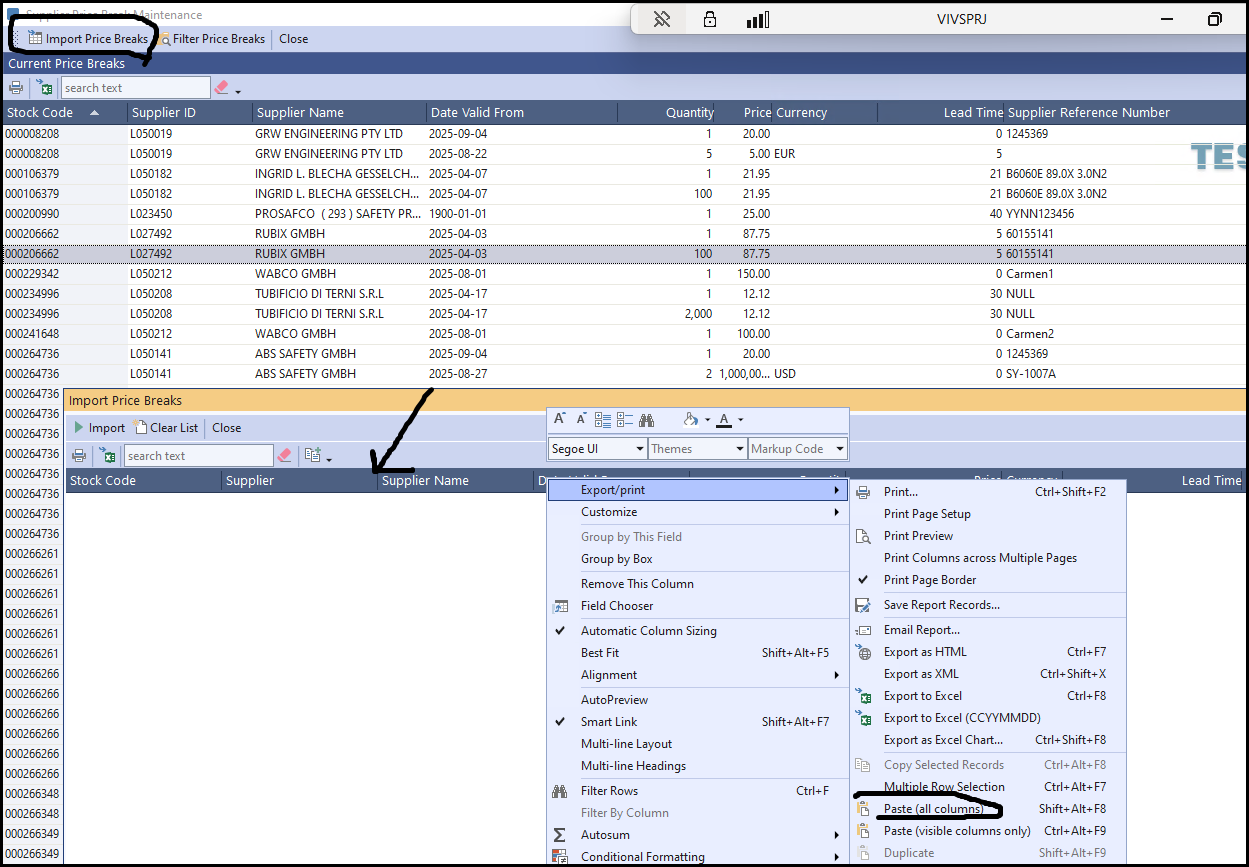
3. Click on Import Price Breaks
Right on the column, export - paste (all columns)
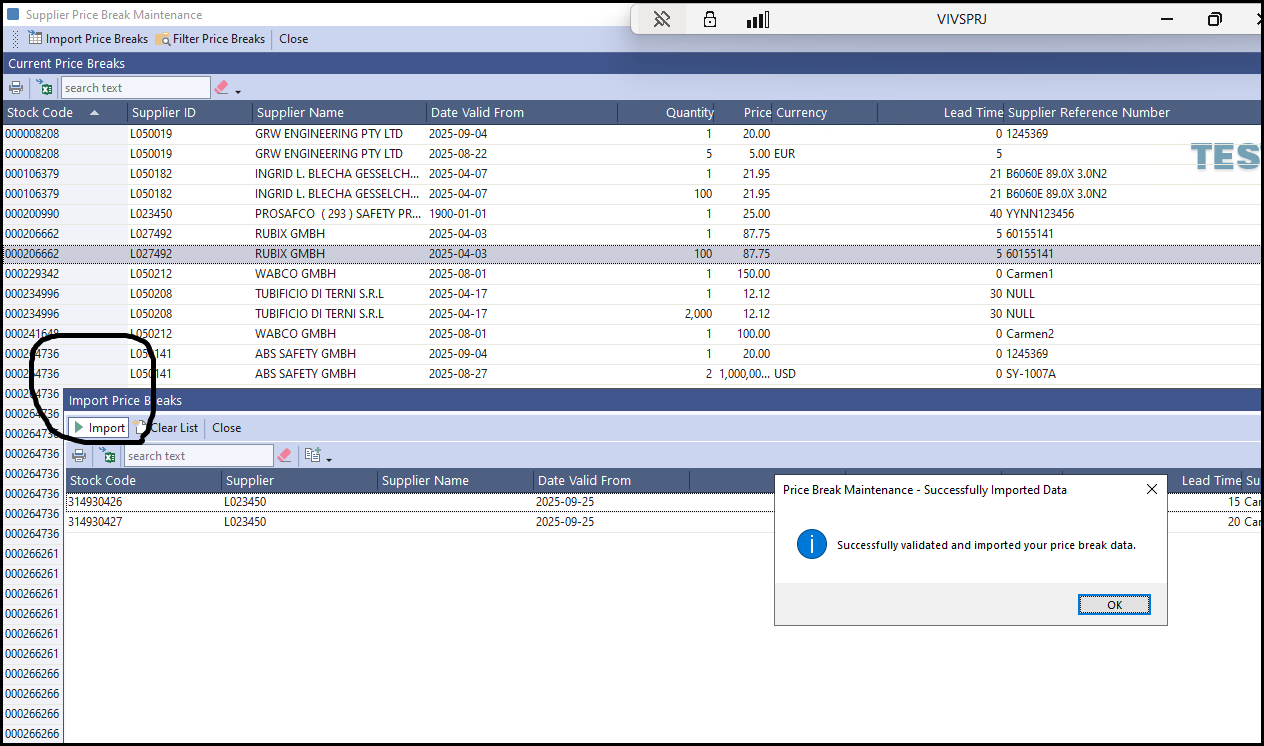
4. Check your data - Click on Import - will show if successfull.
If you get an error your data is incorrect - check you info.
Created with the Personal Edition of HelpNDoc: Make Documentation a Breeze with a Help Authoring Tool