MRP stock information
1. Here is a few notes where to find and edit information for stock purchasing
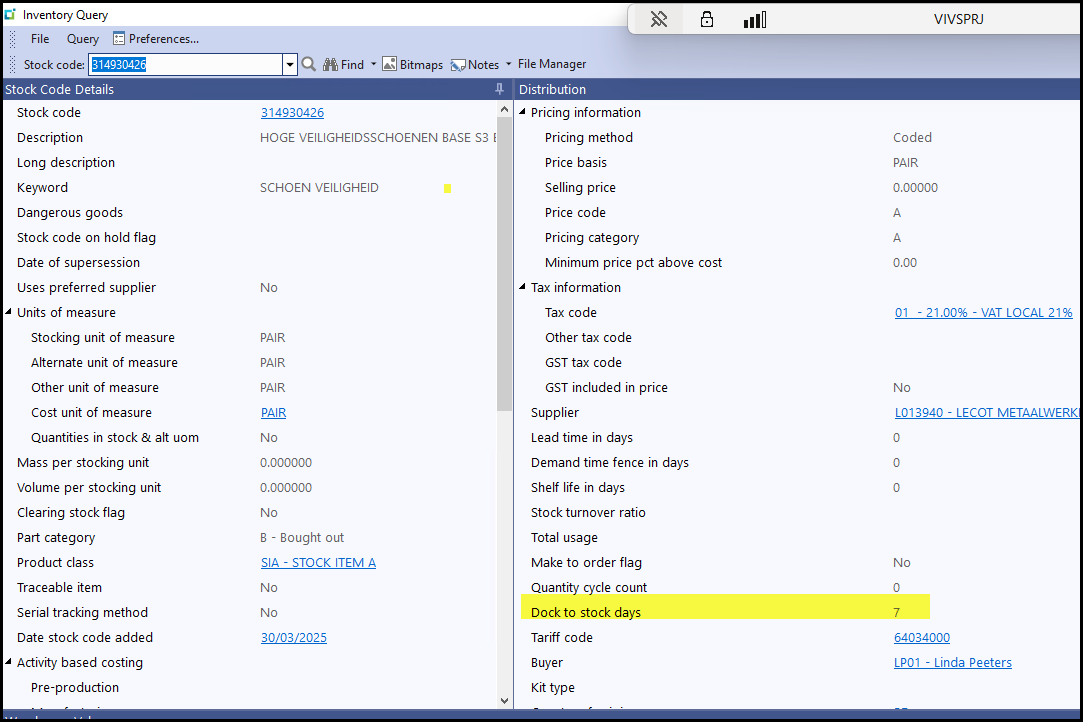
1.1 Doc to Stock Days
1.2 Doc to Stock Days refers to the number of calendar days it takes for stock to be delivered from the supplier to you.
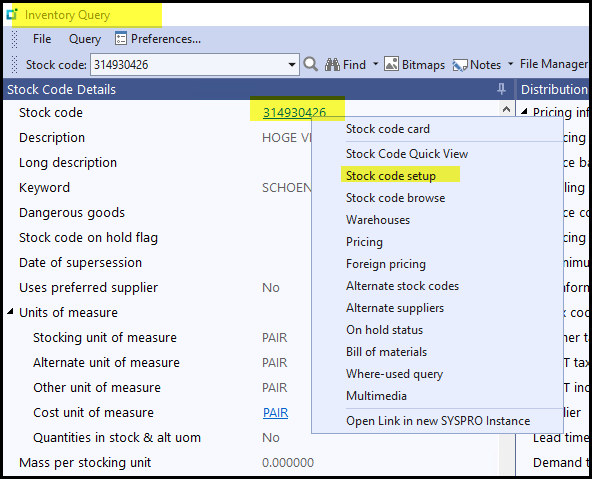
1.3 To edit this field - click on the stock code - stock code setup
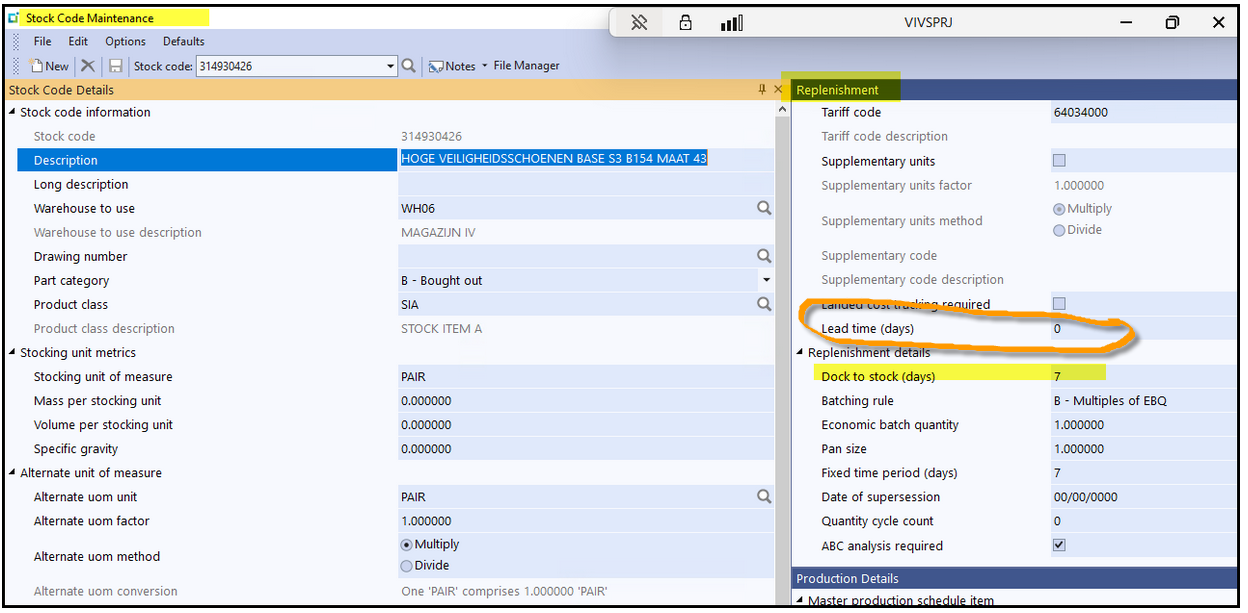
1.4 Edit under replenishment - doc to stock days
2.1 Safety Stock/Min Qty
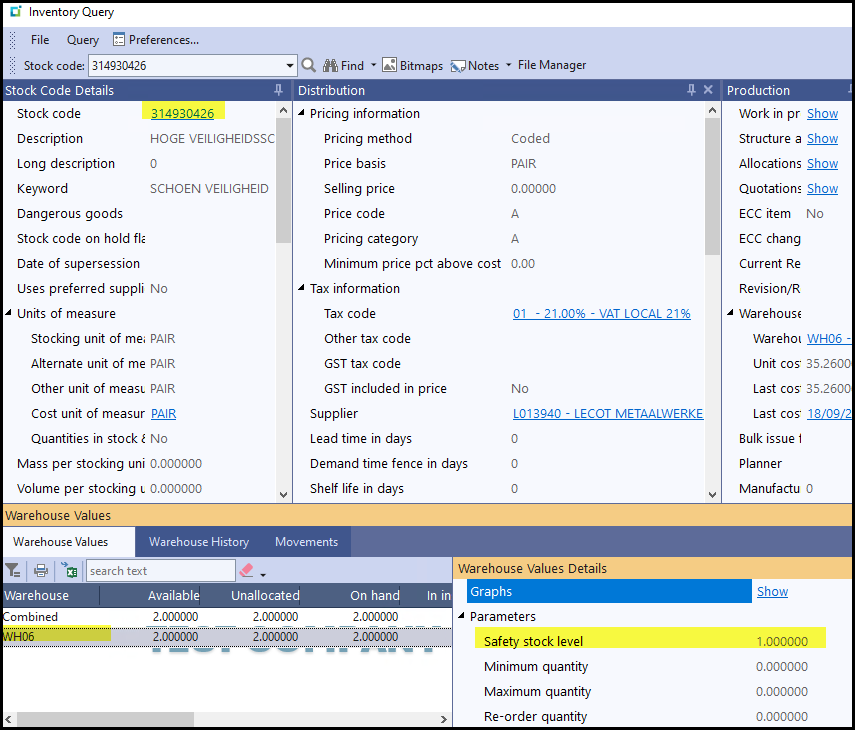
2.2 Safety Stock in Syspro is per warehouse. We only work on the Safety Stock field, see below.
To view it please see below click on the warehouse and see the far right pan which indicates the values.
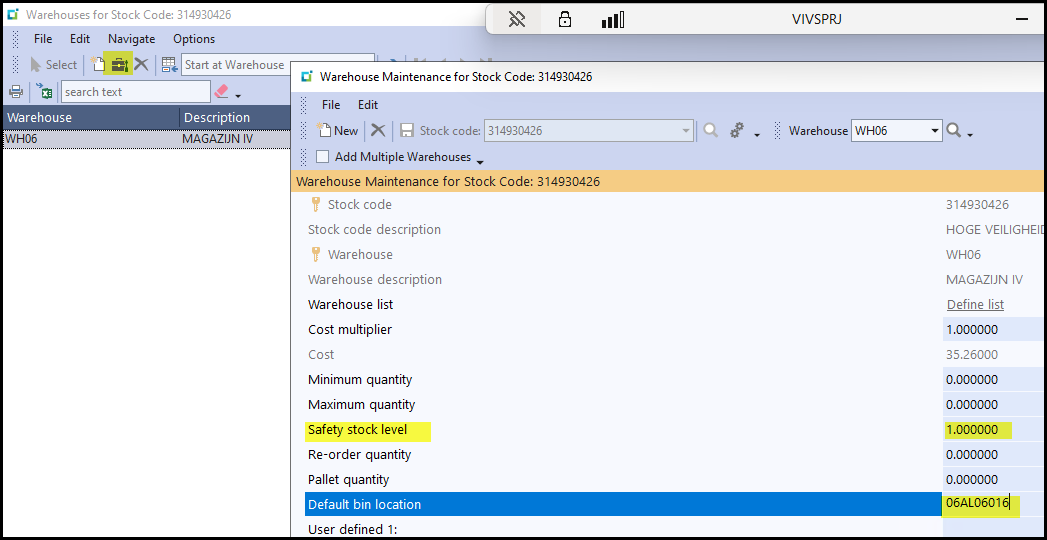
2.3 To edit safety stock qty
Click on the stock code - warehouse - select your warehouse and edit on the top.
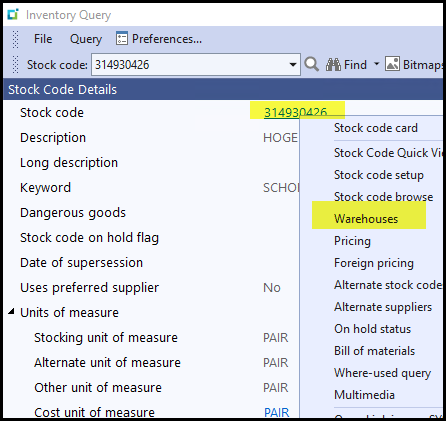
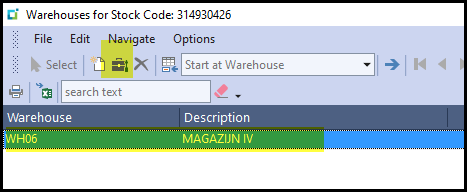
2.4 Edit your qty and you can also add your default bin.
Created with the Personal Edition of HelpNDoc: Generate EPub eBooks with ease