How to do a POReceipt
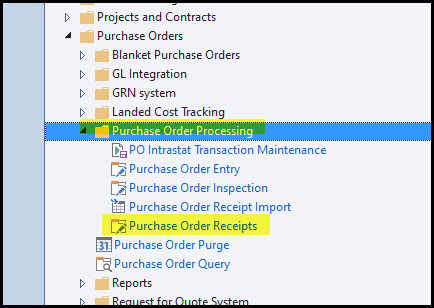
1. Go to Purchase orders>Purchase order processing> Purchase Order Receipts
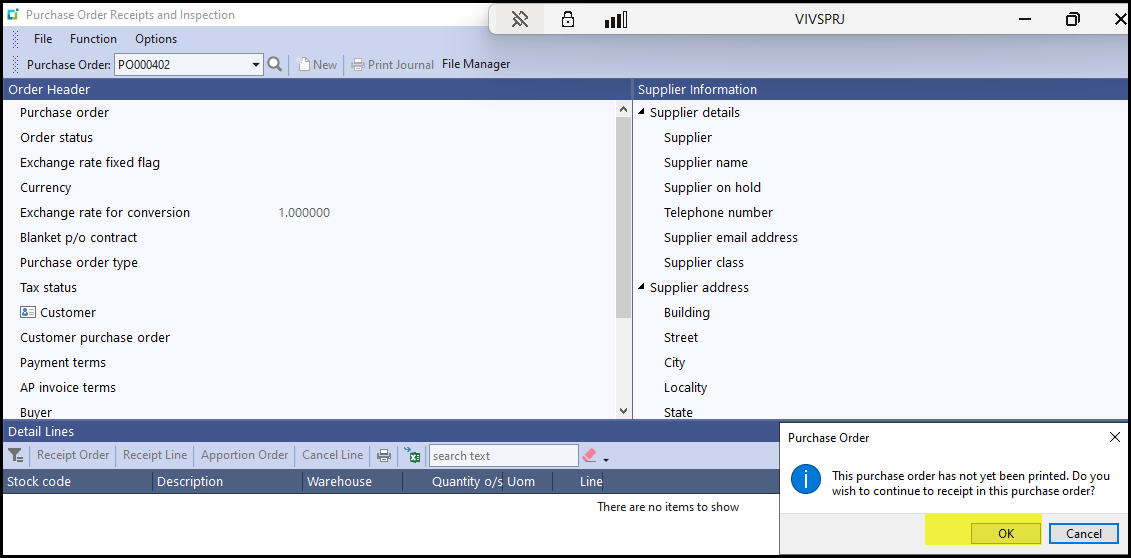
2. Click on OK
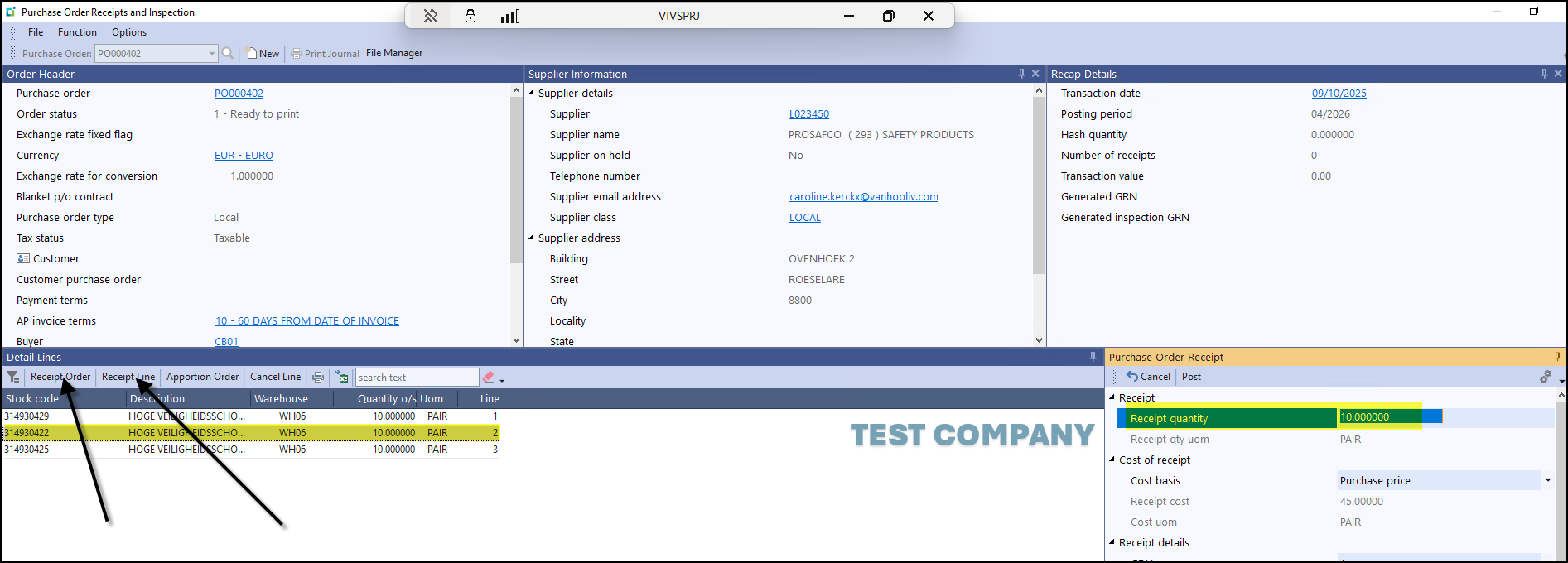
3. You can receive the full order - Receipt order or if yo want to received one or two lines, stand on the line.
On the right the full order to receive qty will show.
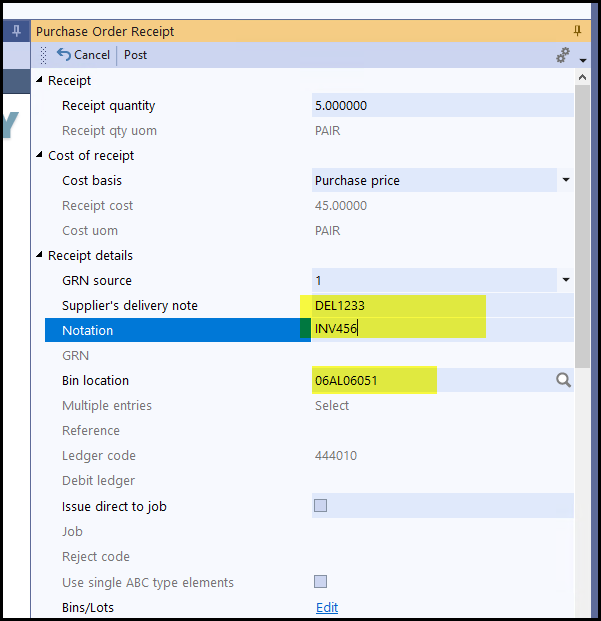
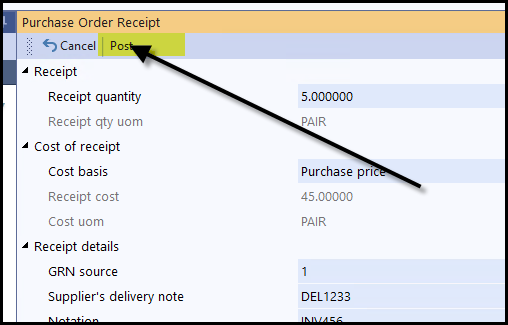
4. Enter se delivery note nr or invoice nr in the field - Suppliers delivery note.
Enter more info if you want to in Notation field.
The default BIN location will show or click on the search field to select anothere BIN.
When complete - click on POST.
5. You can do the next line then.
Created with the Personal Edition of HelpNDoc: Easy EPub and documentation editor