How to do a POReturn
1. Go to PO order receipts.
Search the PO you want to do the return against.
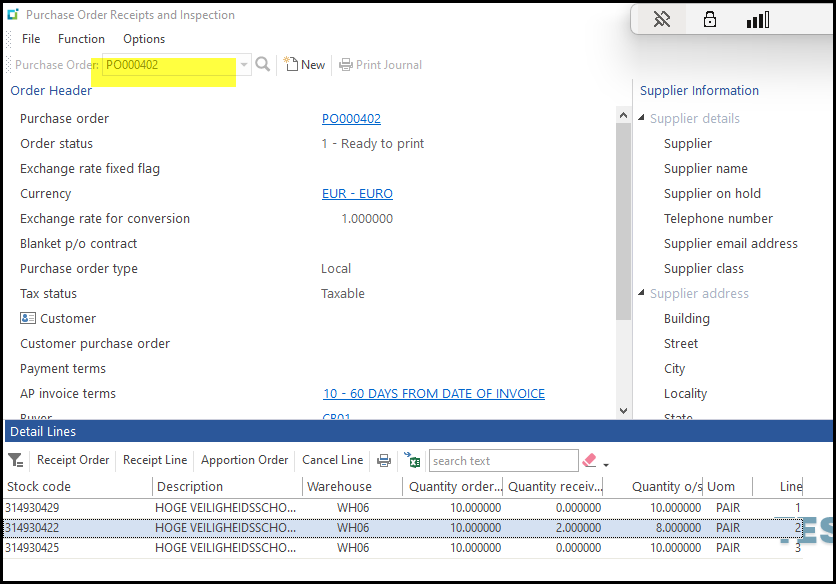
2. Click on the line you want to return and Receipt line.
The open qty to receive will show.

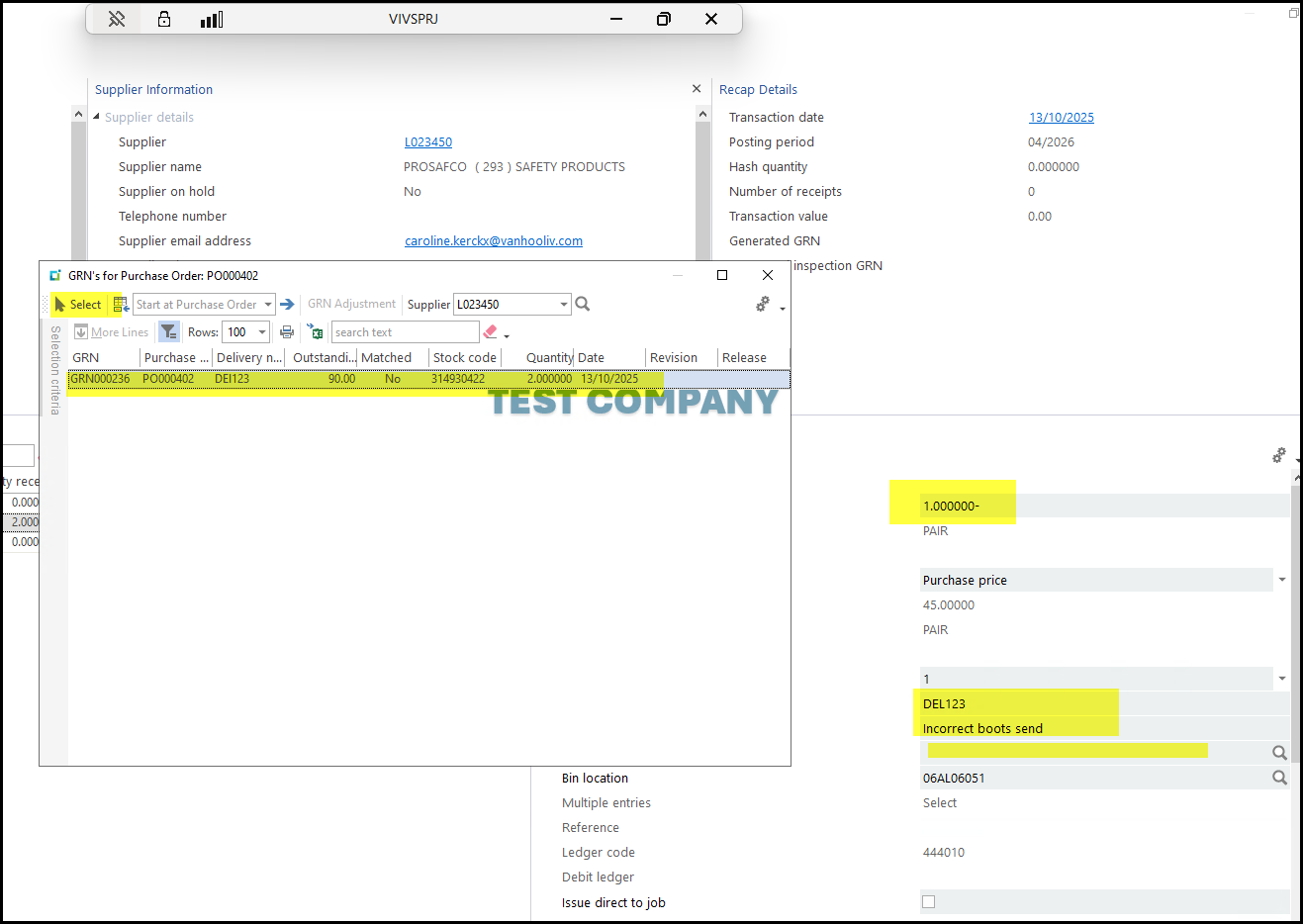
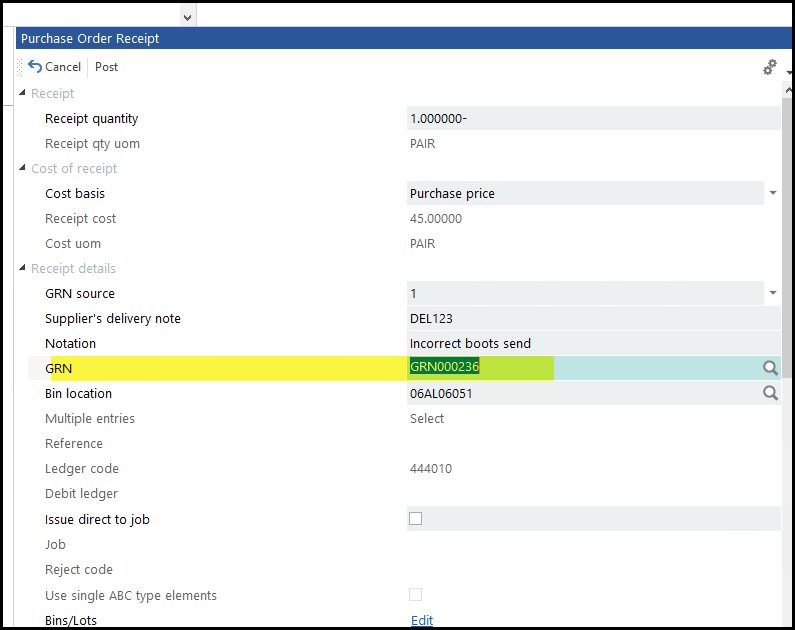
3. Enter a minus sign and your qty you want to return. See below.
Enter the delivery note you are referring to and some notes.
Click on the search for the GRN you are doing the return on, select your GRN.
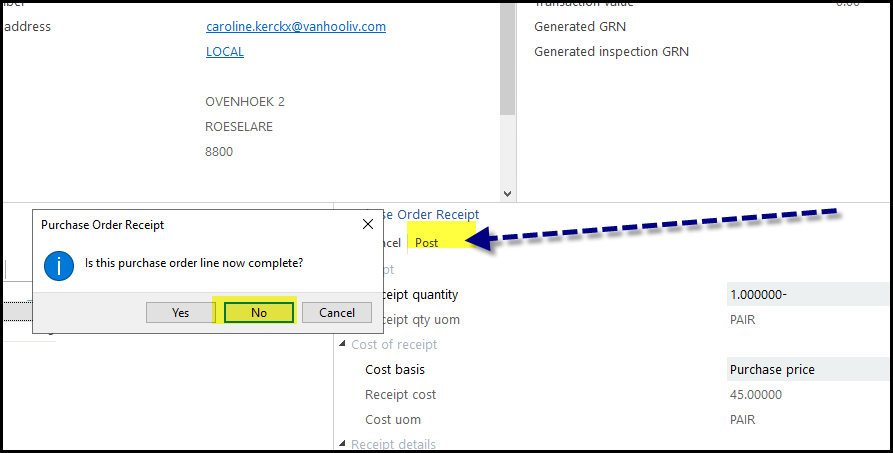
4. If you do not want receive anything against the POline select Yes or otherwise No.
Click on POST.
Created with the Personal Edition of HelpNDoc: Experience the Power and Ease of Use of HelpNDoc for CHM Help File Generation