Picking
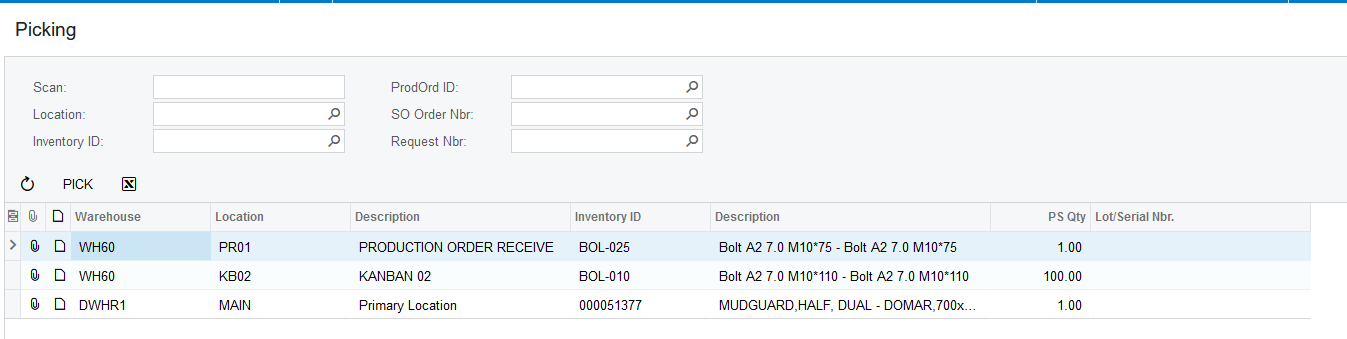
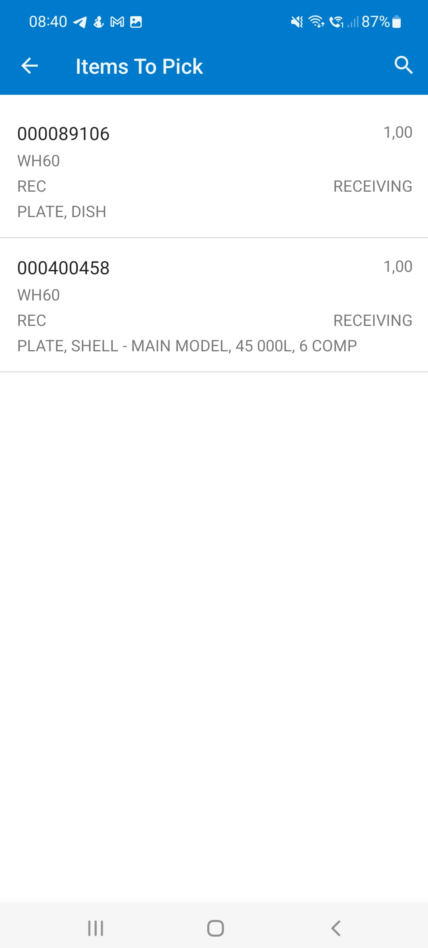
1. Once the Pickingslip was generated and has the "Allocated" status it will show on the Picking screen, each Expeditor will only see the Pickingslip lines that are allocated to him or her. Picking can be done either on the Web or through the Mobile App. The information that are shown here gets grouped per Inventory Item, Warehouse and Location:
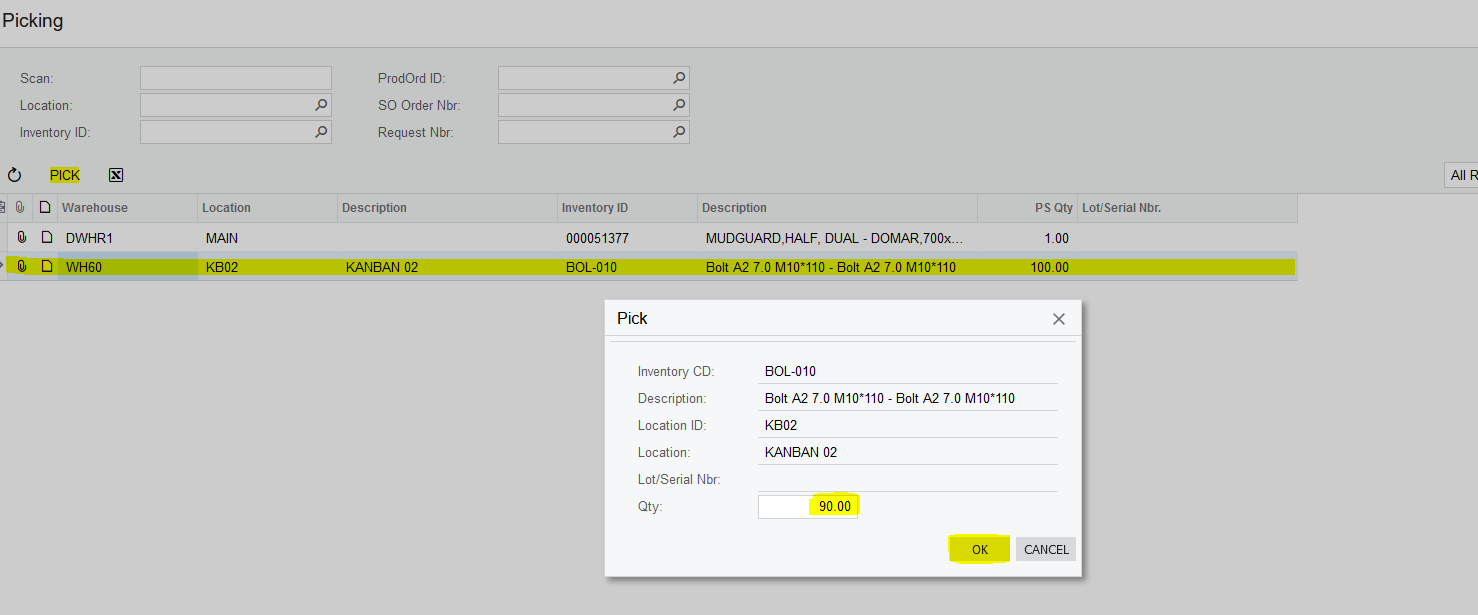
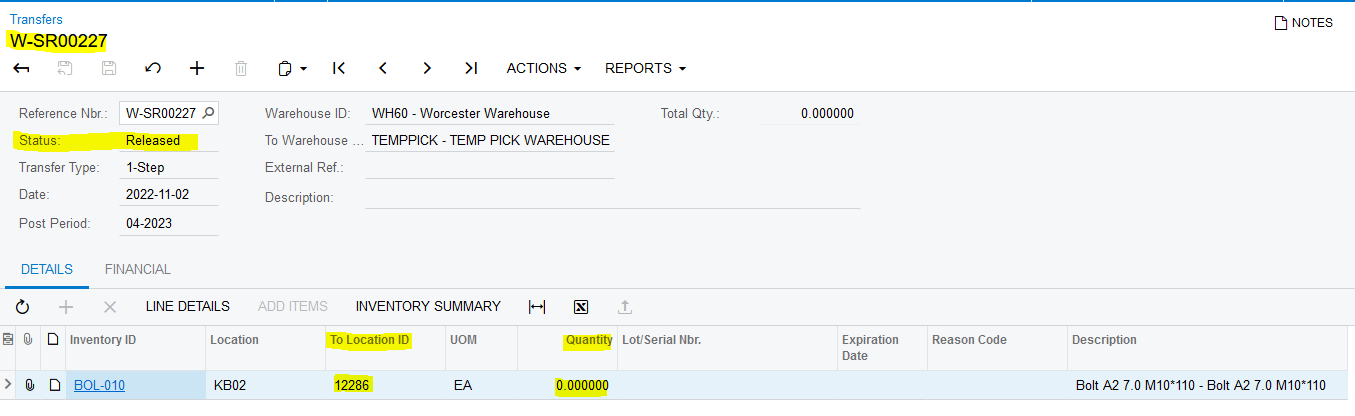
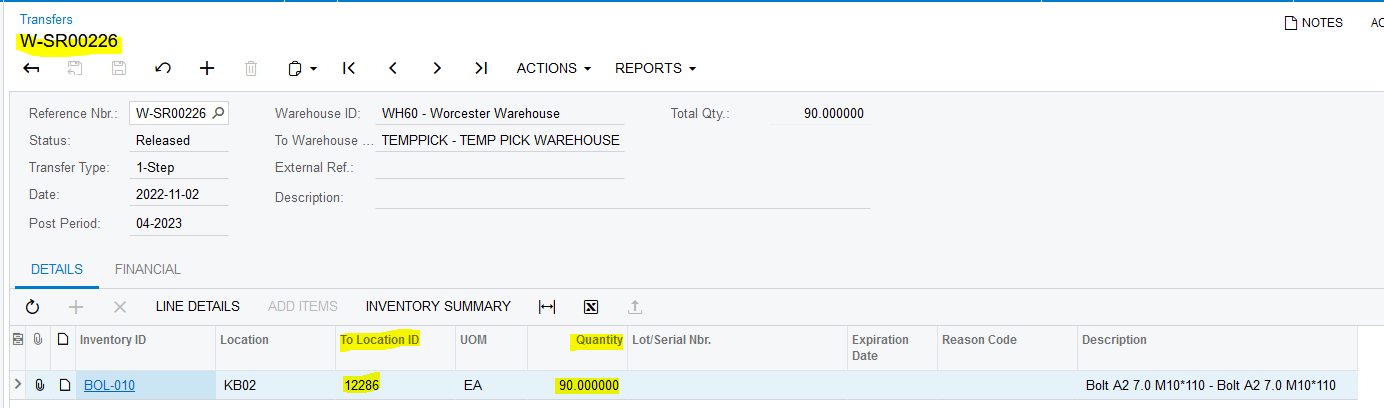
2. If the End User selects the relevant line and click on "PICK" a Smart Panel Pops Up asking the End User to confirm the quantity he wants to Pick. If the End User picks less than the Quantity specified on the Pickingslip Line the remainder that was Picked goes back on the relevant Pickingslip Line. The Balanced Transfer that was generated gets updated and released. The relevant Quantities get updated on the Transfer if necessary and the "To Location ID" gets changed to the Expeditor that's linked on the relevant Pickingslip Line Employee's Number. If the Expeditors Location does not exist in the "TEMPPICK" Warehouse it will be created via the Code:
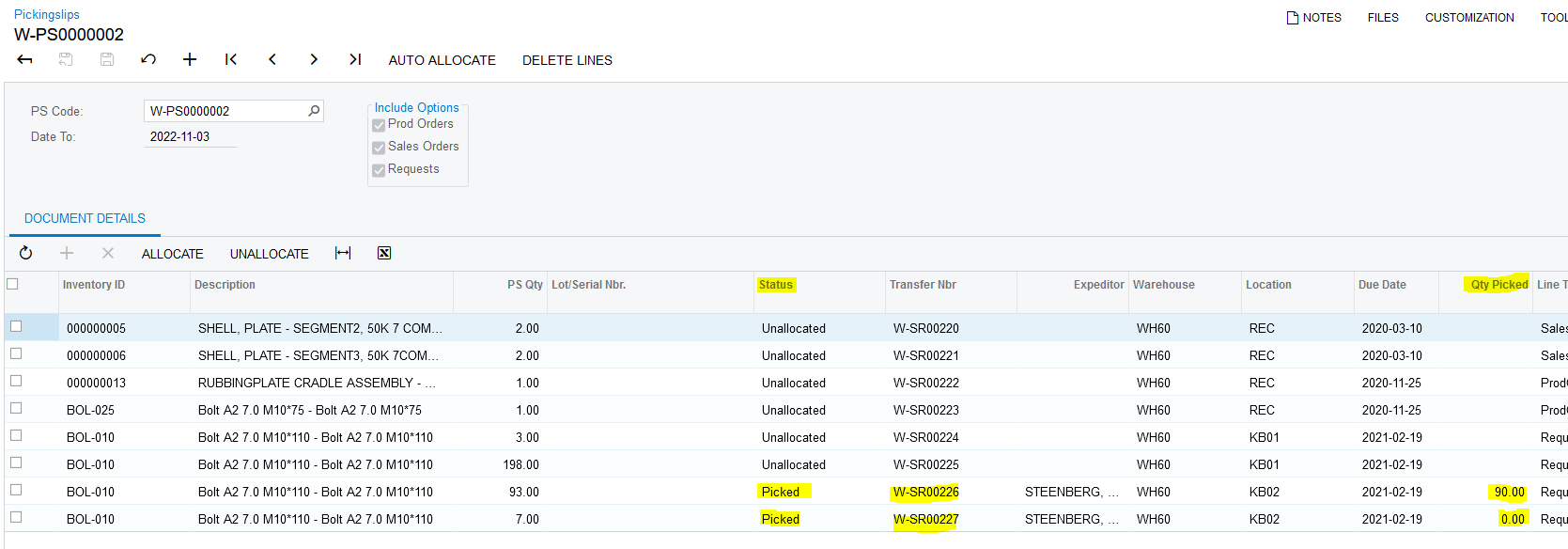
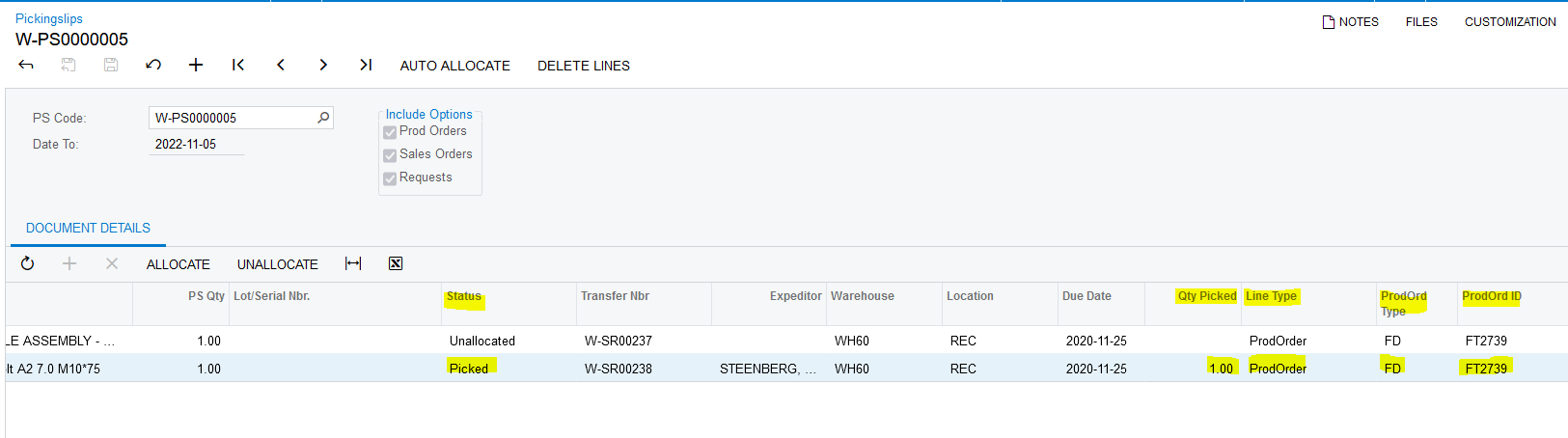
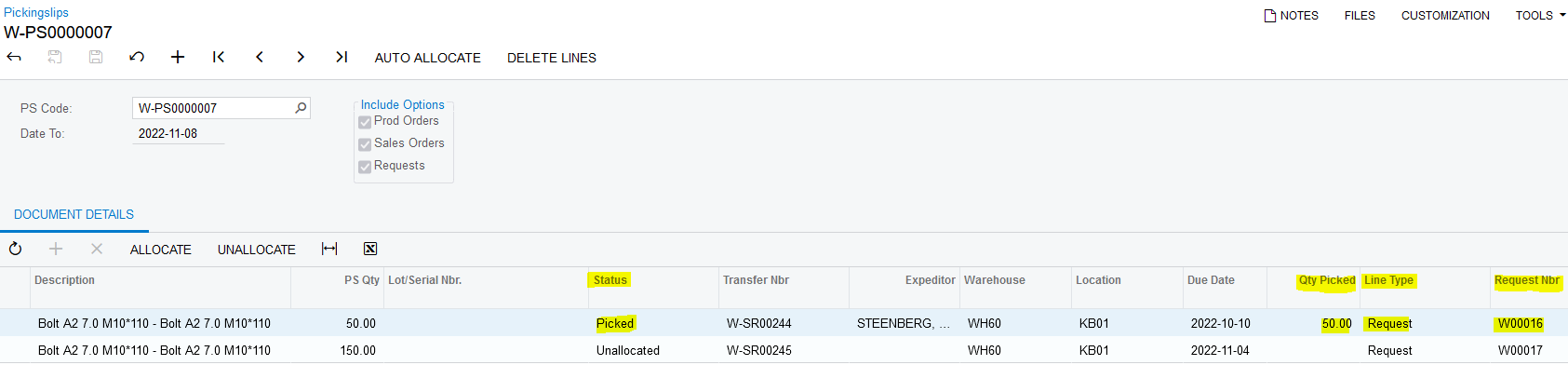
3. The Pickingslip Lines that were Picked also gets updated. The status changes from "Allocated" to "Picked" and the field "Qty Picked" gets updated with the Quantities that the Expeditor Picked:
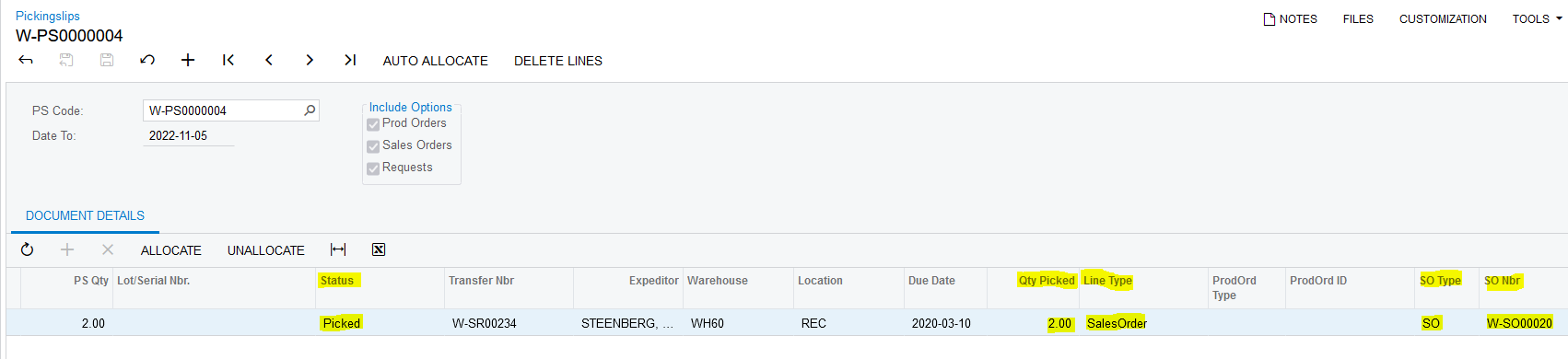
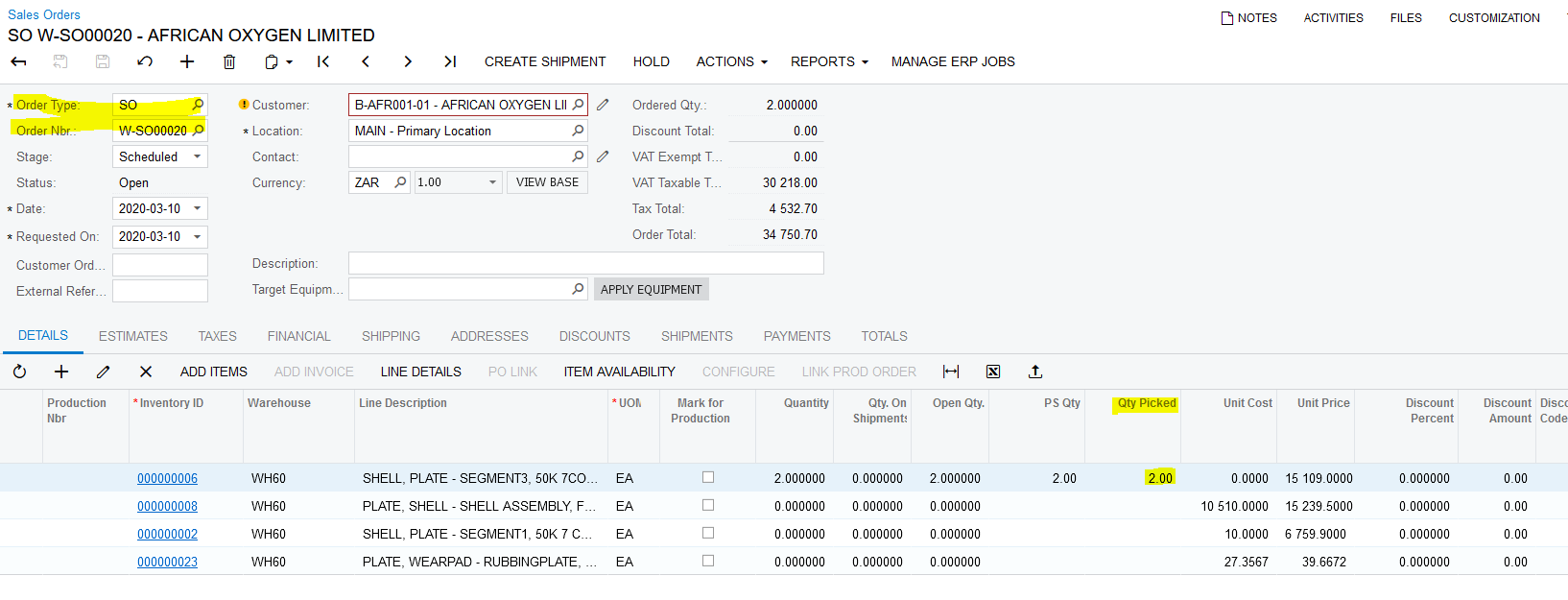
4. If the Pickingslip Line that was Picked has the Line Type "SalesOrder", the Sales Order that's linked to the relevant Pickingslip Line gets updated as well. The "Qty Picked" field gets updated with the Quantities that the Expeditor Picked:
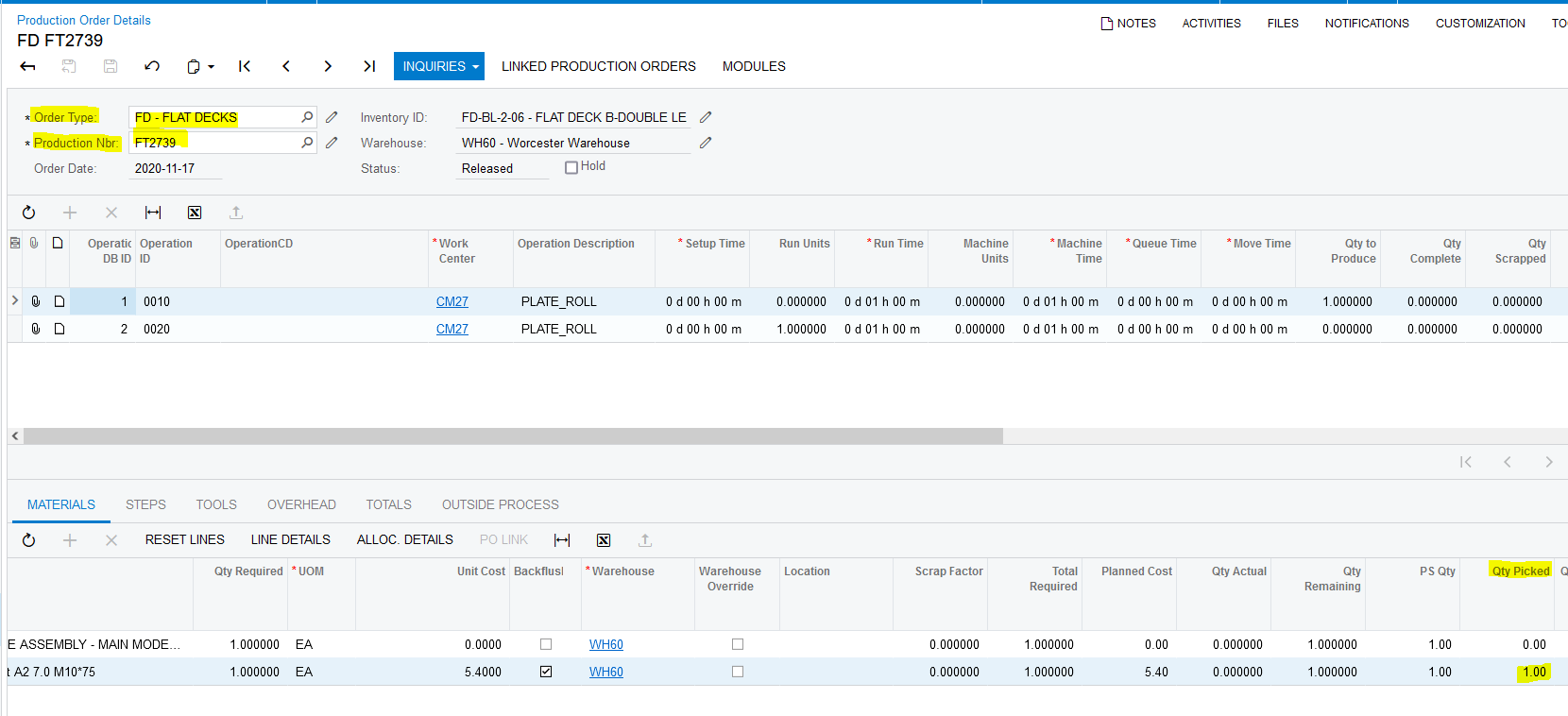
5. If the Pickingslip Line that was Picked has the Line Type "ProdOrder", the Production Order that's linked to the relevant Pickingslip Line gets updated as well. The "Qty Picked" field gets updated with the Quantities that the Expeditor Picked:
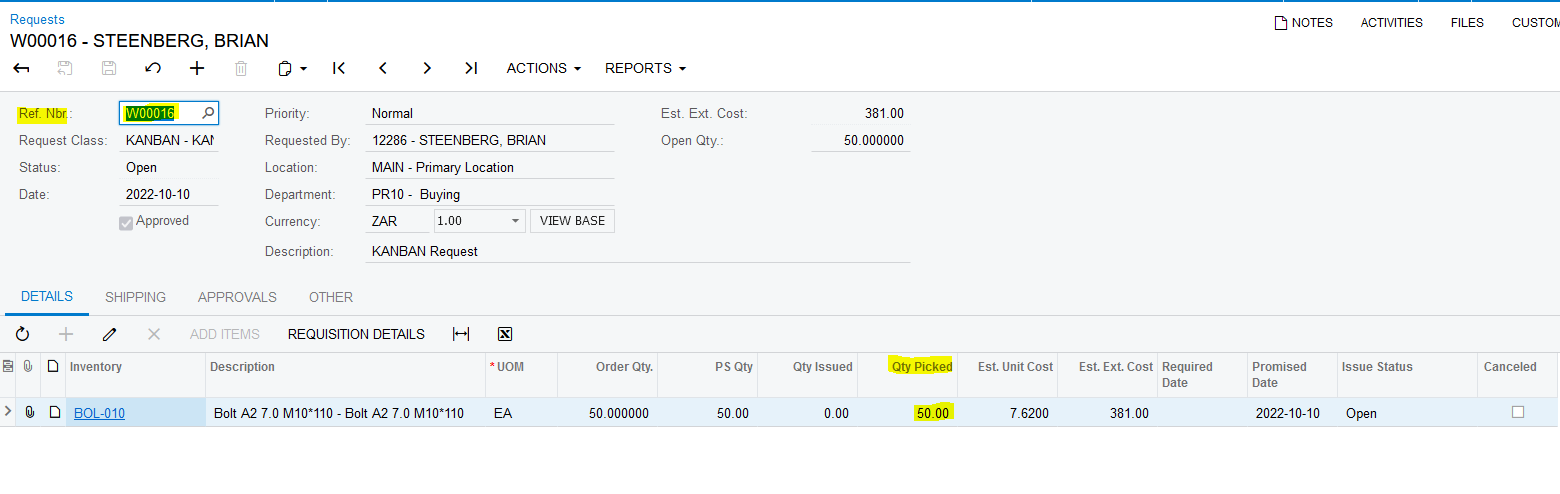
6. If the Pickingslip Line that was Picked has the Line Type "Request", the Request that's linked to the relevant Pickingslip Line gets updated as well. The "Qty Picked" field gets updated with the Quantities that the Expeditor Picked:
Created with the Personal Edition of HelpNDoc: Easily share your documentation with the world through a beautiful website