How to see why customer is on credit hold related to sales orders balance
1. When you get the following errors on Sales orders when you want to take it off hold -
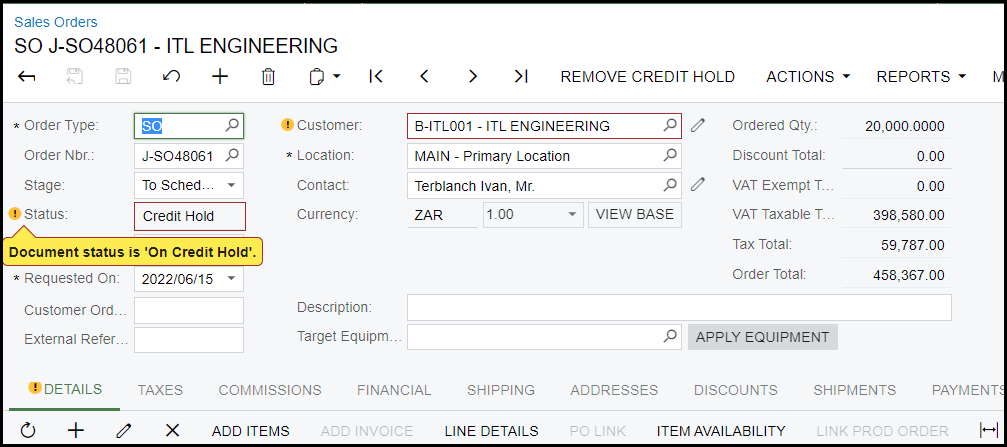
Or
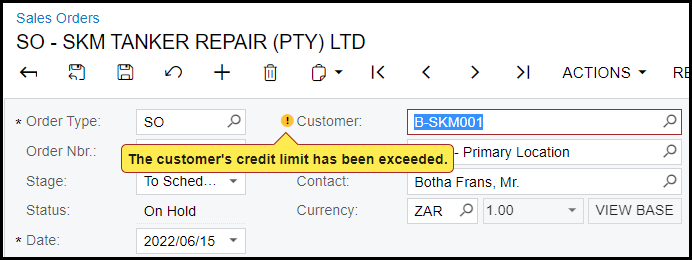
this is because the open invoices and orders for the customer has reached the credit limit.
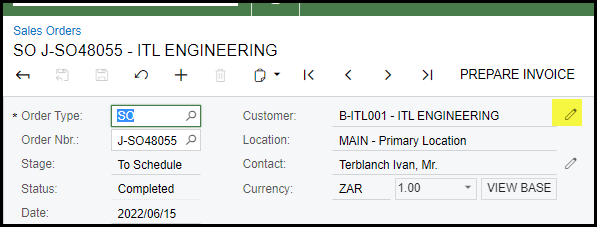
2. Click on the 'pen' next to the customer to investigate.
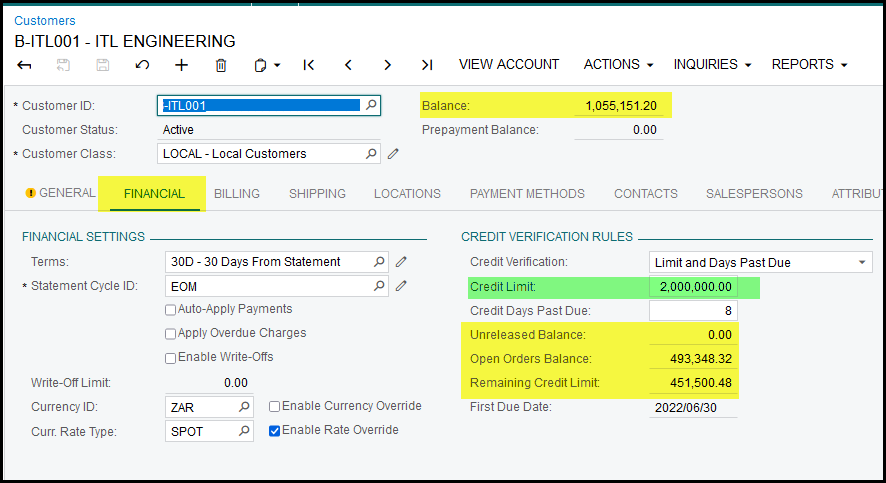
3. How to get to the remaining credit limit -
Credit limit 2 000 000.00
Less: Balance 1 055 151.20
Open orders balance 493 348.32
Unreleased balance 0.00
Remaining Credit limit 451 500.48
So the above customer you will be able to process invoices and open sales orders to the value of 451 500.48
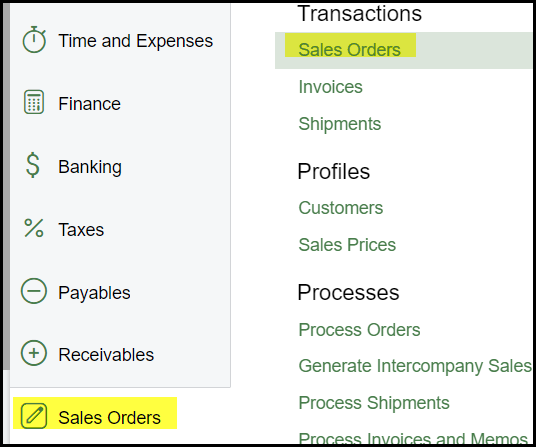
4. To see what the 'Open Orders Balance' consist of go to sales orders -
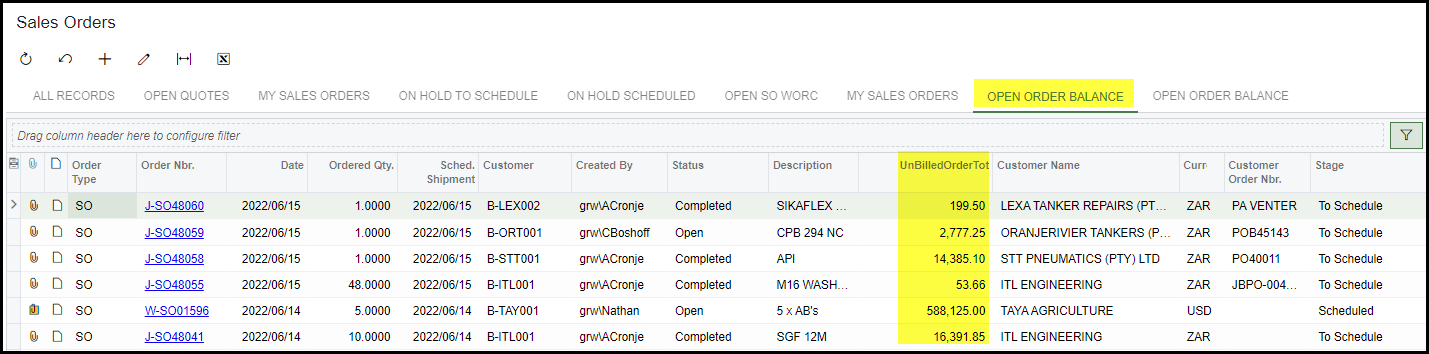
5. Click on the tab 'OPEN ORDER BALANCE'.
Use your filter to go to a specific customer.
The column - 'UnBilledOrderTot' will be the open balance of the order.
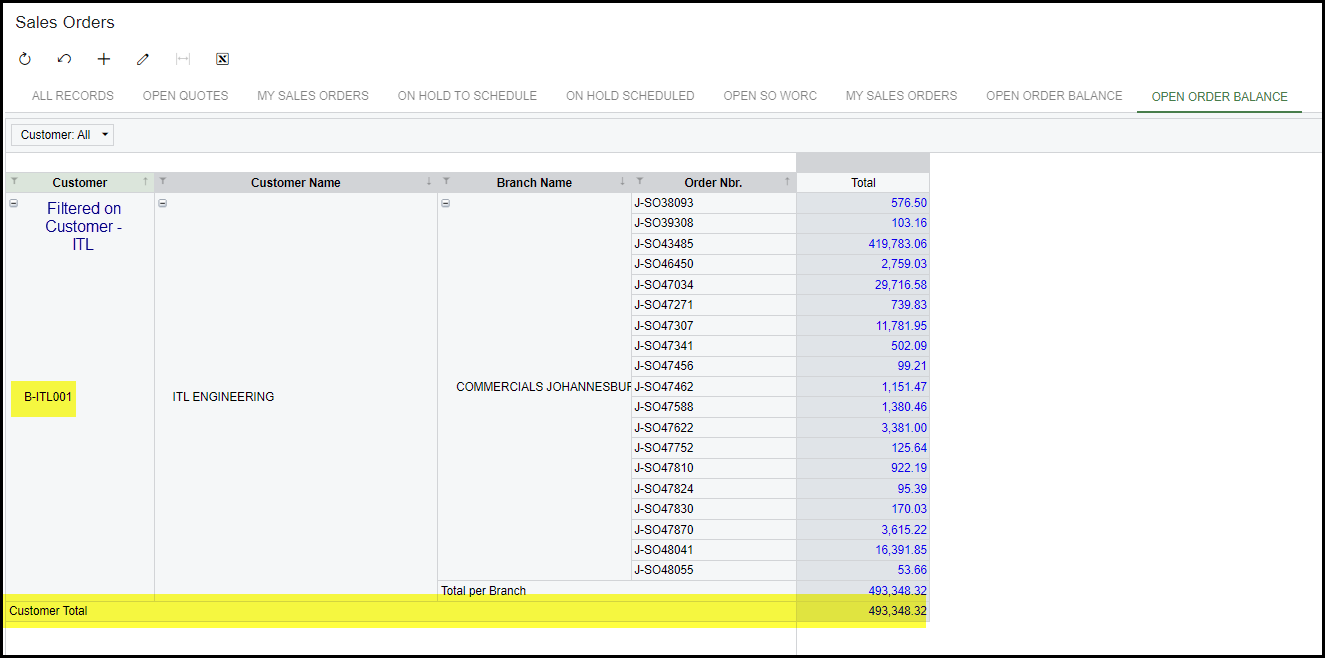
6. You can also click on the next tab 'OPEN ORDER BALANCE'.
Use the filters to do your search.
Remember that all the branches/companies in Acumatica is taken into account to make up the balance.
This will take you to a pivot and will show the total of each customer and branch.
7. The open order balance of 493 348.32 is the same as on the customer screen.
Created with the Personal Edition of HelpNDoc: Easy EBook and documentation generator