How to link a job to a sales order
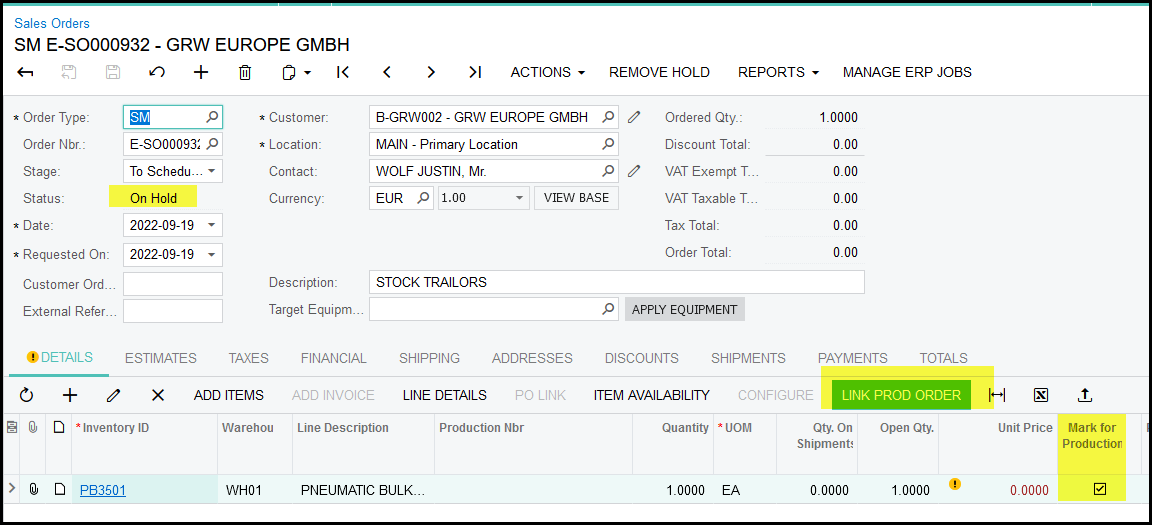
1. Go the sales order, make sure that the status is 'on hold'. On the inventory items line make sure that the 'mark for production' box is selected.
2. When you are on the inventory line item click on 'link prod order'
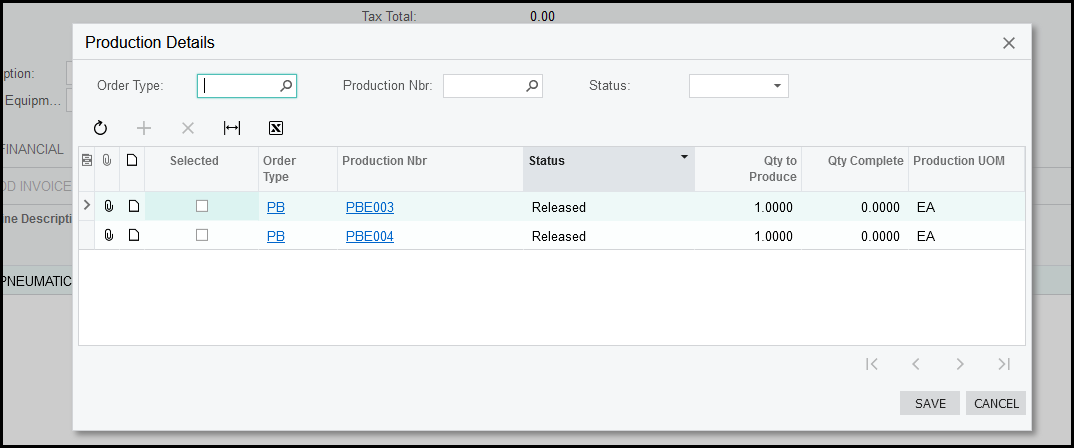
3. The pop-up screen will show what jobs can be linked to your order.
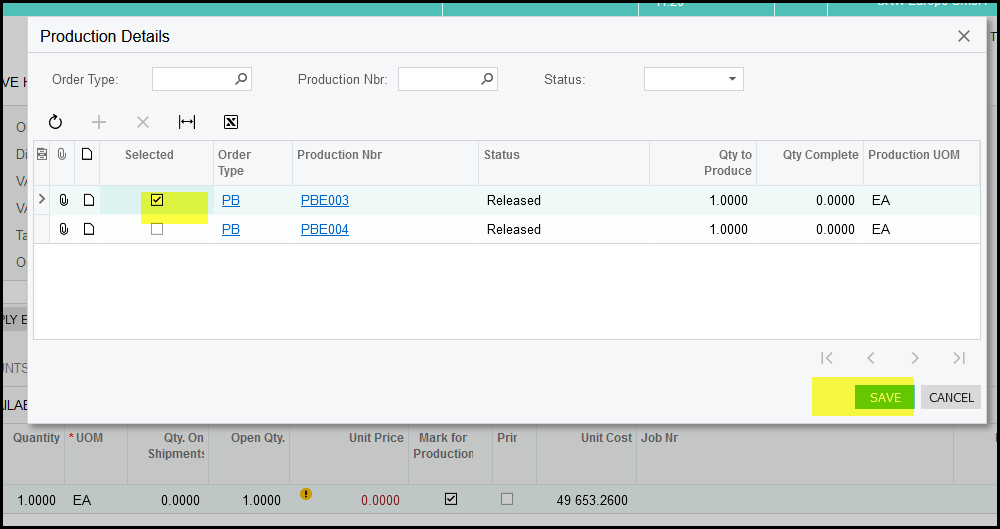
4. Select a job and save.
Created with the Personal Edition of HelpNDoc: Easily create Help documents