How to see where items is stored
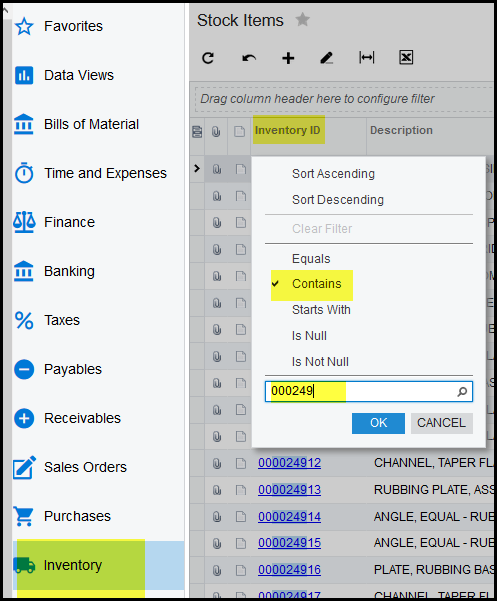
1. Inventory>Stock Items> Search your item.
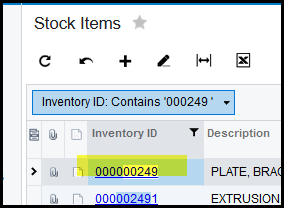
2. Open your stock item
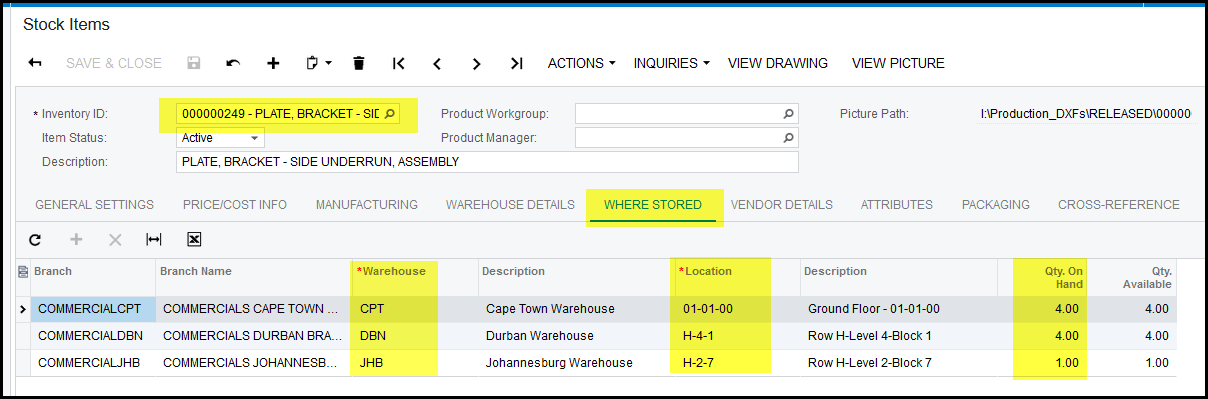
3. Click on the where stored tab.
4. This view will show all the warehouses and locations where the item is stored.
5. Remember only if you have access to other branches you will be able to see their stock qty.
Created with the Personal Edition of HelpNDoc: Step-by-Step Guide: How to Turn Your Word Document into an eBook