How to see what is allocated against a stock item
1. Go to Inventory>Stock items
2. Look up your item and go into your item.
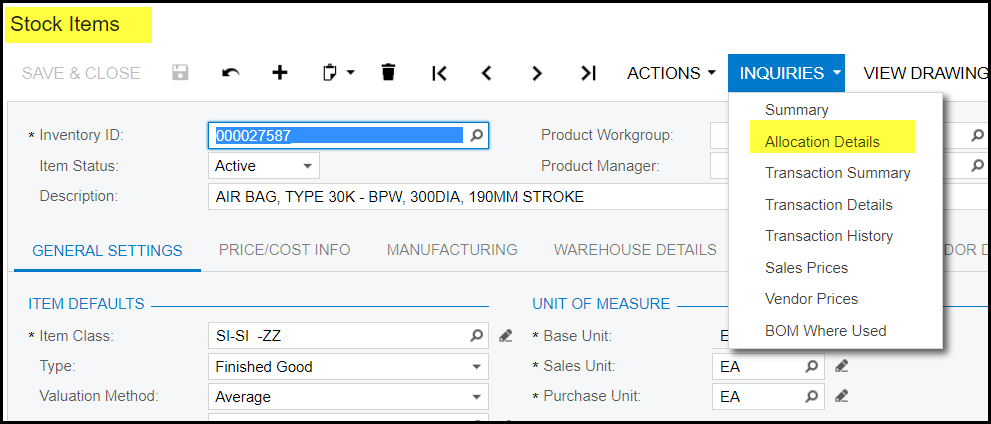
3. Click on inquiries>allocation details
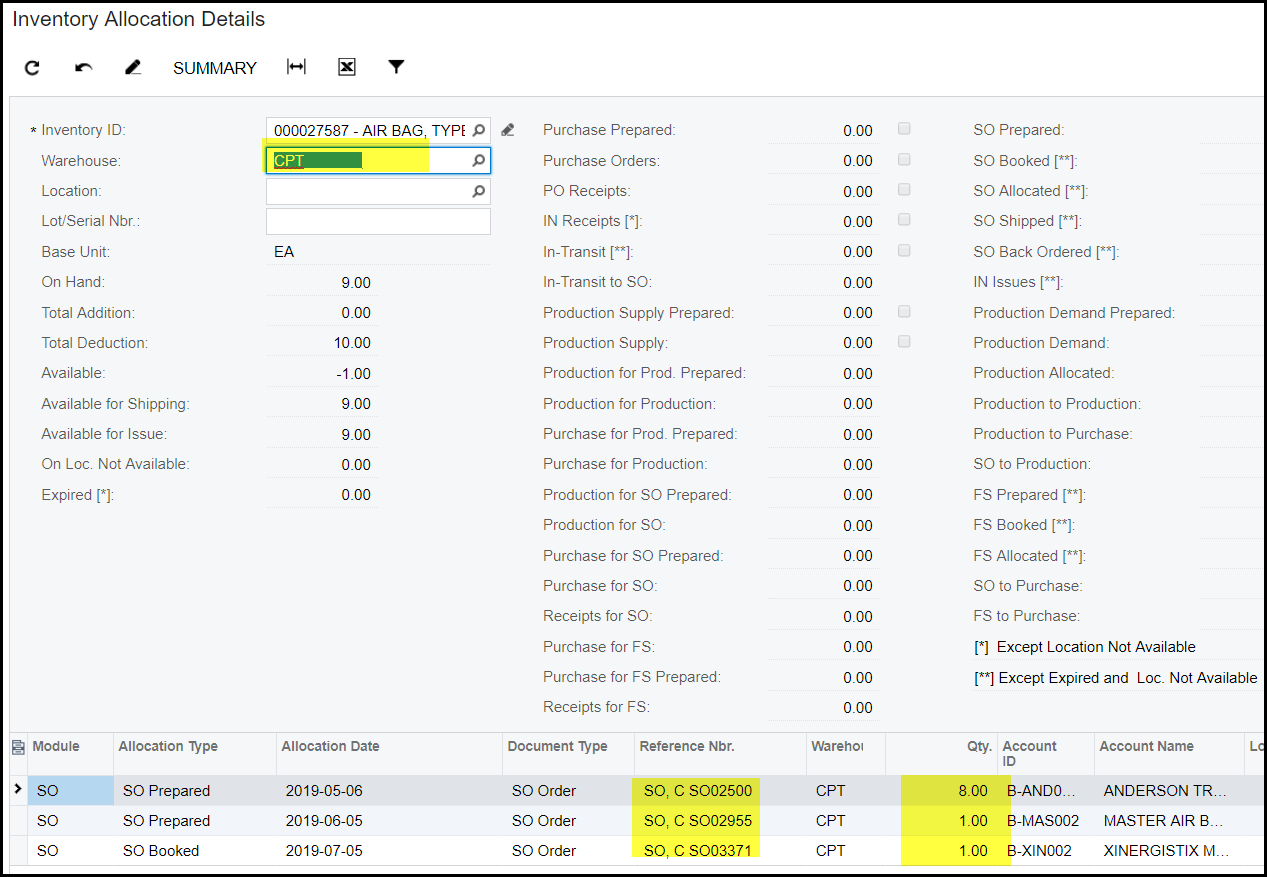
4. This screen will open all the transactions that is not completed and which holds quantity. For example SO2500 is 8 allocated. Look at the available qty = -1.00
So if you need to finalise SO03371, you first have to finalise the other SO's because it hold the qty.
Created with the Personal Edition of HelpNDoc: Maximize Your Documentation Capabilities with a Help Authoring Tool