How to receive a 2-step transfer
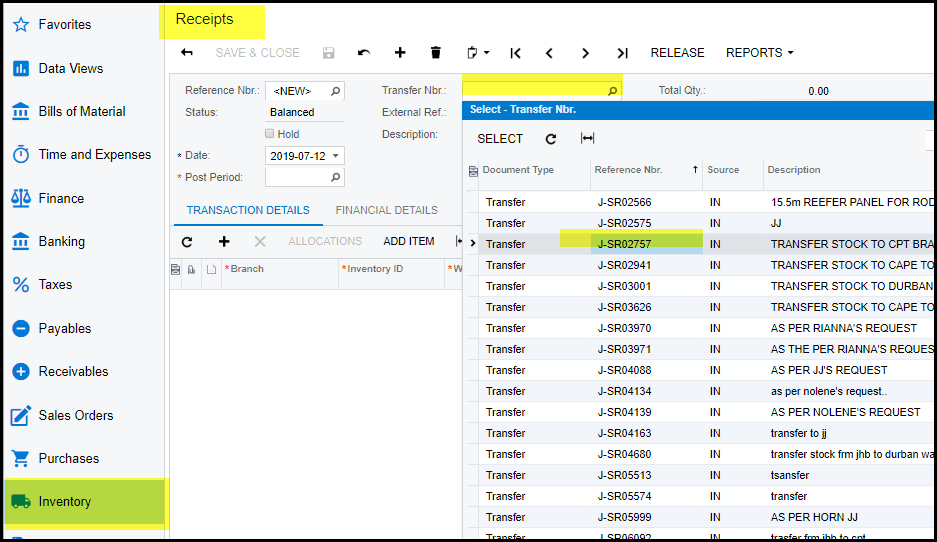
1. Click on Inventory>Receipts
2. Search for your transfer nr.
3. Save
4. Before you release the transfer check your items and quantities.
5. Change the quantities on your receipt to what you have received.
6. Save and release.
Created with the Personal Edition of HelpNDoc: Experience a User-Friendly Interface with HelpNDoc's Documentation Tool