How to transfer stock(2-step) from one to warehouse to another warehouse
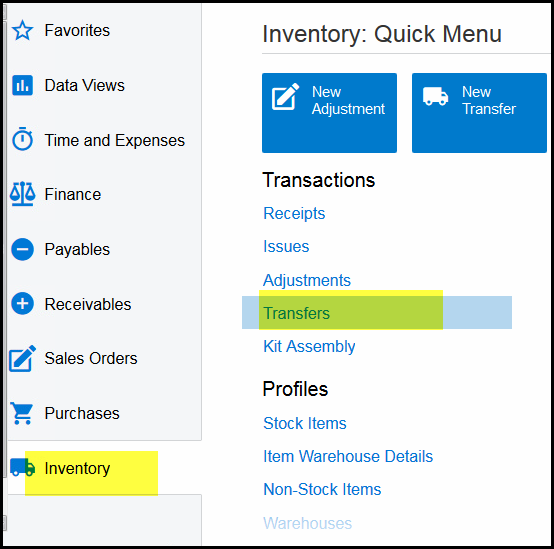
1. Click on Inventory>Transfers
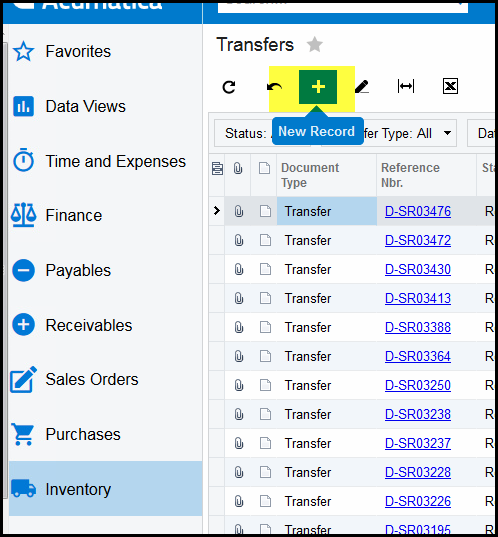
2. Click on '+' to create a new transfer
3. System will default to 1-step transfer type.
4. Select 2-step for transfer between different warehouses.
5. Select your warehouse and the 'to' warehouse.
6. Add a description for future look ups.
7. Search for the stock code and select the tick box.
8. Remember to edit the qty to what you want to transfer.
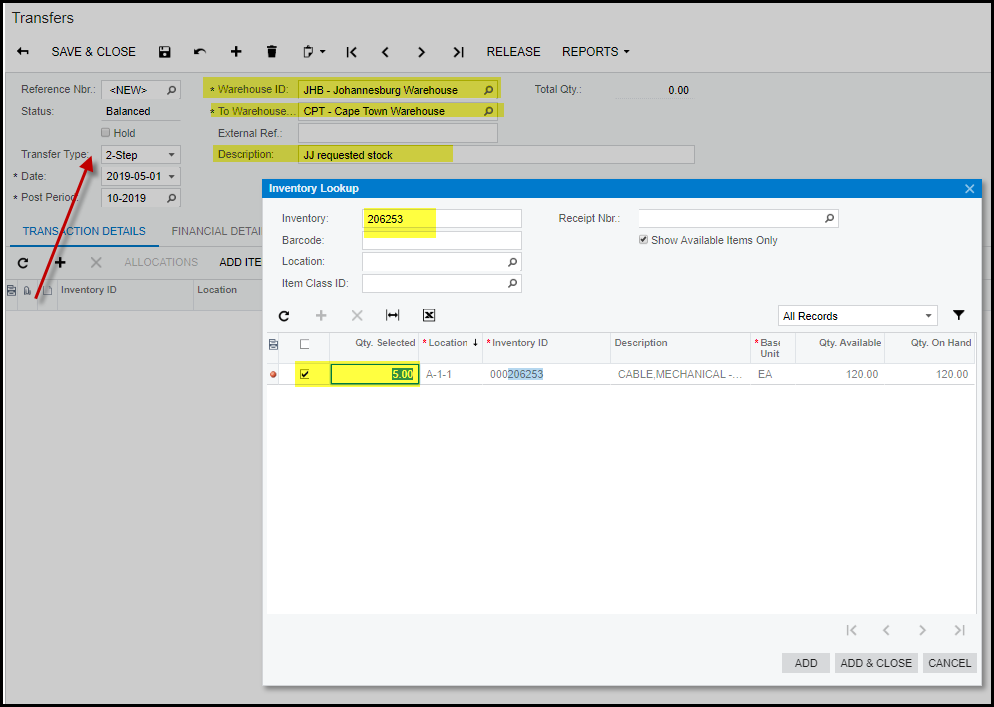
9. When done add&close
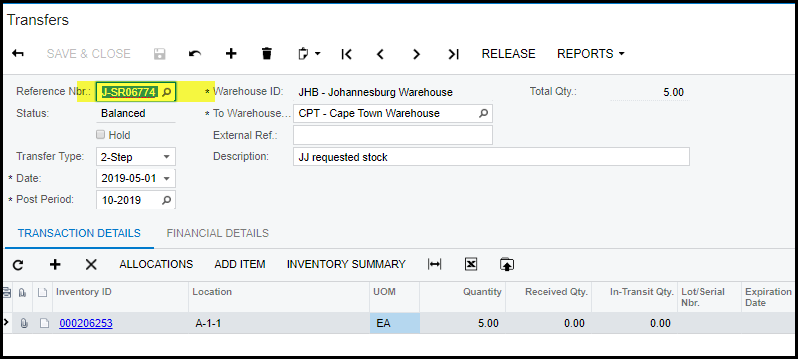
10. Save and release
11. Your transfer number will now be available for the other warehouse to receive.
12. On how to receive this transfer - How to receive a 2-step transfer
Created with the Personal Edition of HelpNDoc: Easily create EPub books