How to see the price of an item
1. All stock codes are linked to item classes. They item classes have pre-selected attributes like the type of stock item(RM,CO,SI,SA) and UOM, VAT types etc.
2. Important to know that SA and CO is bases on standard costing. This mean that for all transactions will be processed at the standard cost of the item. If you puchase against another price, this will write variances when the receipt and invoice transaction is processed. So be careful of the price you insert.
3. Std Cost - high lighted in yellow.
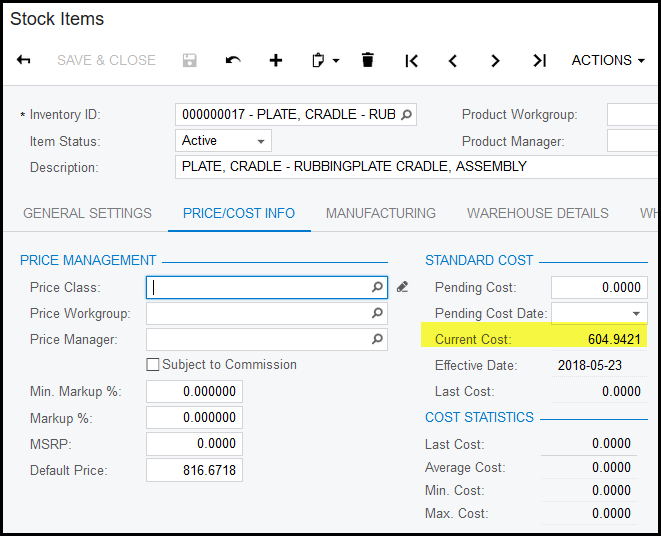
4. For all SI and RM the pricing of an item is bases on average cost.
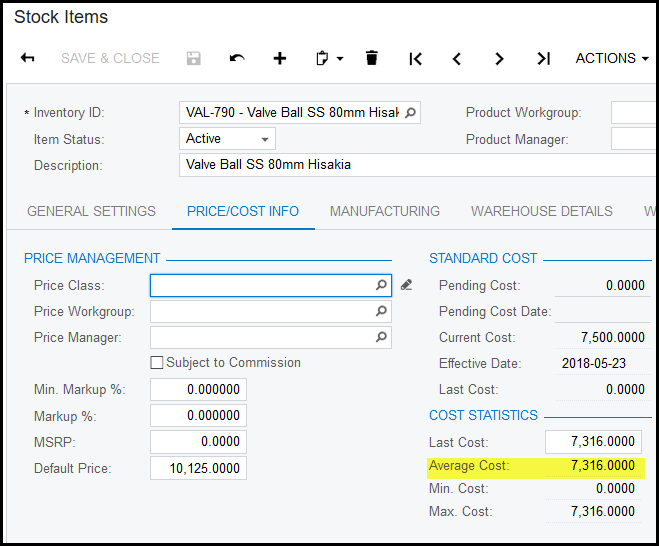
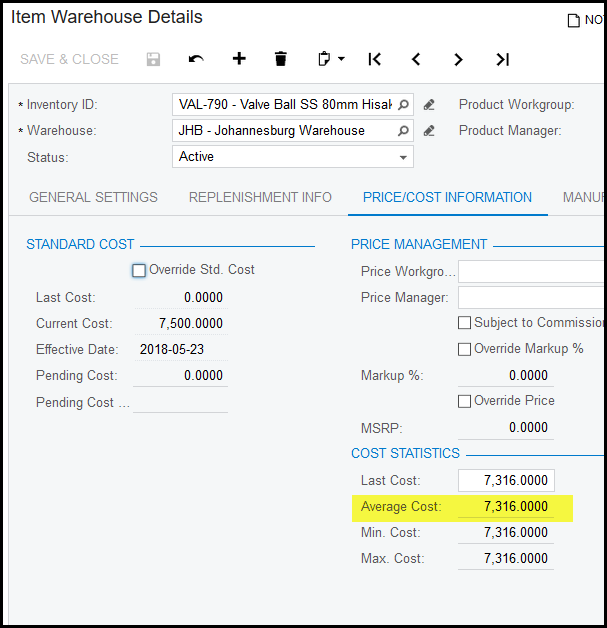
5. For average cost items the average cost is calculated by each warehouse. Therefor to see what your warehouse average price is follow these steps.
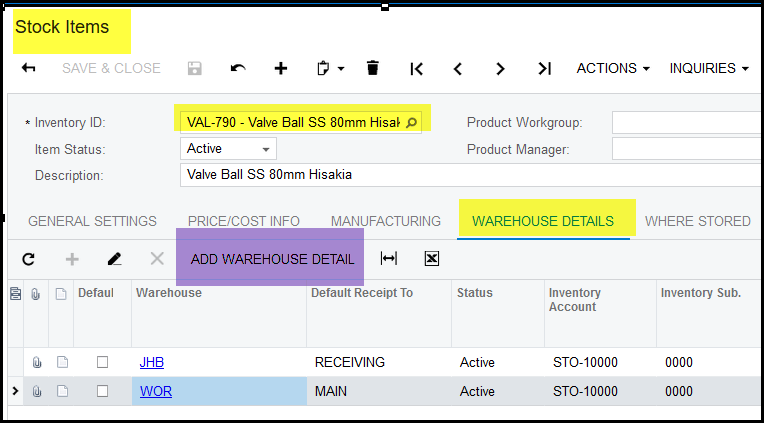
6. Click on warehouse details when you are viewing a stock item.
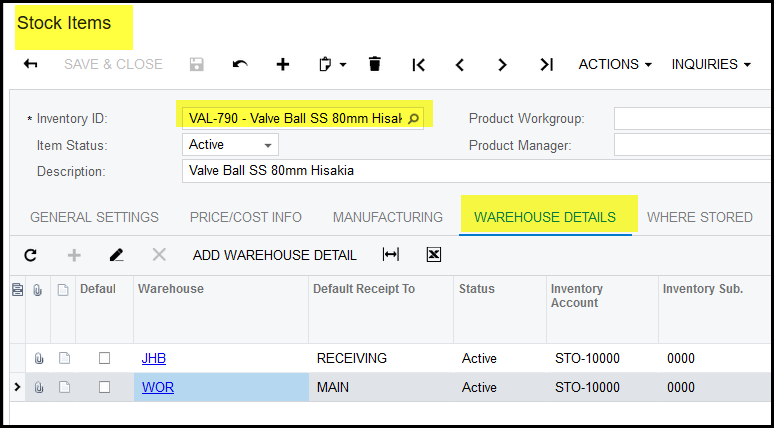
7. Click on the specific warehouse.
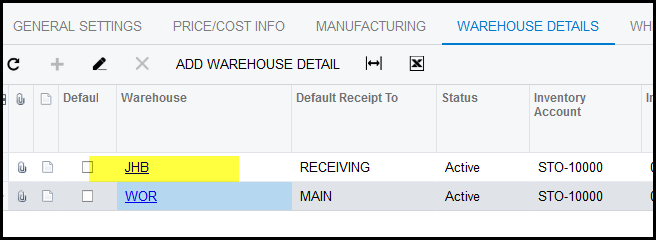
8. Go to price/cost info to see the specific warehouse average price.
9. In the example below the 'Durban' warehouse is not created for this item. Click in add warehouse details.
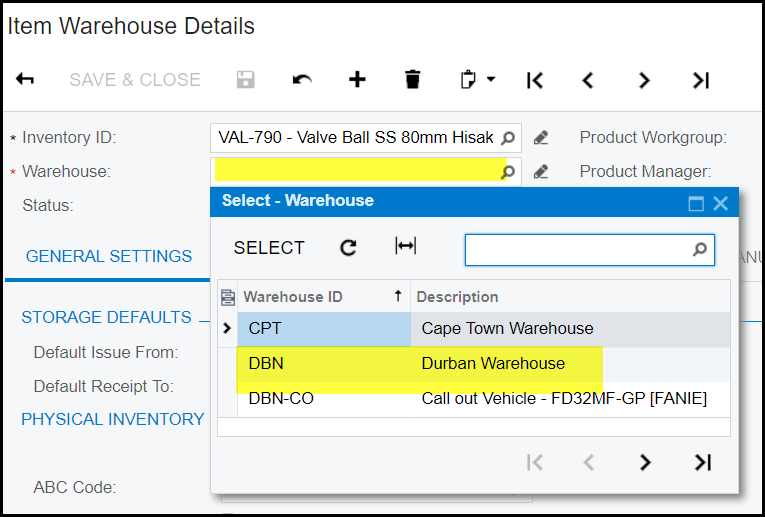
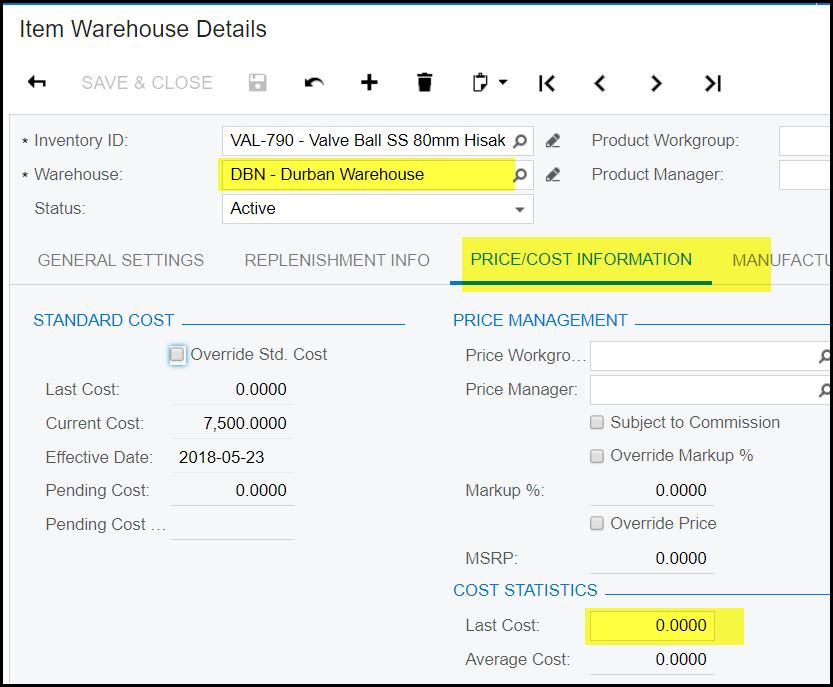
10. Select your warehouse and add last cost under price info.
Created with the Personal Edition of HelpNDoc: Achieve Professional Documentation Results with a Help Authoring Tool