How to adjust the std cost of an item with qty on hand
1. How to adjust the std cost of an item
2. When an item has qty on hand a price adjustment will have a financial transaction. See below the error which you will get when trying to update the cost for an item that has qty on hand.
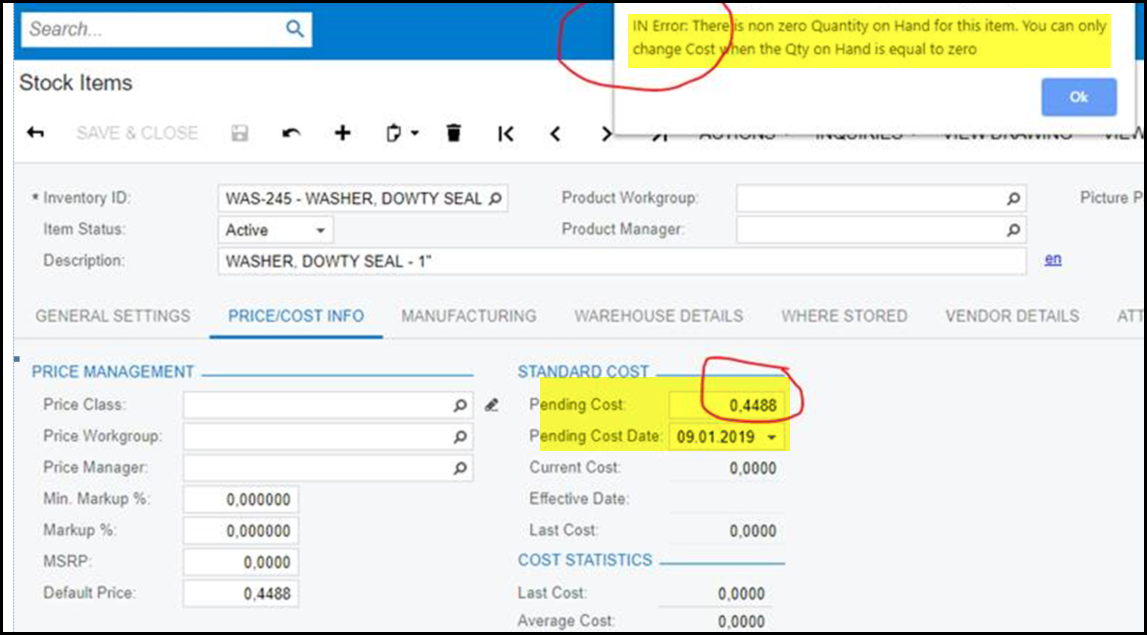
3. It is important that you should let your accountant or buyer know about this because a process that update the standard cost should be done.
4. If you have sufficient rights see below on how to do the price adjustment process -
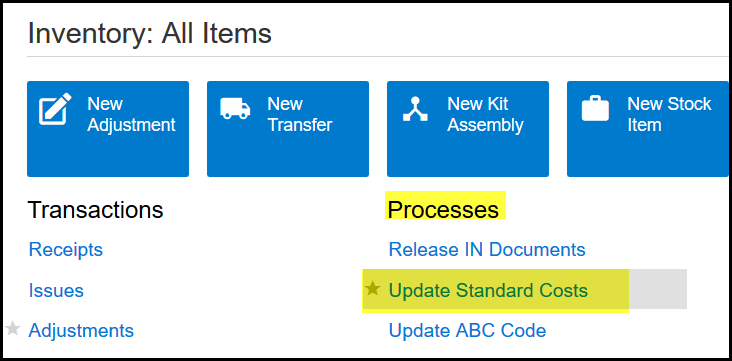
5. After you saved the pending cost go to Inventory>Processes>Update standard Costs.
6. Select your warehouse, search your item and tick the box, then click on process. (NEVER CLICK ON PROCESS ALL)
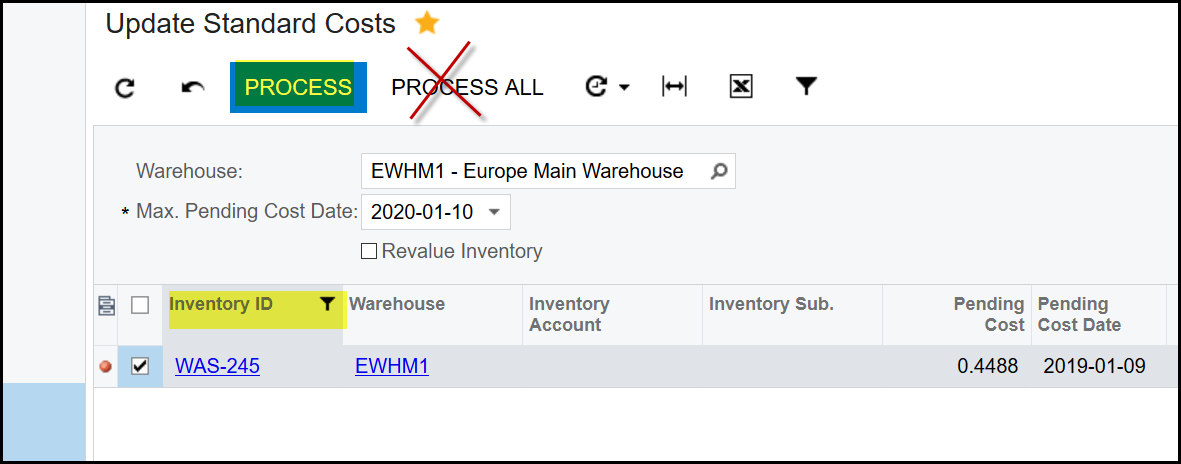
7. After the process is completed, click on the hyperlink of the part to go into the stock item again.
8. Then go to the inquiries and transaction history of the part.
9. You will the the standard cost transaction in the history.
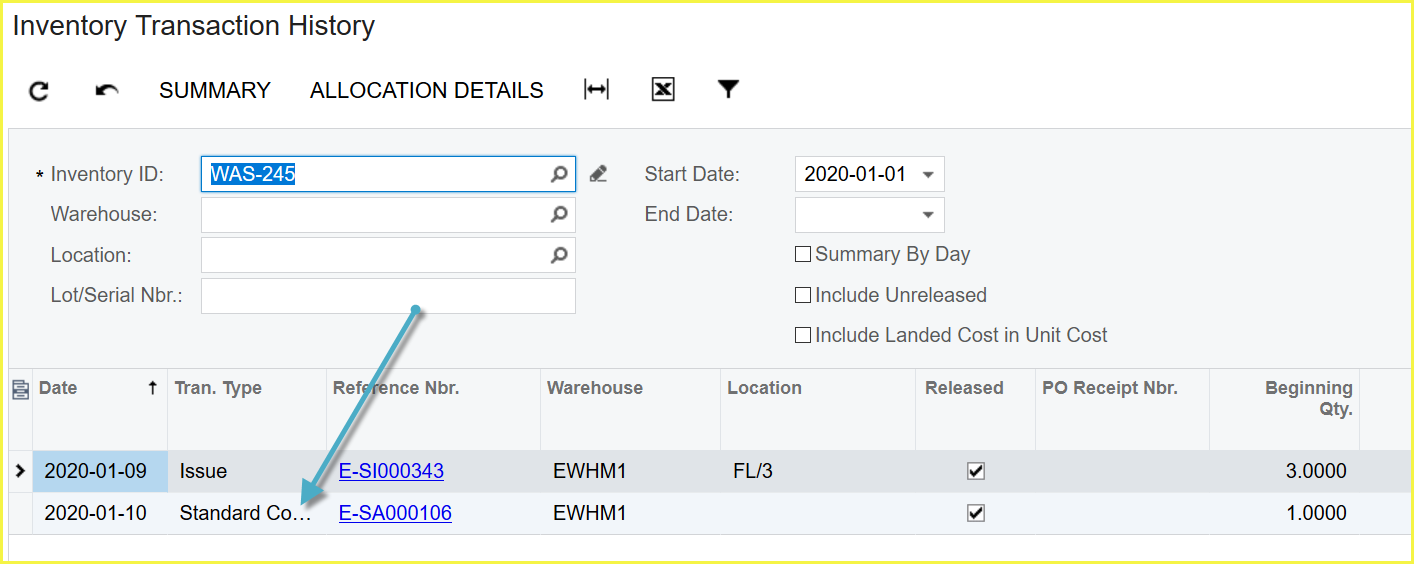
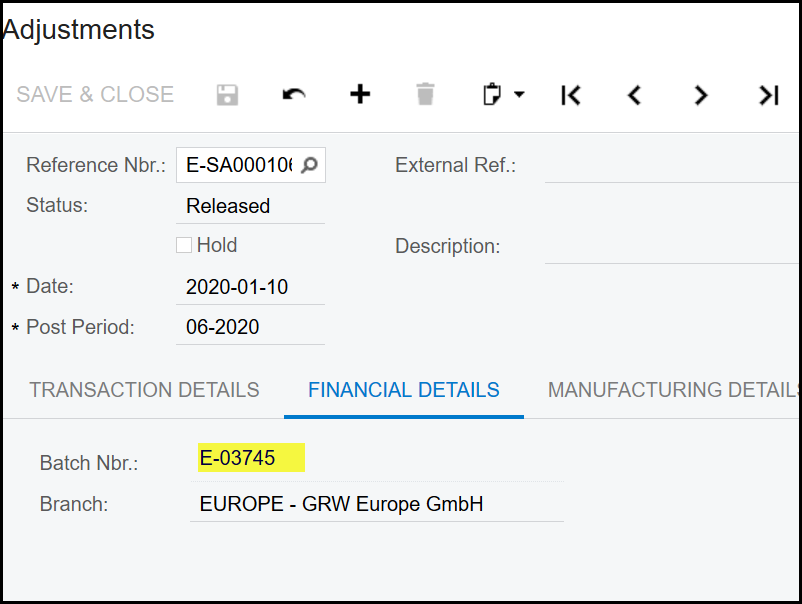
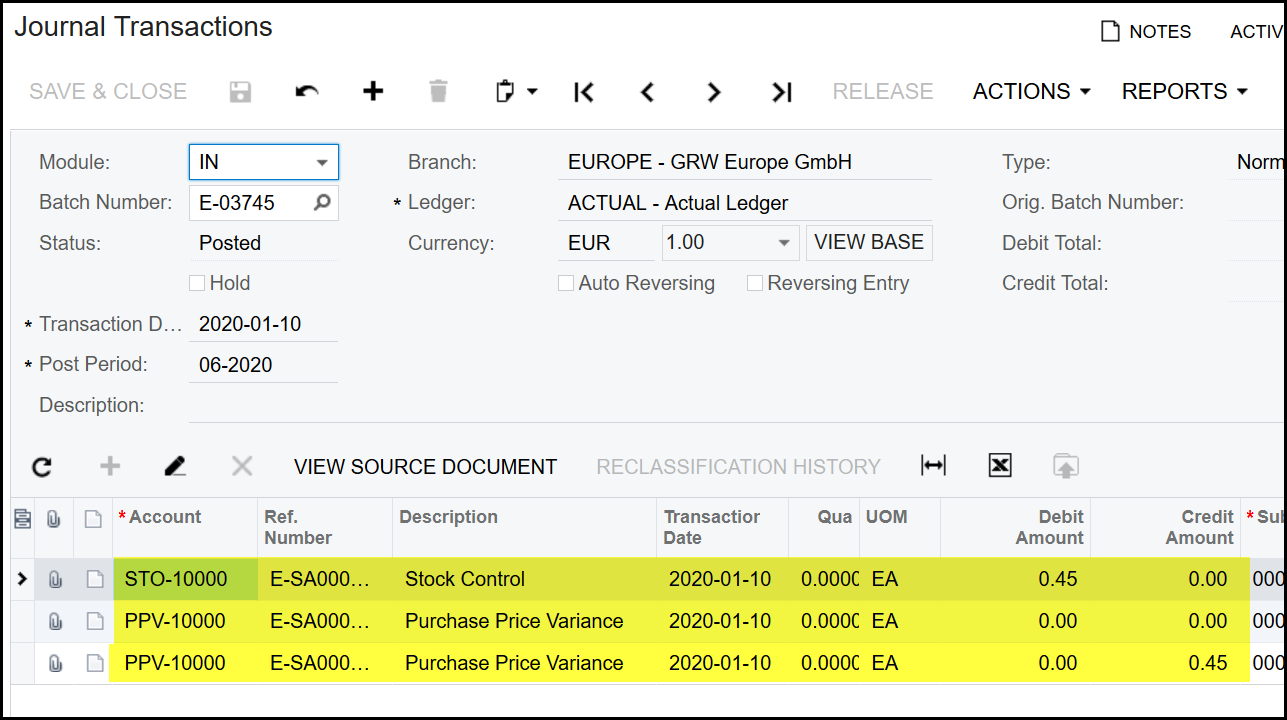
10. Click on the hyperlink to follow the financial transaction and to review it.
Created with the Personal Edition of HelpNDoc: Maximize Your Productivity with HelpNDoc's CHM Help File Creation Features