How to print a stock valuation
1. Go to Inventory>Reports - inventory valuation
2. Select report format as 'summary', also select your company if not prompt
3. You can select a warehouse but best is to see all warehouses for your company.
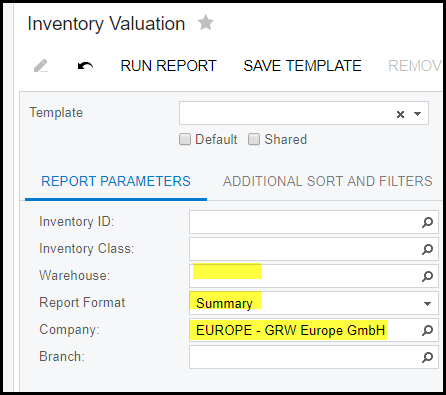
4. 'RUN REPORT'
5. You can print, export to excel your report.
6. If you search for a specific number or reference. Use Ctrl + F or type in the space provided and click on Find. See below the red arrow.
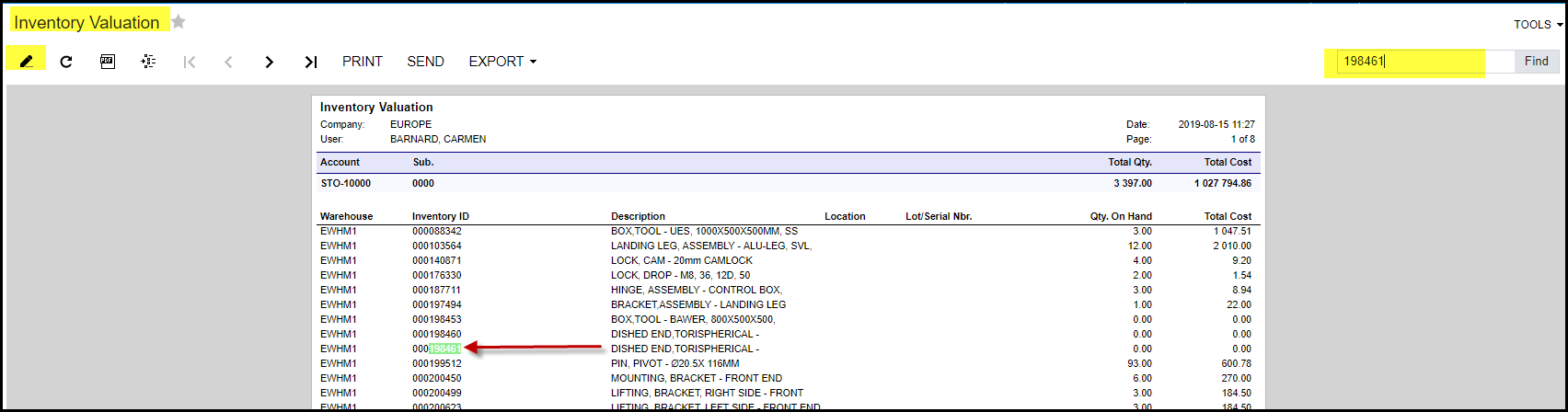
7. If you want select different criteria for your report, click on the 'pen'
8. Make your changes and re-run the report.
Created with the Personal Edition of HelpNDoc: Free PDF documentation generator