How to do a stock adjustment up and down
1. Example is: Do a down adjustment of 140 qty on 000133937.
Do a up adjustment of 140 qty on 000123292
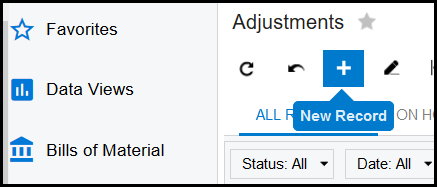
2. Go to Inventory>Transactions - Adjustments
3. Click on the '+' for new record.
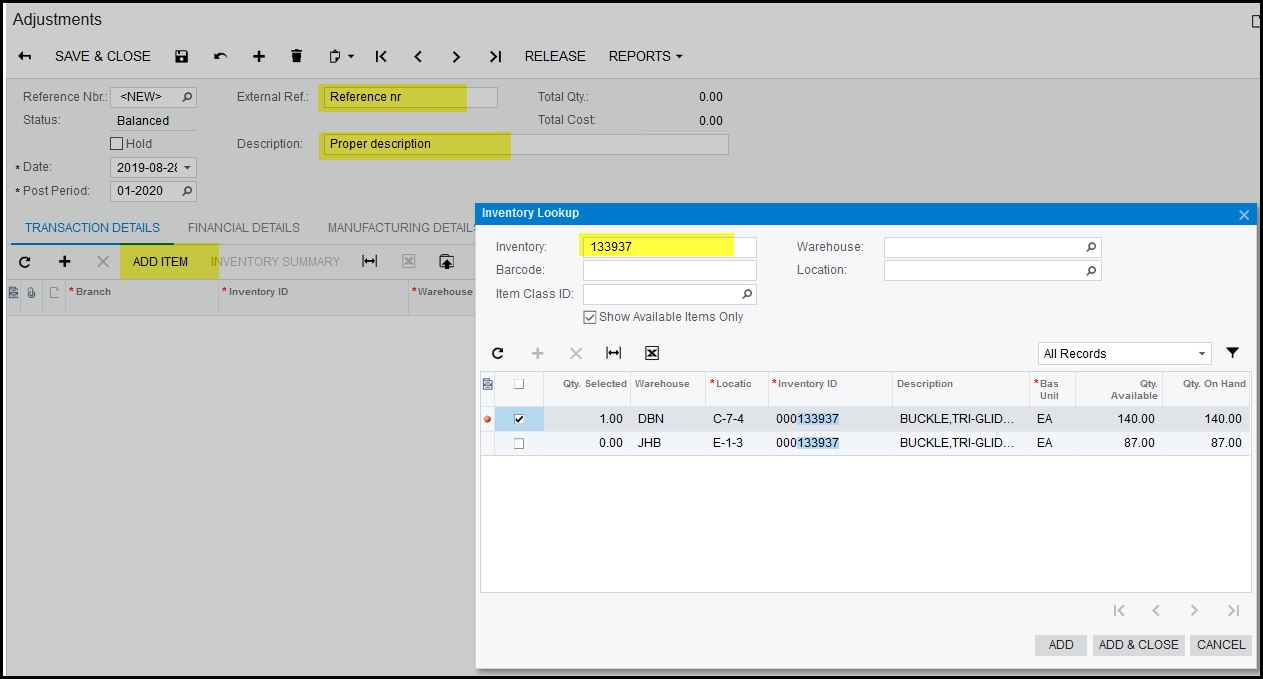
4. Complete the reference nr and enter proper description.
5. Click on 'ADD ITEM', search for your stock code.
6. Tick the box of the item you want to adjust and 'ADD & CLOSE'
7. In the item line if you want to down adjust the item, enter a negative qty of the qty you want to adjust.
8. Select the reason code - stock adjustment.
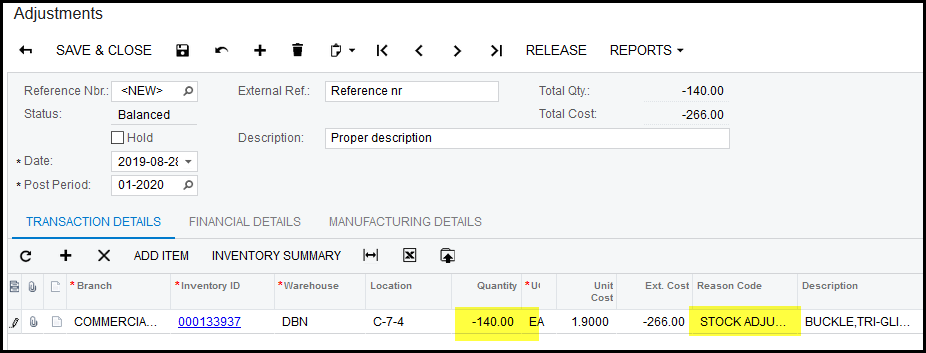
9. SAVE, take of hold and release.
10. For the item you want to up adjust to exactly the same as the above step for the item but your qty will not be negative.
Created with the Personal Edition of HelpNDoc: Easily create iPhone documentation