How to do a return for a purchase receipt
1. Go to the receipt that you want to return Select the tick box or tick the individual line.
Click on RETURN
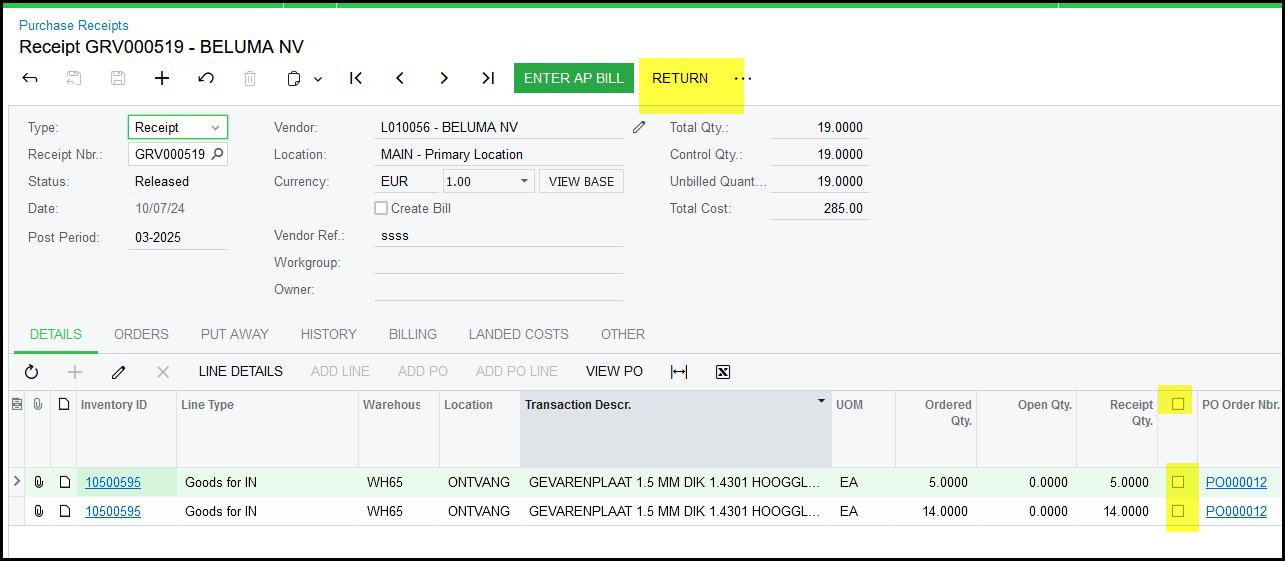
2. The doc type will change to 'Return'.
Cost of Inventory - Should always be 'Original Cost from Receipt' - this is set as default
Vendor Ref: should be your original receipts Ref. of the supplier.
Make sure about your quantity you want to return.
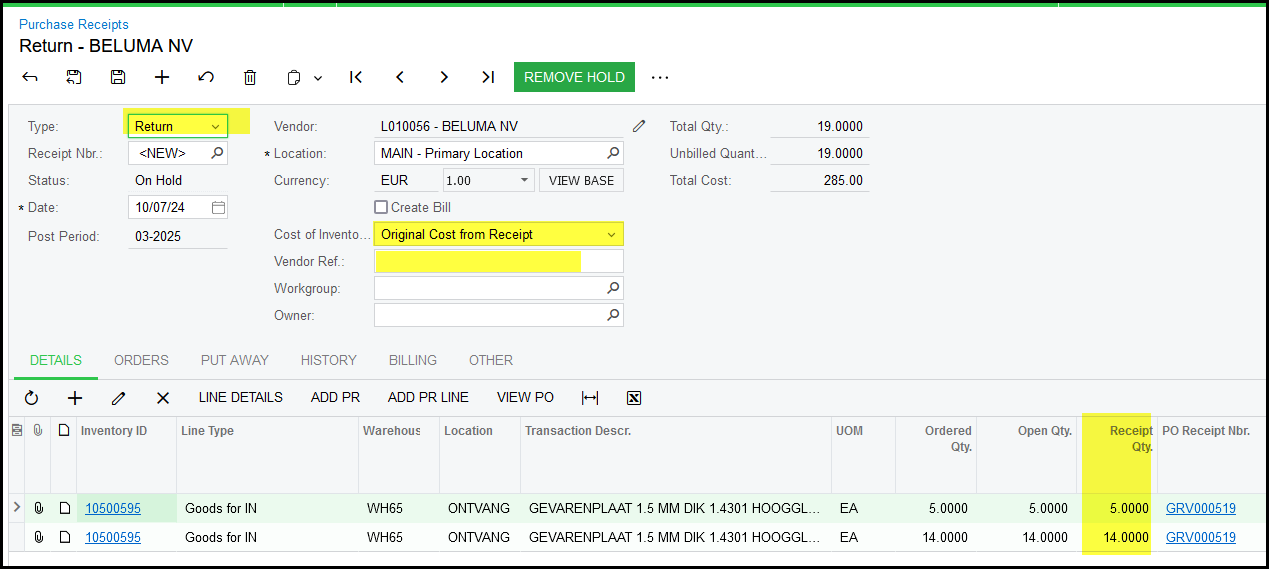
3. Remove Hold and release the document.
4. To see the history of the transactions - go to the PO Screen, open as PO and click on PO History. On the left you will see receipts/returns and the right bills.
Created with the Personal Edition of HelpNDoc: Eliminate the Struggles of Documentation with a Help Authoring Tool