How to a purchase receipt from the PO screen
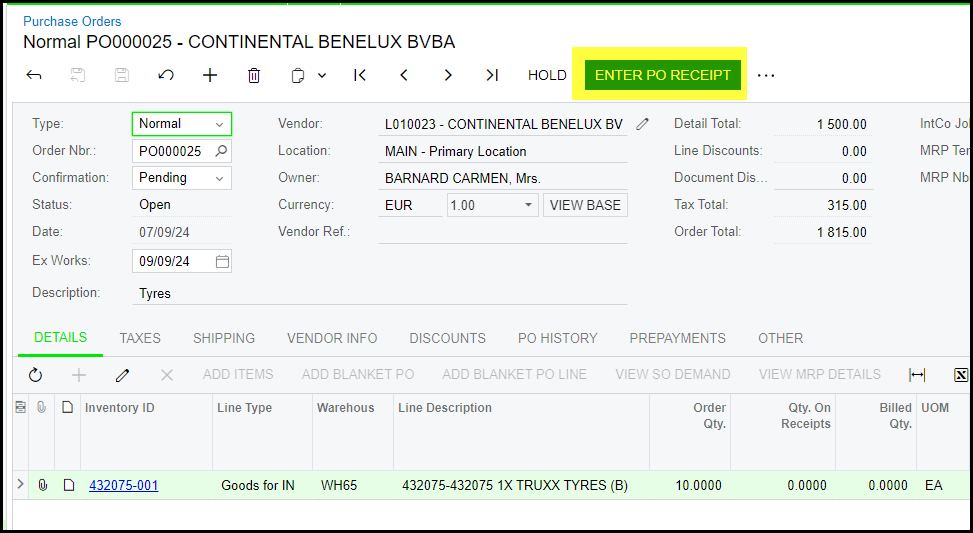
1. Open the PO you want to receive.
If you cannot click on Enter PO receipt, it is greyed out it means the PO is not open to receive.
Go to PO history tab on the PO screen to see if the PO was received already or maybe the PO is still on hold.
How to do the PO receipt - click on Enter PO receipt on the PO screen
2. On to purchase receipt enter your vendor ref. (delivery note or invoice nr of the supplier)
The receipt will automatically complete the full quantity to receive, but you can dubble click to edit the quantity what you want to receive.
It will also show all the lines that are available to receive. Click the lines that you do not want to receive and delete them.
Remember to attached your invoice or delivery note to the receipt.
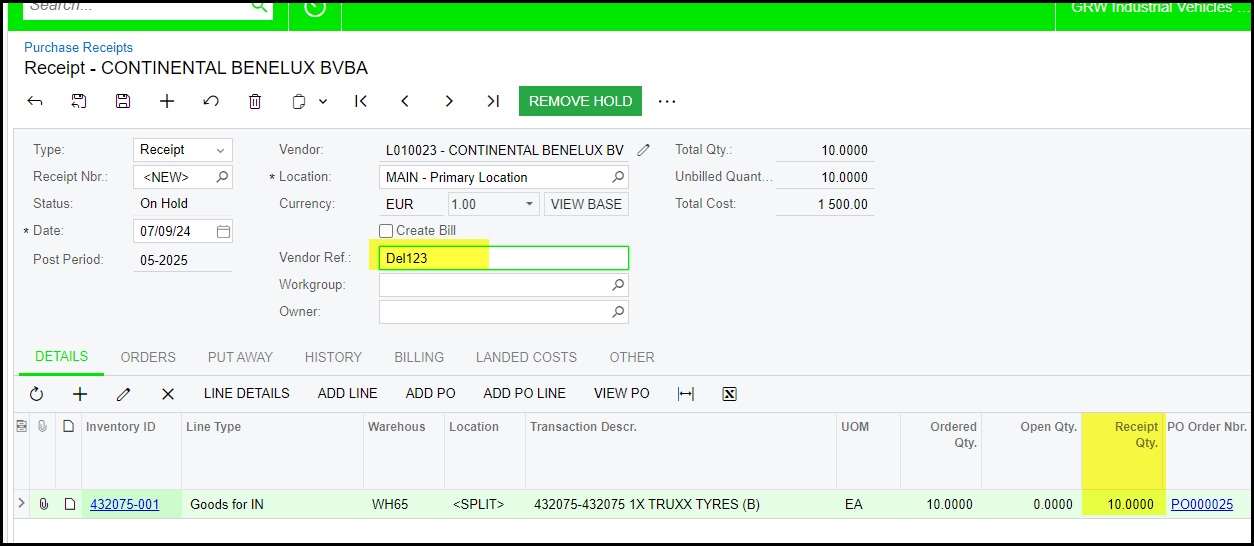
3. Remove hold and release your receipt.
Created with the Personal Edition of HelpNDoc: Easy EPub and documentation editor