How to create a purchase requisition
1. Click on Purchases
2. Requisitions
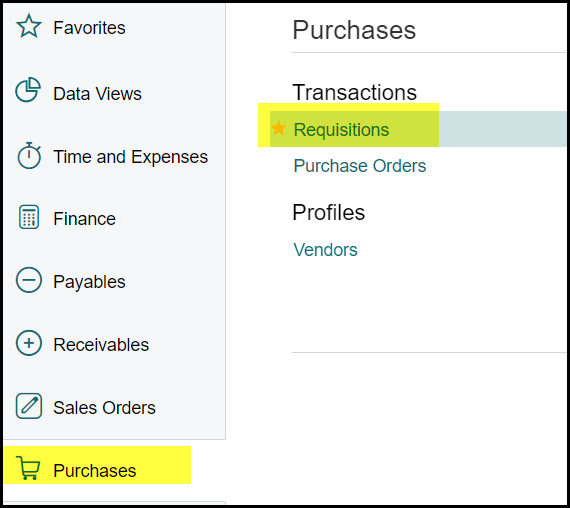
3. Click on the '+'
4. When you open a new requisition the status will be "on hold"
5. The compulsory fields will show a red * as below and have to be completed to save the requisition.
6. See rules for approval, Authorized individuals and Executive Committee Click here - Rules for requisition approval
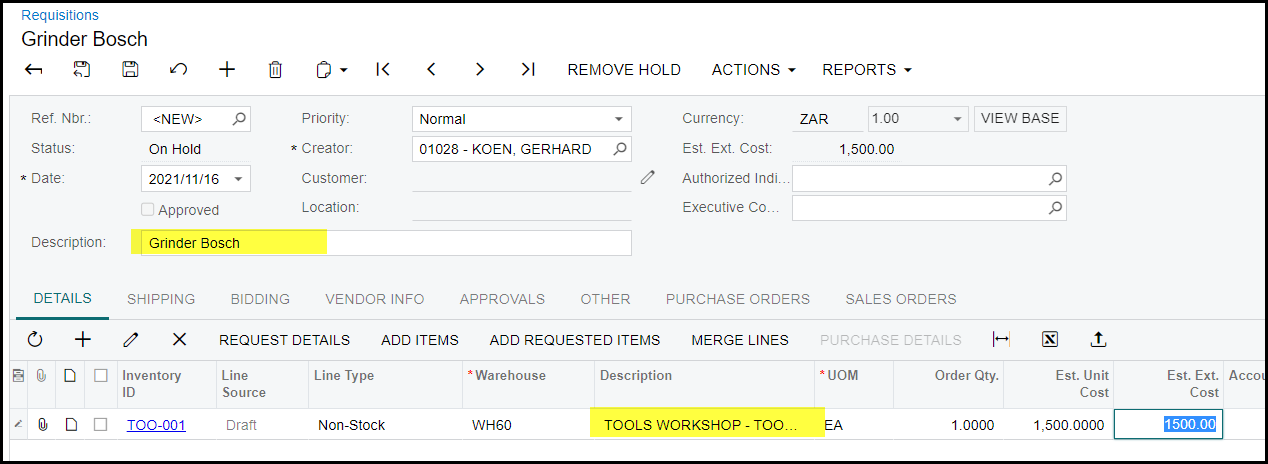
7. Fill in a short description as summary for the requisition . Click on the '+' to add lines to your requisition.
8. Go 'Inventory ID' in the line you have added and click on the search 
TOO-001 is the code used most commonly by production.
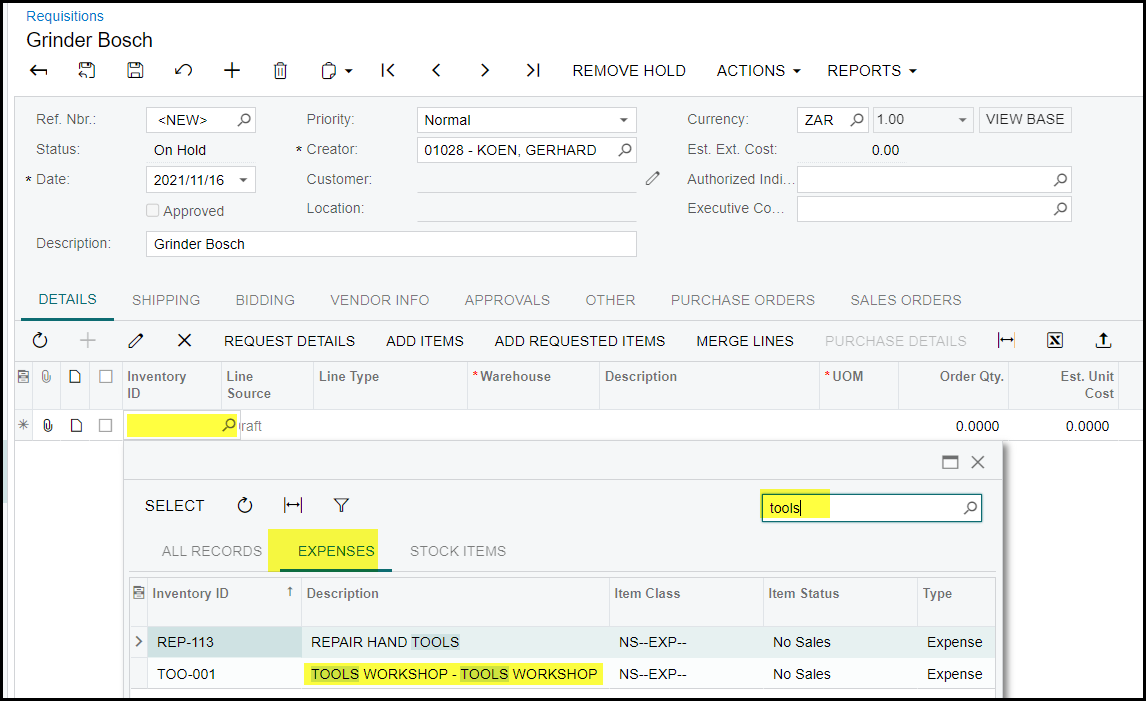
9. A list of all stock items will display.
10. Type a part of the description of your item in the search field.
11. Select your item.
12. If you are not sure about the code you need to use contact your accountant.
13. Once you have selected your item you need to complete the following fields in the line :
- Warehouse - click on the search and select your warehouse. Worcester use WH60.
- Description - this description should have enough detail and will appear in the general ledger.
- UOM - will default to EA
- Order Qty - enter how many of the selected item you want to purchase.
- Est Unit Cost - price of your item (excl VAT)
- Work Centre - click on the search and select your work centre.
14. Do not enter anything in the Est. Ext. Cost - this will be calculate by the system ( order Qty multiplied by the Est Unit Cost)
15. If you have completed all the compulsory fields and want to add another item, use the arrows on your keyboard to move down.

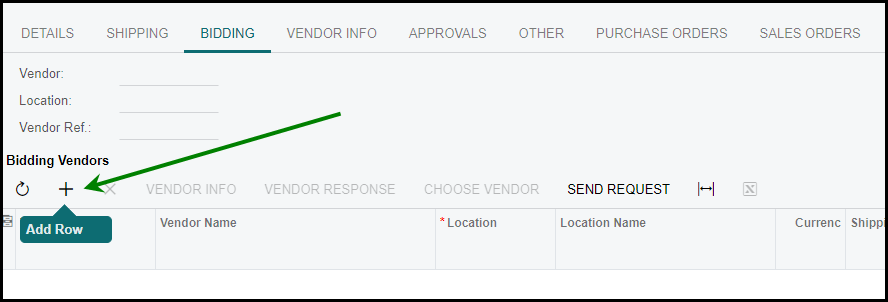
16. Once you have completed all your lines go to 'BIDDING' and click on the '+' to add your vendor.
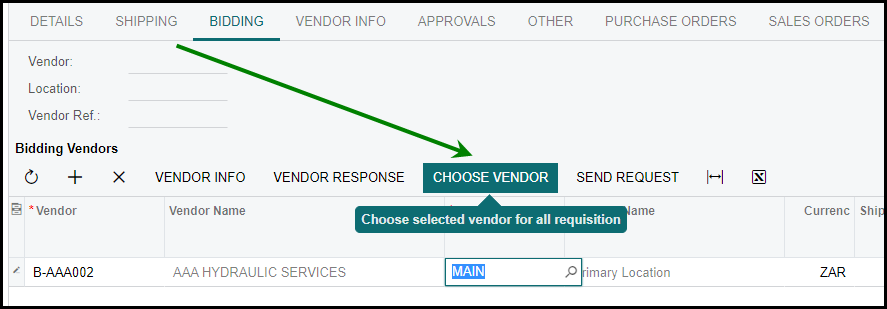
17. Select your vendor and 'choose vendor' .
18. When you have completed your requisition - SAVE.
19. If you get an error on saving - check what the error is and correct your requisition.
20. Take the requisition off hold to send for approval.
21. The status of the requisition will change to OPEN once approved.
22. The buyer that is allocated to the supplier selected on the bidding will place the purchase order.
Common mistake: (Please see below) -
- Your line description have to be changed to the correct description - see below 'Tools workshop' have to be changed to Grinder Bosch.
Created with the Personal Edition of HelpNDoc: Easily create PDF Help documents