How to add new location to a warehouse
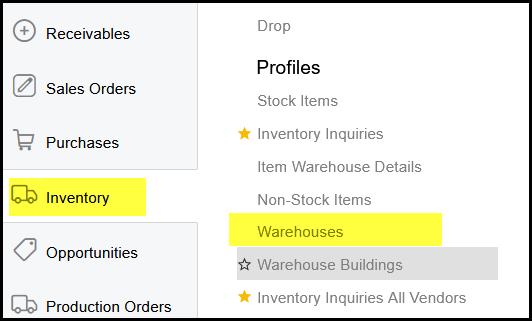
1. Go to inventory>Profiles>Warehouses
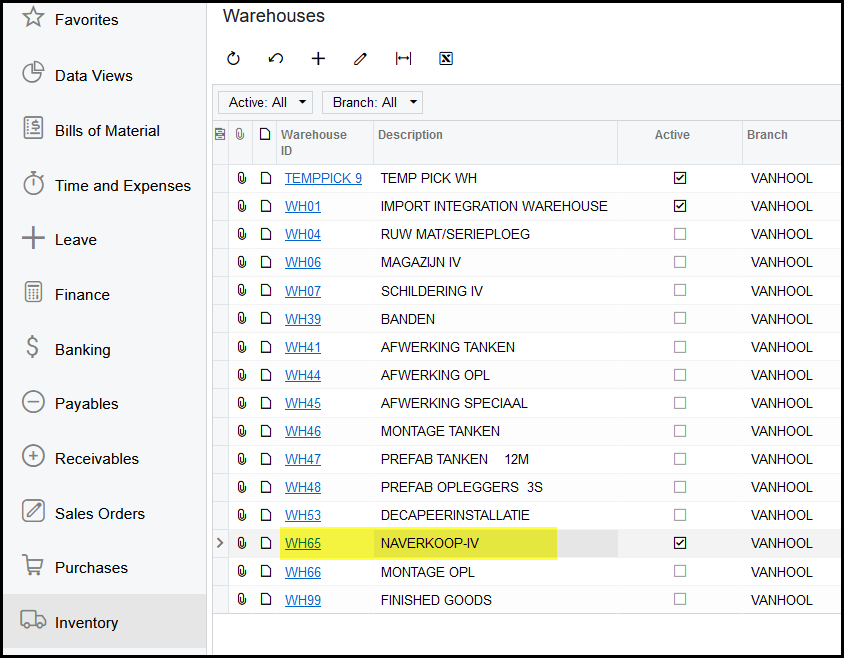
2. Click on the warehouse you want to add the location to.+ to add a new location
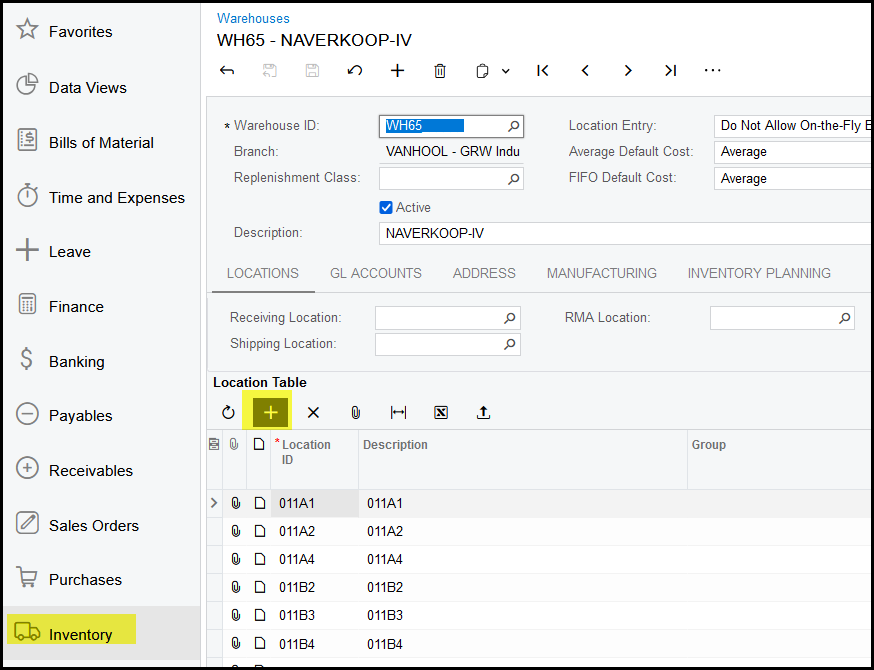
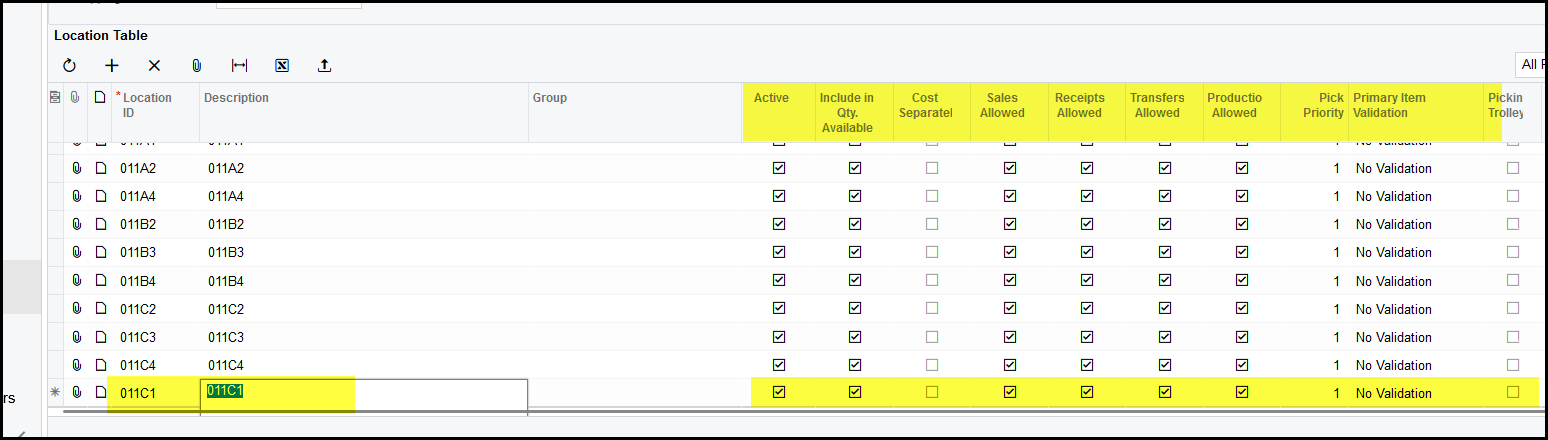
3. Click on the + to add a new location.
4. Tick in you new location and description (in GRW IV - it is exactly the same)
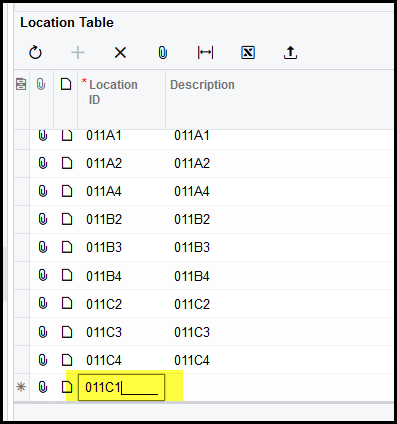

5. The defaults will automatically prompt, please make that it is correct for the location you are setting up.
Created with the Personal Edition of HelpNDoc: Leave the tedious WinHelp HLP to CHM conversion process behind with HelpNDoc