How to do a stock adjusment
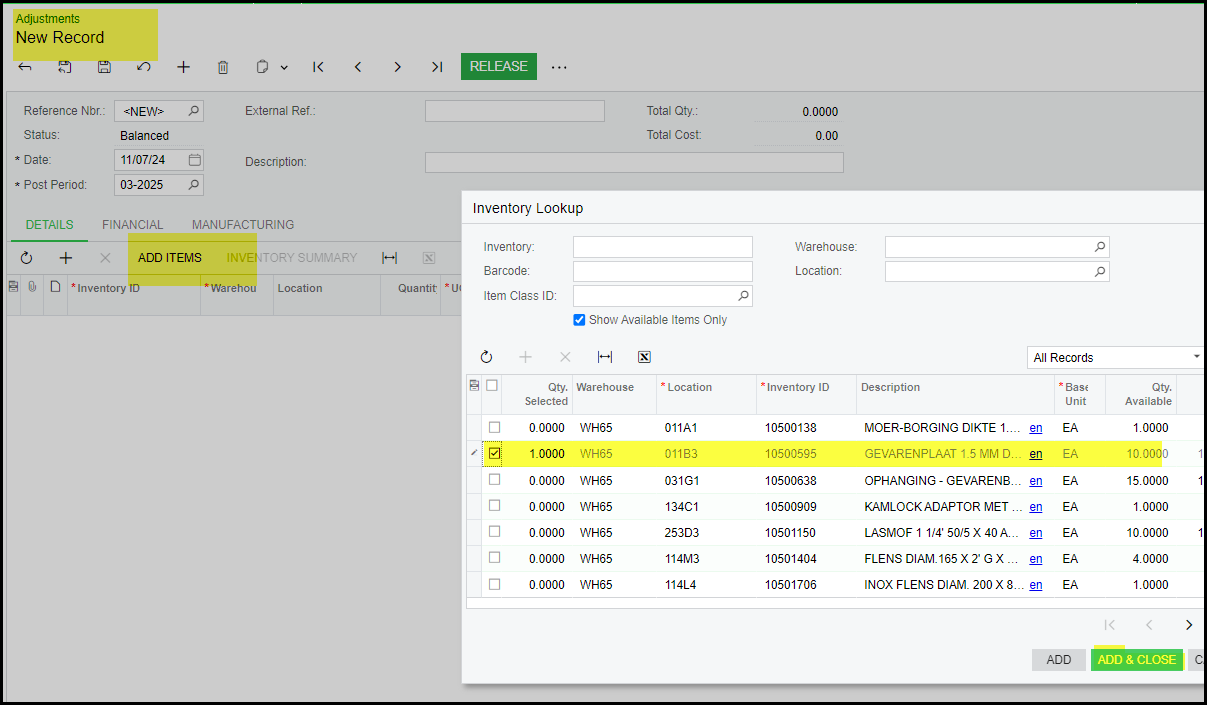
1. Go to inventory>Transactions>Adjustments
Click on the + to do a new adjustment
Click on add items
Select and Add and Close
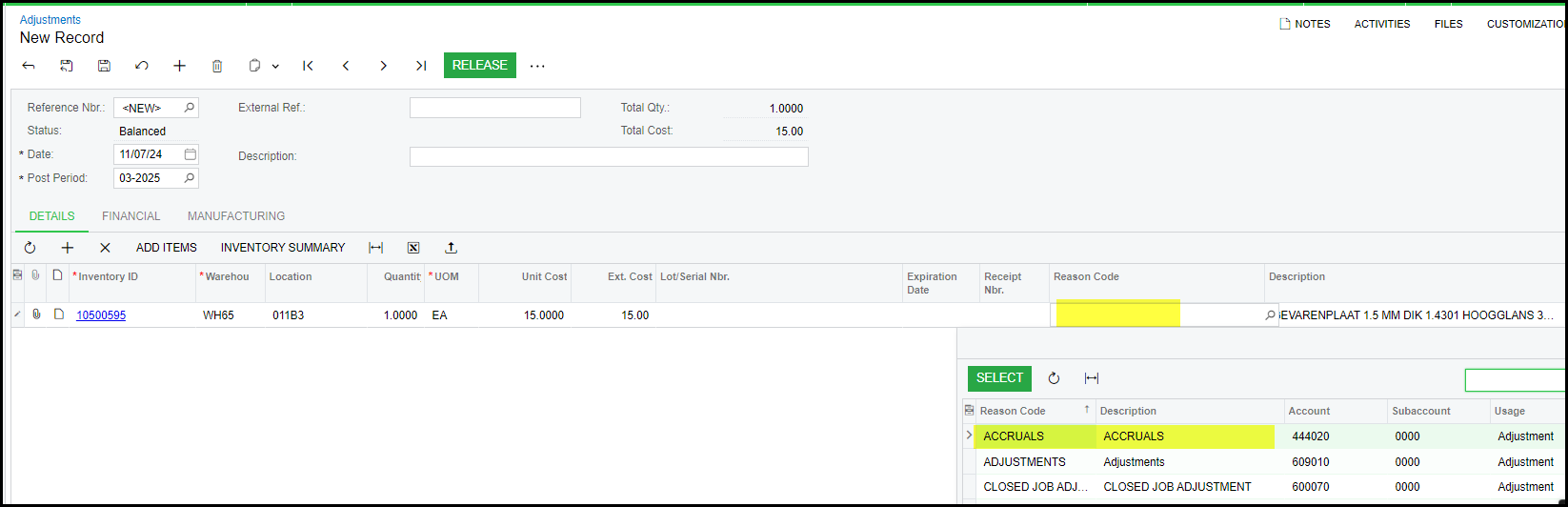
2. The reason code is important.
If stock is received from different warehouse as 65 then use the reason code - Accruals.
If it is a correct of stock then Adjustments.
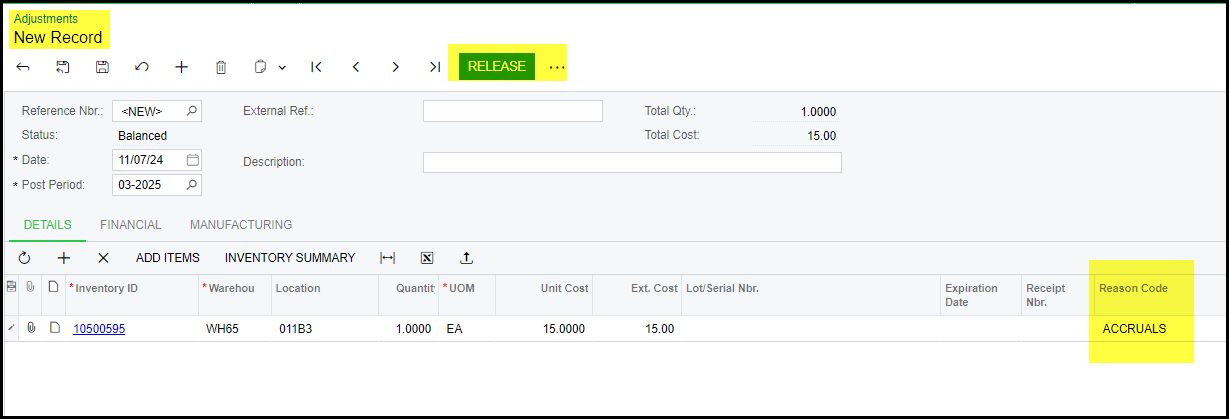
3. Release your adjustment
Created with the Personal Edition of HelpNDoc: Make the switch to CHM with HelpNDoc's hassle-free WinHelp HLP to CHM conversion tool