
How to maintain or purge orders
1. Purchase orders should be maintained regularly. To remove the quantity on your order.
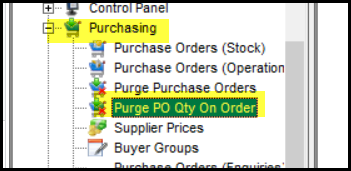
2. Go to purchasing>Purge PO qty on order
ggagasdgfafasfas
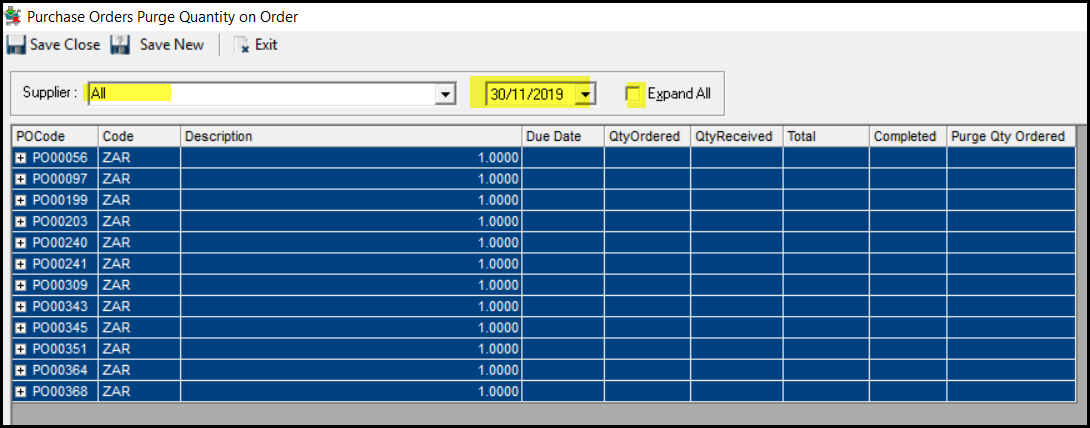
3. Click on all or select a specific supplier.
4 Your date is the date up to which you want to purge.
5. Click on expand all or go to each PO.
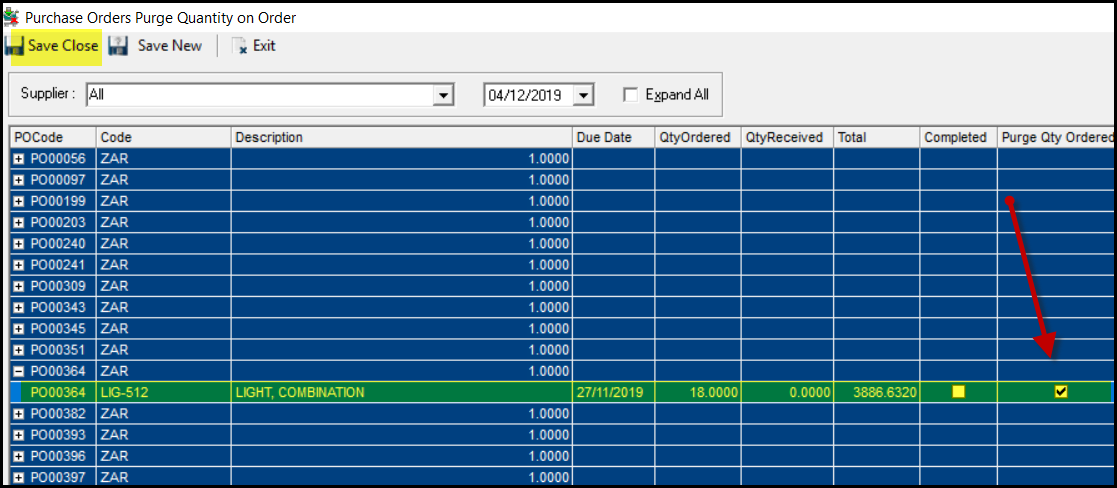
6. In the PO line tick 'purge qty ordered' and SAVE CLOSE.
Created with the Personal Edition of HelpNDoc: Streamline Your Documentation Process with HelpNDoc's Intuitive Interface