
How to do a non-stock purchase order
1. Go to purchasing
2. Purchase orders (stock)
3. Click on the + to do a new order
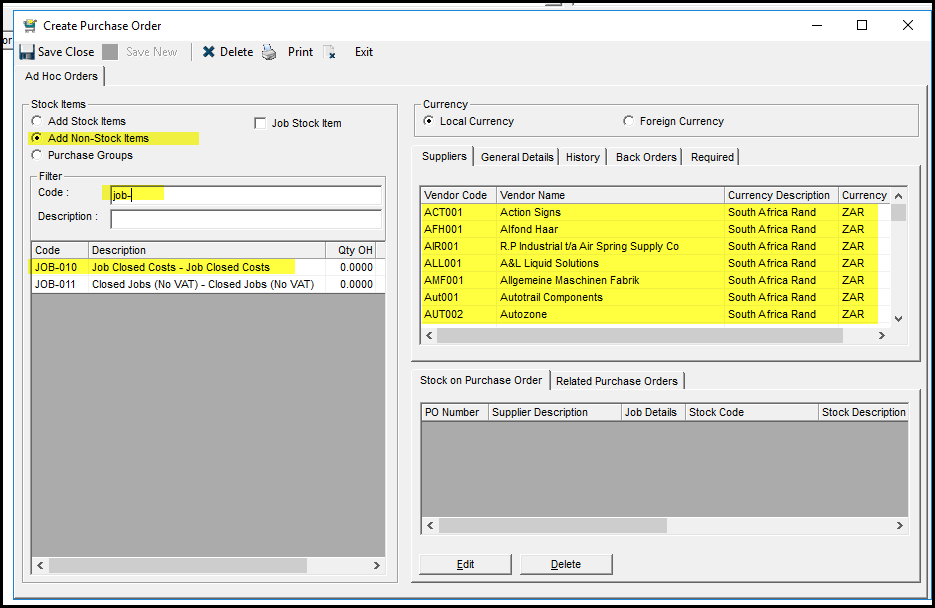
4. Select your supplier and double click. Check your dates and confirm the order - you will not be able to print the PO if it is not confirmed.
5. Click on add
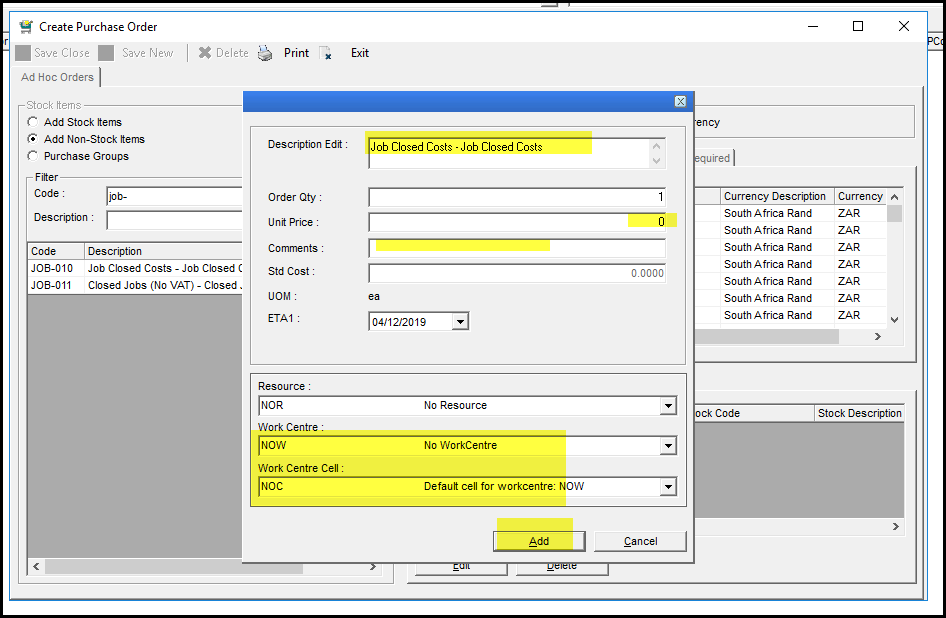
6. This will open the details of the PO.
7. Enter a proper description
8. Add the price and select your work centres.
9. Click on Add
10. Save Close the PO
Created with the Personal Edition of HelpNDoc: Create iPhone web-based documentation