How to issue stock manually to a job
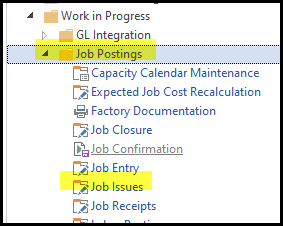
1. Go to Work in Progress>Job Postings>Job Issues
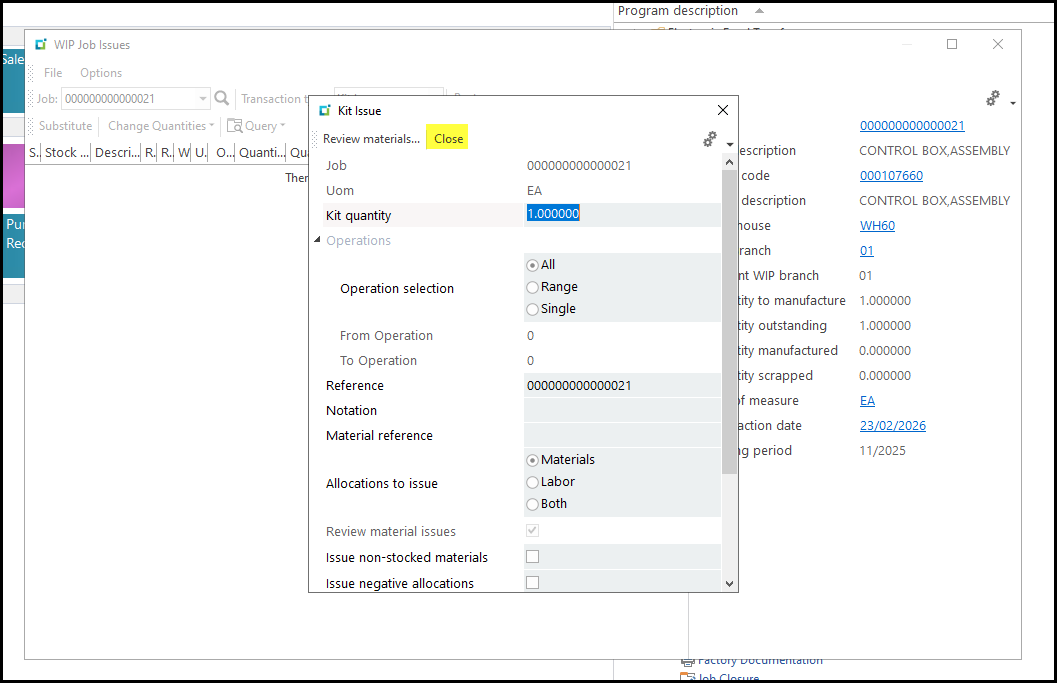
2. The Kit Issue screen will pop-up - Close it
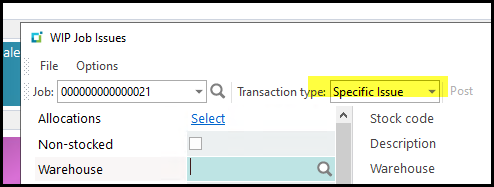
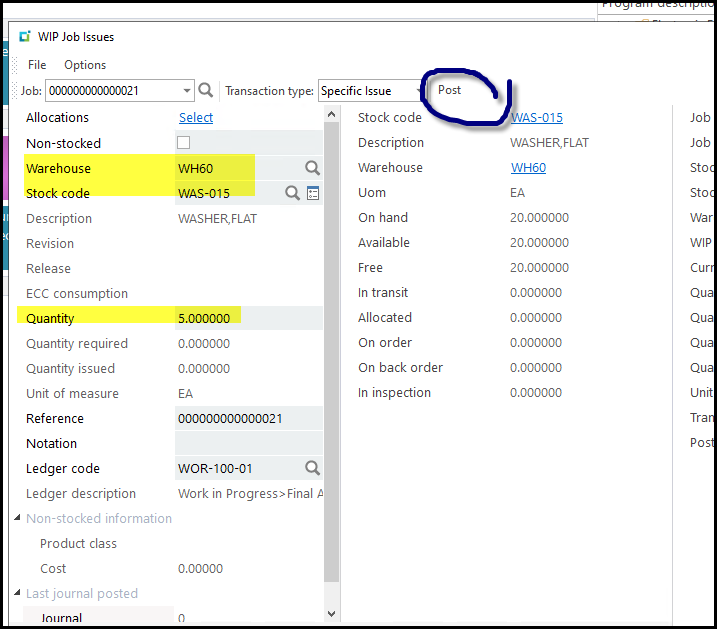
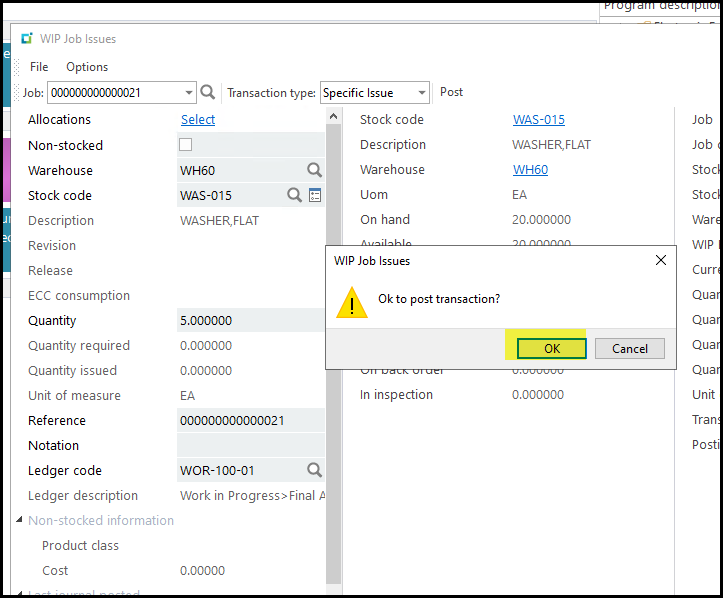
3. Select specific issue and complete the warehouse, code and qty (it will automatic show the required stock to issue,
but you can edit it.
Click on 'Post' and OK.
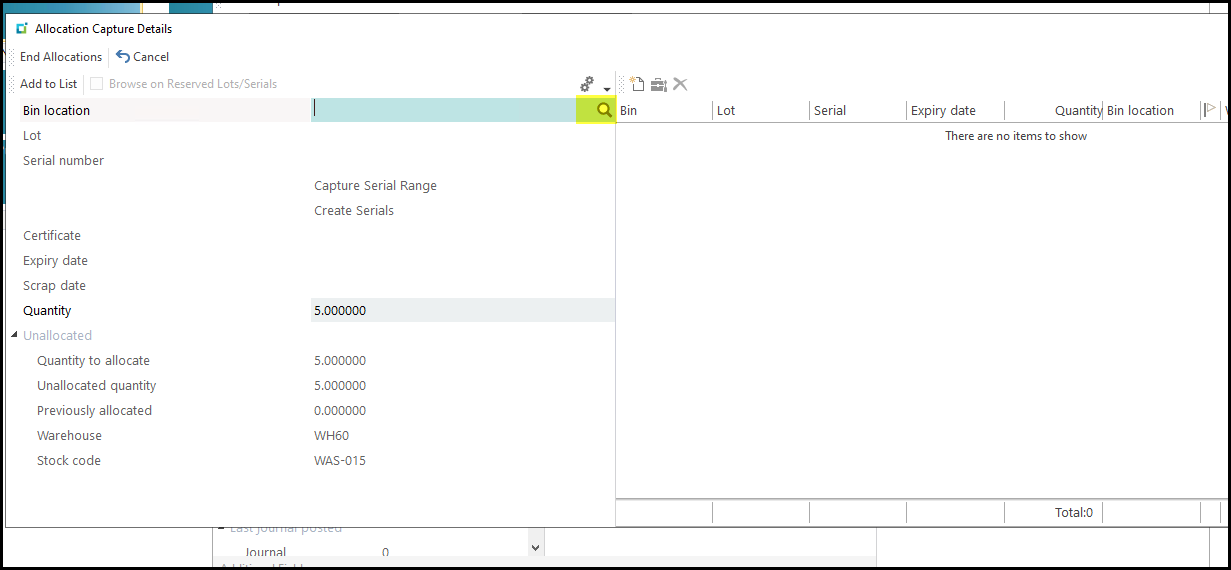
4. The next screen you have to select the BIN from where you want to issue.
Click on the 'magnifying glass'
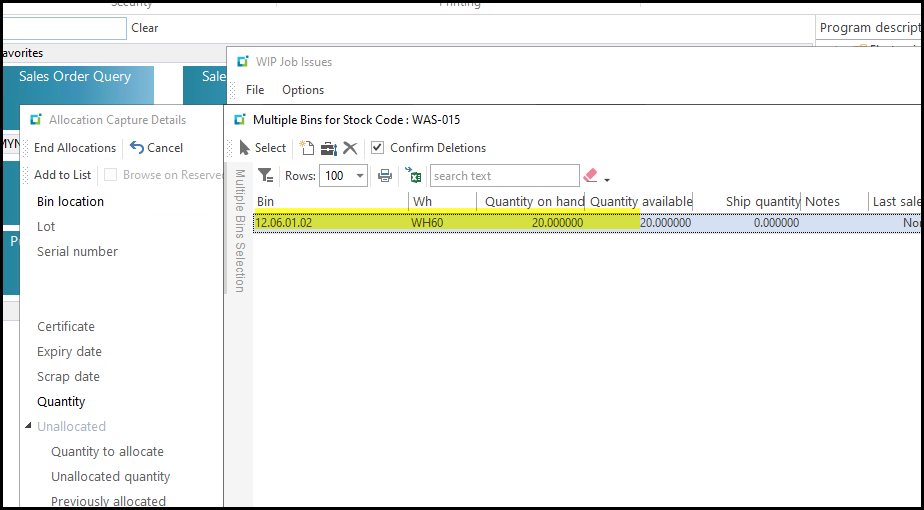
5. Double click on the BIN.
If not enough stock in the one BIN click on the next BIN to add qty
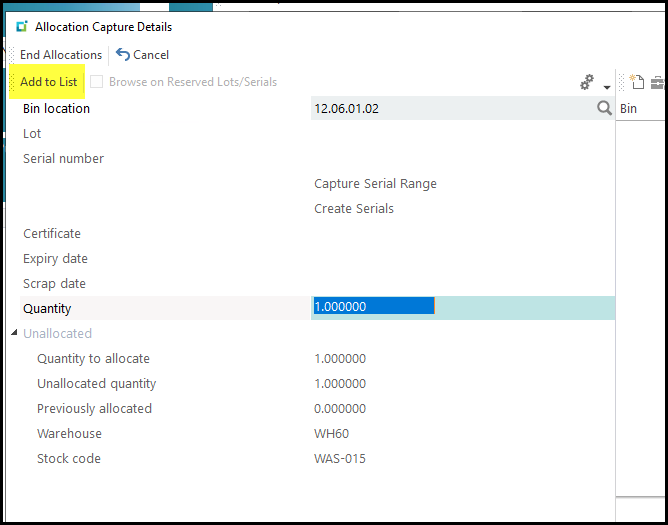
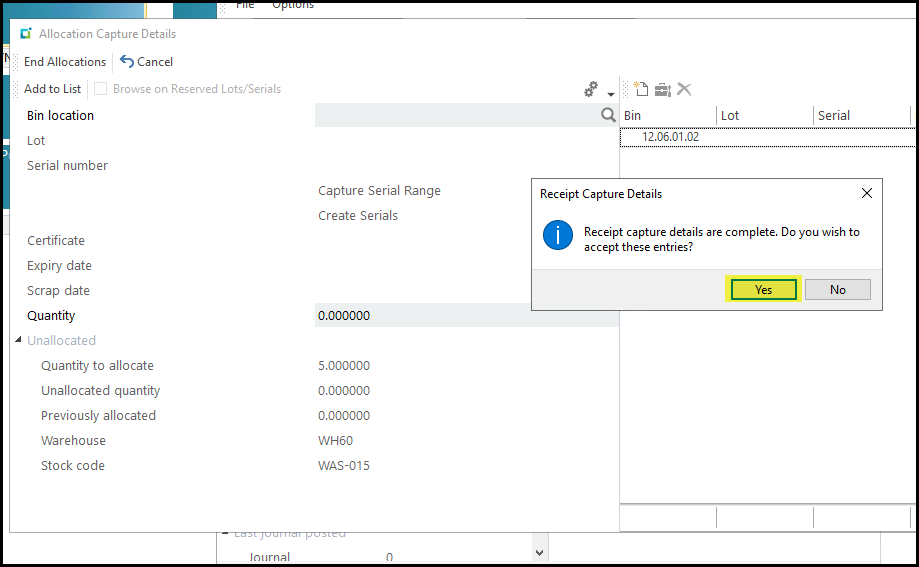
6. Click on Add to list when finished.
7. Click on YES
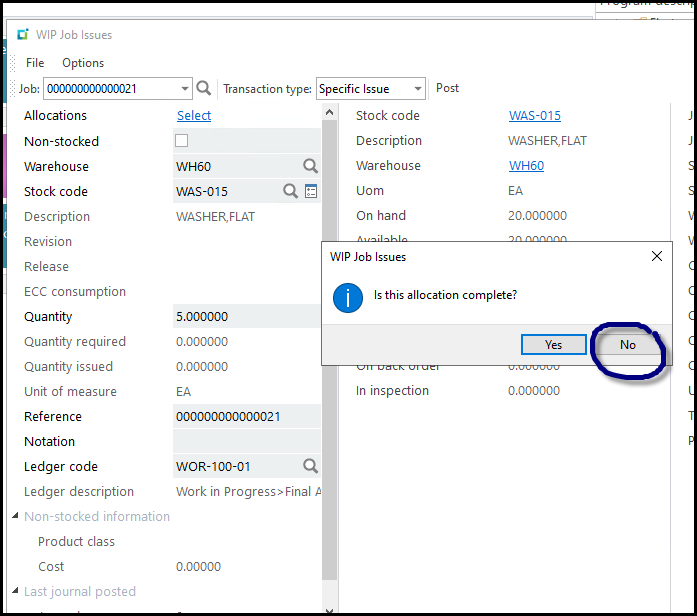
8. Click on No that the stock on the job stays open for more issues of the material.
Created with the Personal Edition of HelpNDoc: Full-featured multi-format Help generator