How to create a new stock item bought out item
1. Click on New, add your item code.
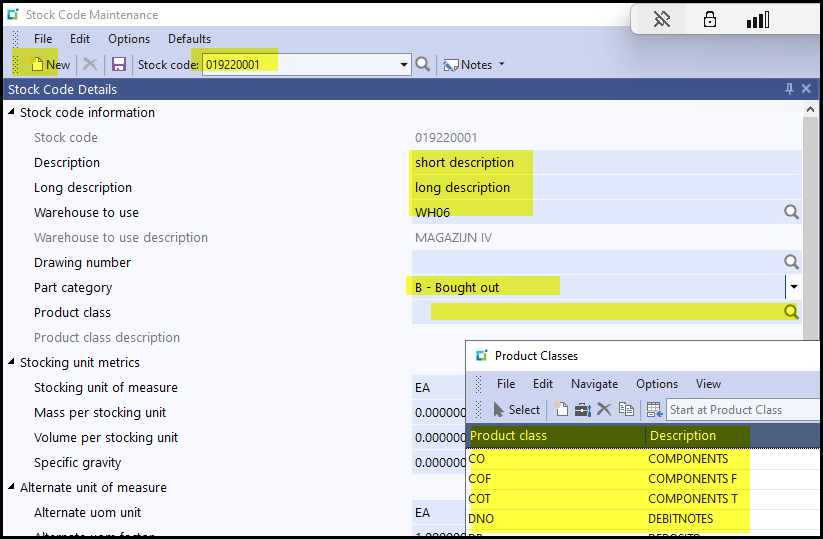
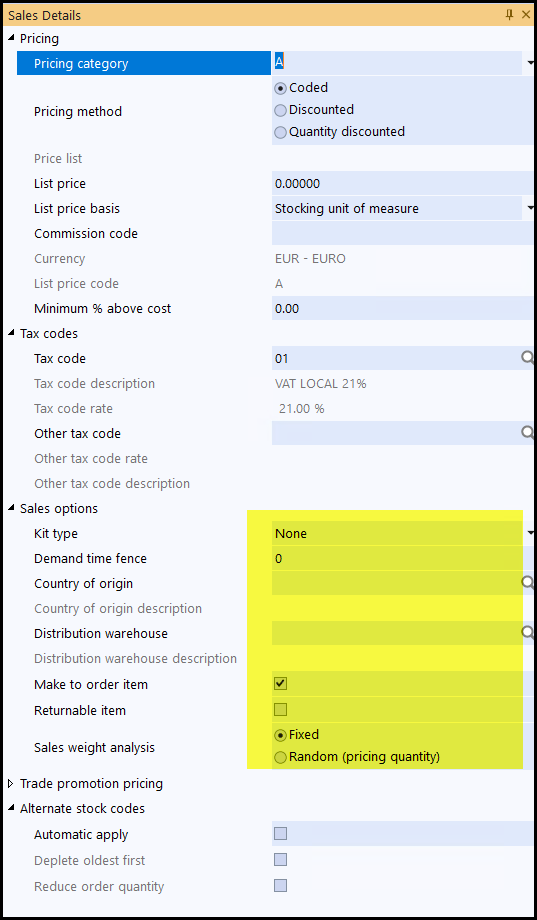
2. Complete all the highlighted parts.
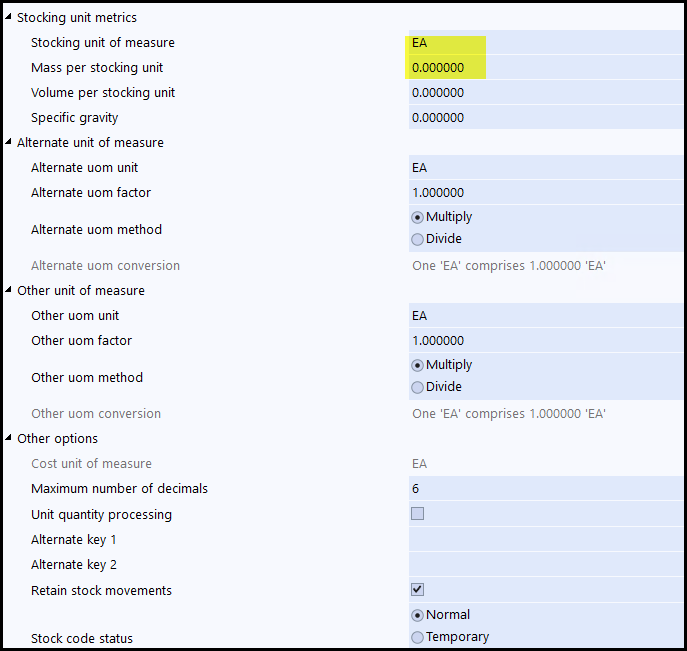
3. Add the UOM and mass per item. You can also add the alternate UOM.
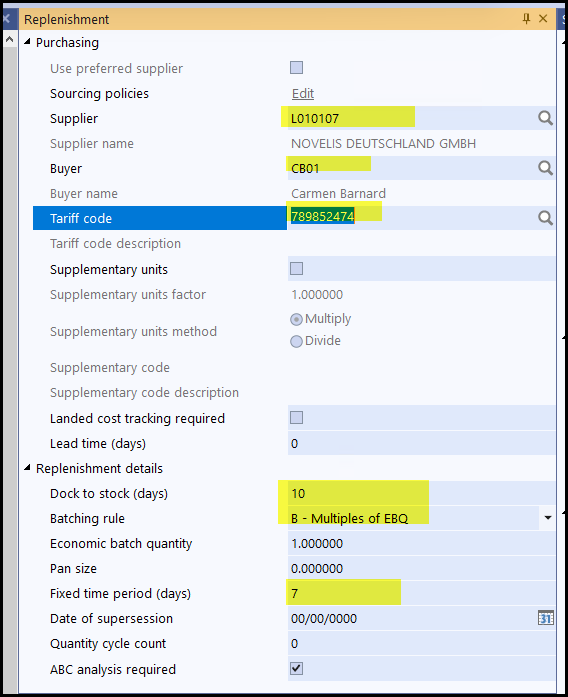
4. Add the supplier, buyer, tariff code.
The Doc to stock - is the calendar days of how long it take the item from when it leave the supplier until it arrives at your place.
Always select - B - Multiples of EBQ for now.
Fixed Time period (days) - currently we use 7days(calendar) to look forward.
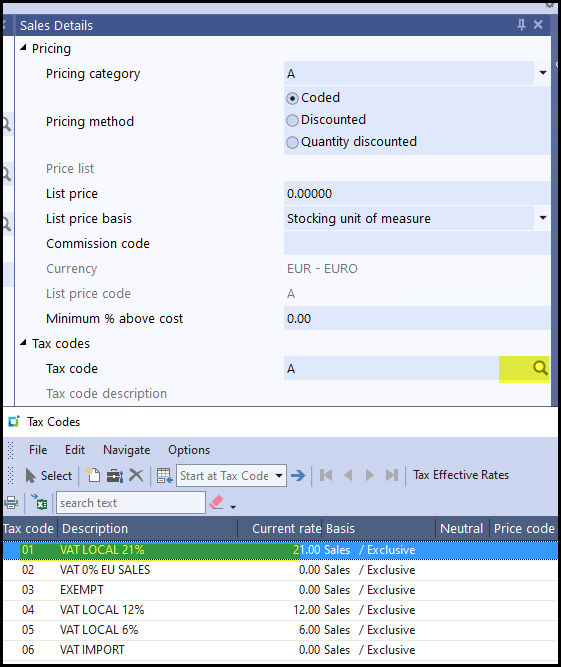
5. Select the tax type as default - 01
6. The rest you can leave as it is.
7. Click on SAVE.
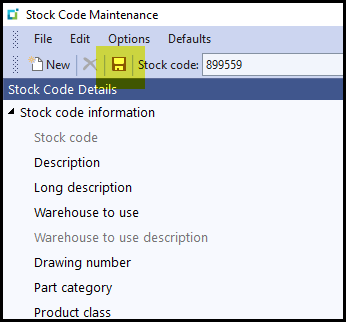
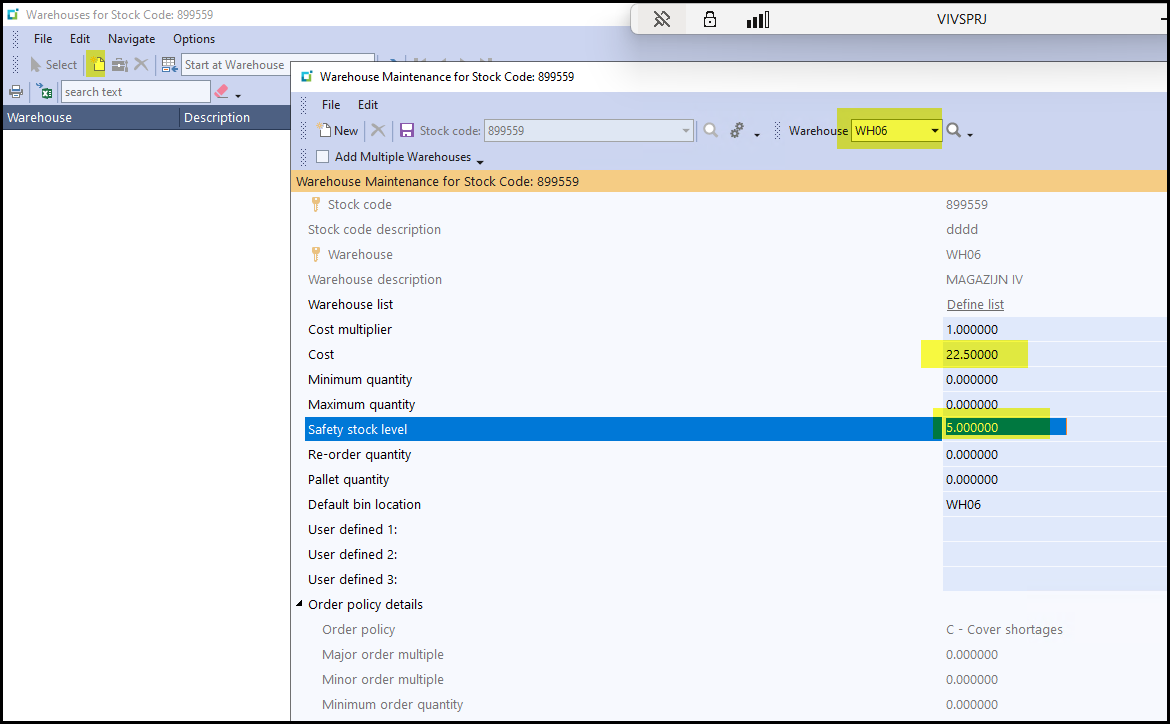
8. The next screen will be the warehouse setup of the stock item.
Click on 'new'
Add your warehouse
Cost - this is the cost price of the item.
Safety Stock level
SAVE
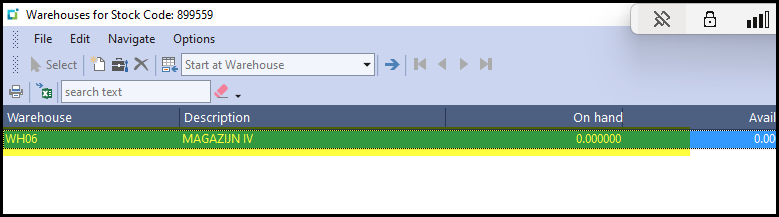
9. Save and close the screen.
You will see the warehouse on the screen.
10. Your item is now created. To add supplier info please see below -
How to add supplier cross ref for a stock item
Created with the Personal Edition of HelpNDoc: Full-featured Kindle eBooks generator