How to add material to a job
1. Go to the job query - click on Materal Allocations.
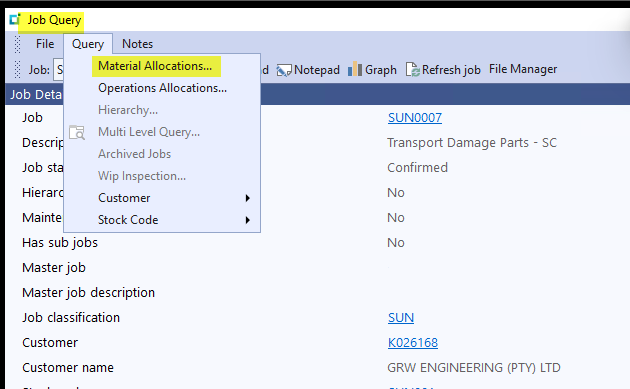
2. Click on 'New" to add materials

3. You can also edit the quantity of stock here that is required on a job on the 'change' button next to the 'new' button.
4. Also remember to first see if the stock item is not already loaded the job because in Syspro you can add a stock item twice so it will show the item
on two lines on the job.
Created with the Personal Edition of HelpNDoc: Benefits of a Help Authoring Tool