Load APK first time
How to install the mobile app on your mobile device:
- Connect to GRW-Store wifi with password: 11235811 (any GRW wifi will do, as long as you are connected on the local network).
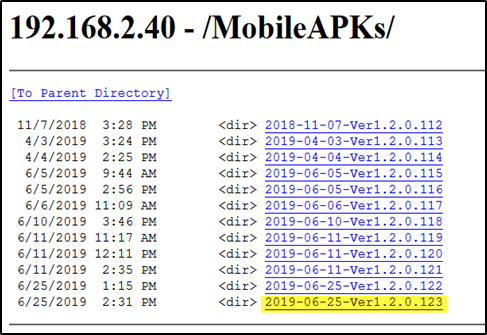
- On your device, open your web browser and open the following link: http://192.168.2.40:98/MobileAPKs
- Select the latest version.
- Click on GRW_Mobile.GRW_Mobile.apk to start downloading it to your device.
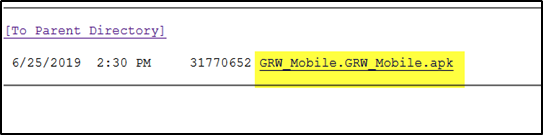
- Save the file to your device and run the apk.
Created with the Personal Edition of HelpNDoc: Easily convert your WinHelp HLP help files to CHM with HelpNDoc's step-by-step guide