Web
Creating a Kanban Request via Acumatica Web
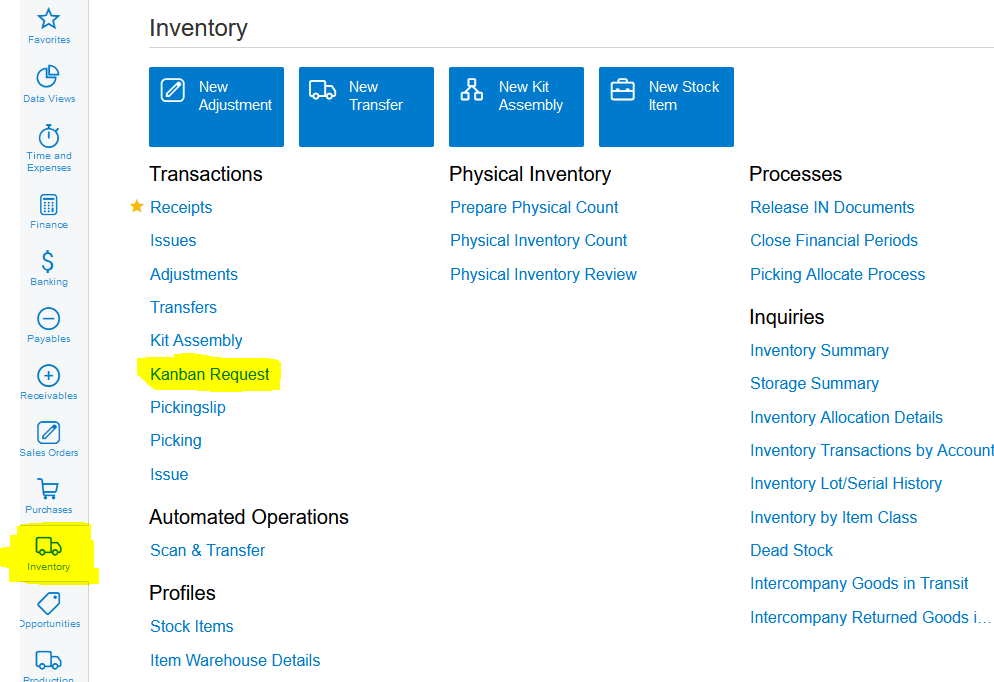
1. Click on Inventory>>>Transactions>>>Kanban Request:
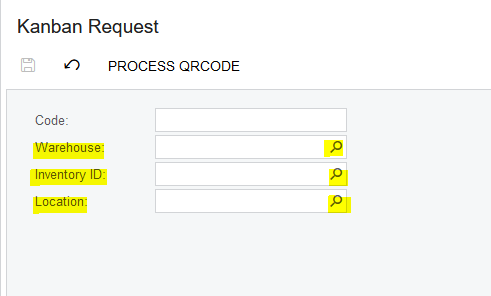
2. Select the relevant Warehouse, Inventory Item and Location:
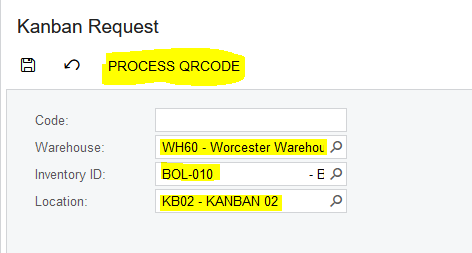
3. Once you have made the relevant selections, you click on "PROCESS QRCODE":
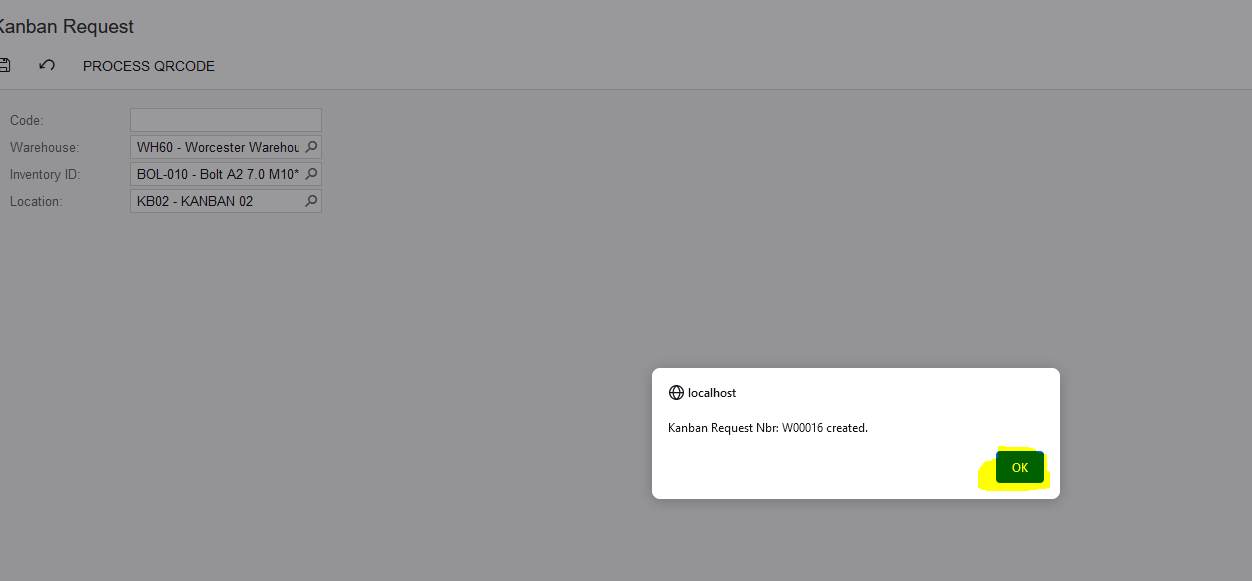
4. A Pop Up Box will come up confirming that a Kanban Request was created along with the number, you can click on "OK":
Created with the Personal Edition of HelpNDoc: Maximize Your Documentation Capabilities with a Help Authoring Tool