Web
Picking for Pickingslip lines allocated to you via Acumatica Web
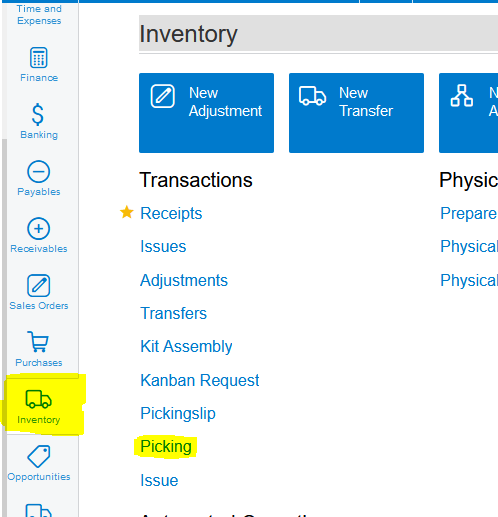
1. Click on Inventory>>>Transactions>>>Picking:
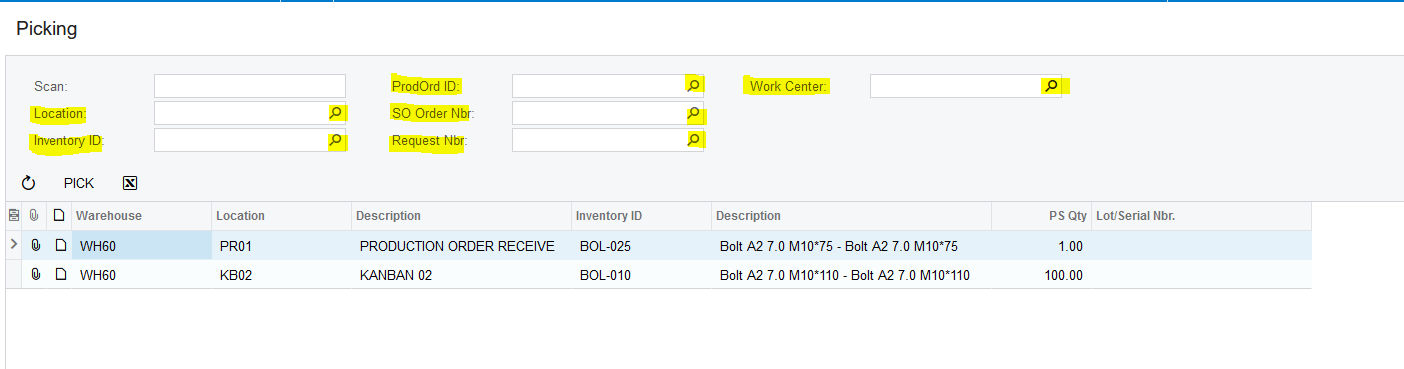
2. Here you can Pick per Location, Inventory Item, Production Order, Sales Order, Request or Work Center:
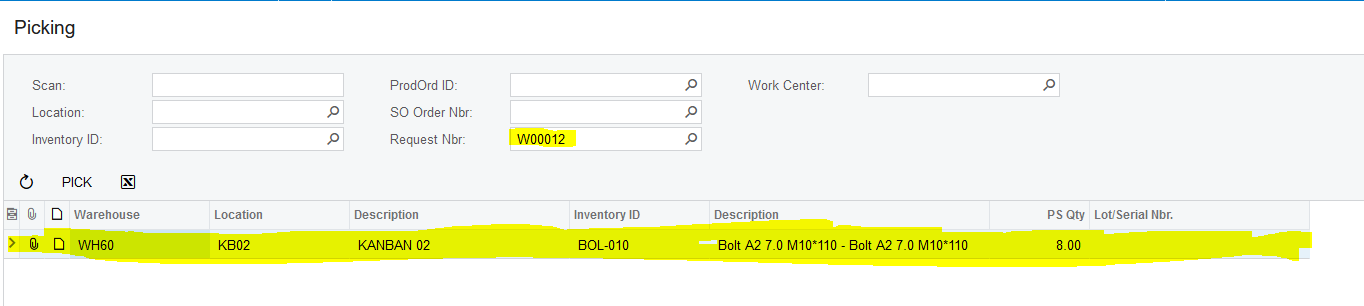
3. Once you have made the relevant selections, you click on each line and then on "PICK":
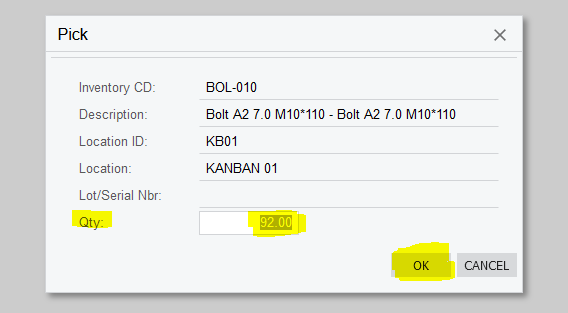
4. Acumatica gives you the ability to Pick either all of the quantities, for example 92.00, or you can amend the quantity that you are Picking as needed. Once you have clicked on "PICK" a Dialog Box will open asking you to confirm if you are Picking all 92.00, or only partly. If you only Pick partly Acumatica will make the necessary adjustments and add the rest back on the Pickingslip. Once you have typed in the Quantity you want to Pick you click on "OK":
Created with the Personal Edition of HelpNDoc: Transform Your CHM Help File Creation Process with HelpNDoc