Serial nr return on producition order with wisERP integration
1. How to return a serialized item that was issued on Acumatica with wisERP integration. Because the original amount for the item decreased.
2. Example: issued at 46 870.00, received credit for 4 959.80. (serialized tankers is invoice by GRW ENG to GRW EU) The amount changed.
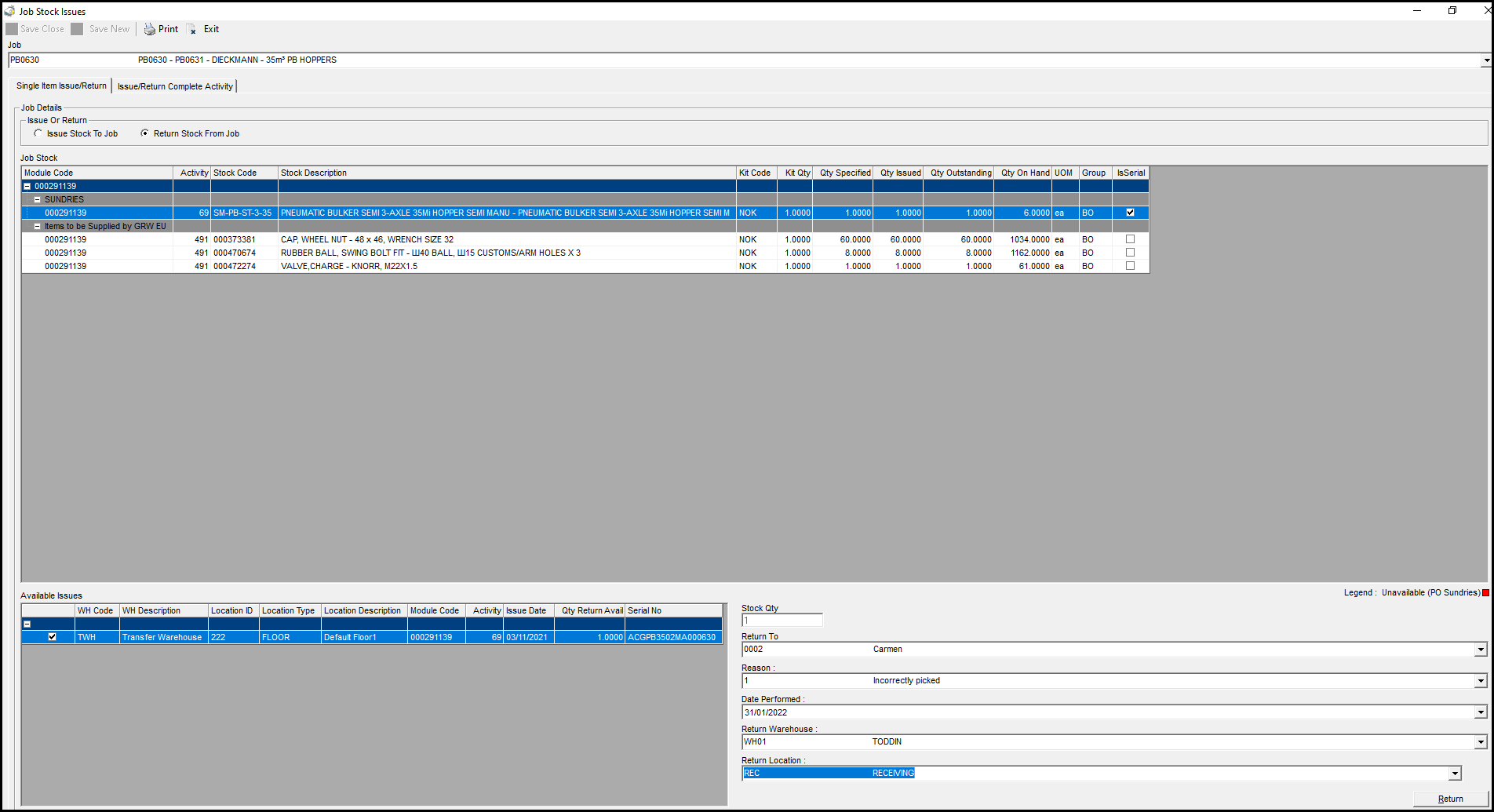
3. Return item on wisERP.
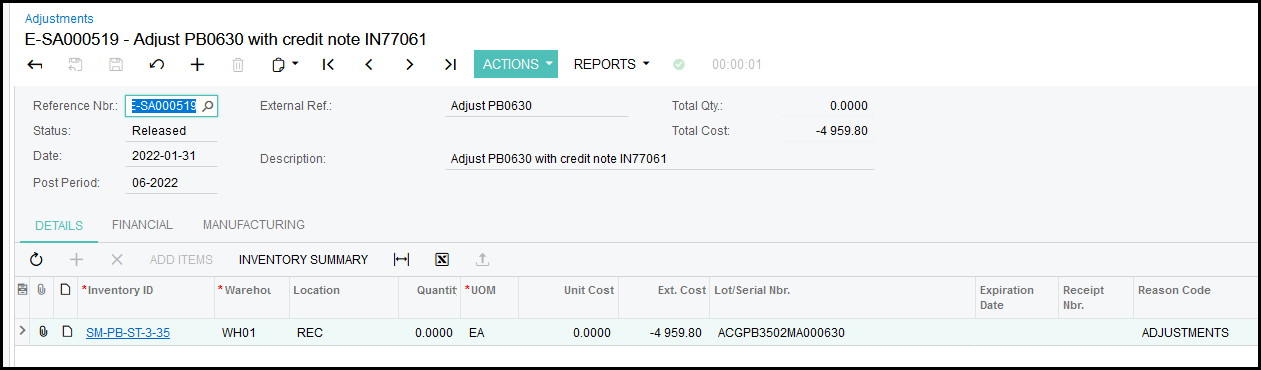
4. Do a stock adjustment against the serialized item in Acumatica. Process your credit note from the supplier also against stock adjustments to cancel out the adjustment.
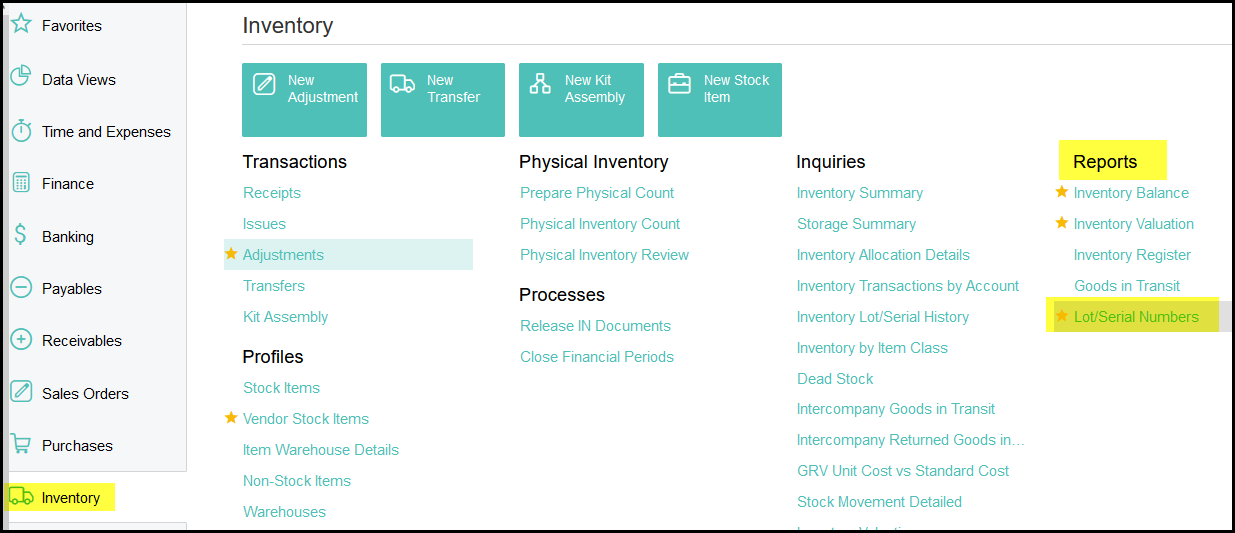
5. Go inventory> reports> lot serial numbers
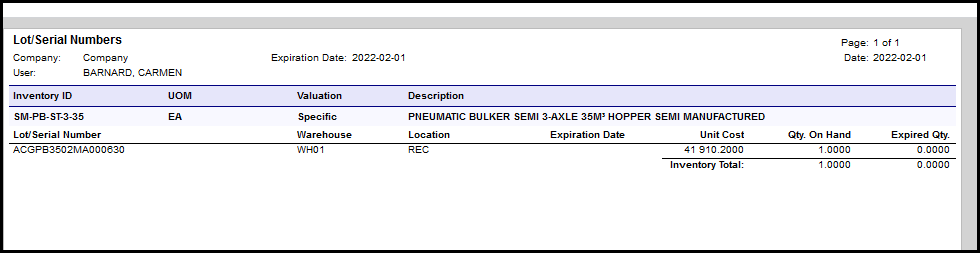
6. Your serialized item should show the new lower cost (46870 - 4959.80) = 41 910.20
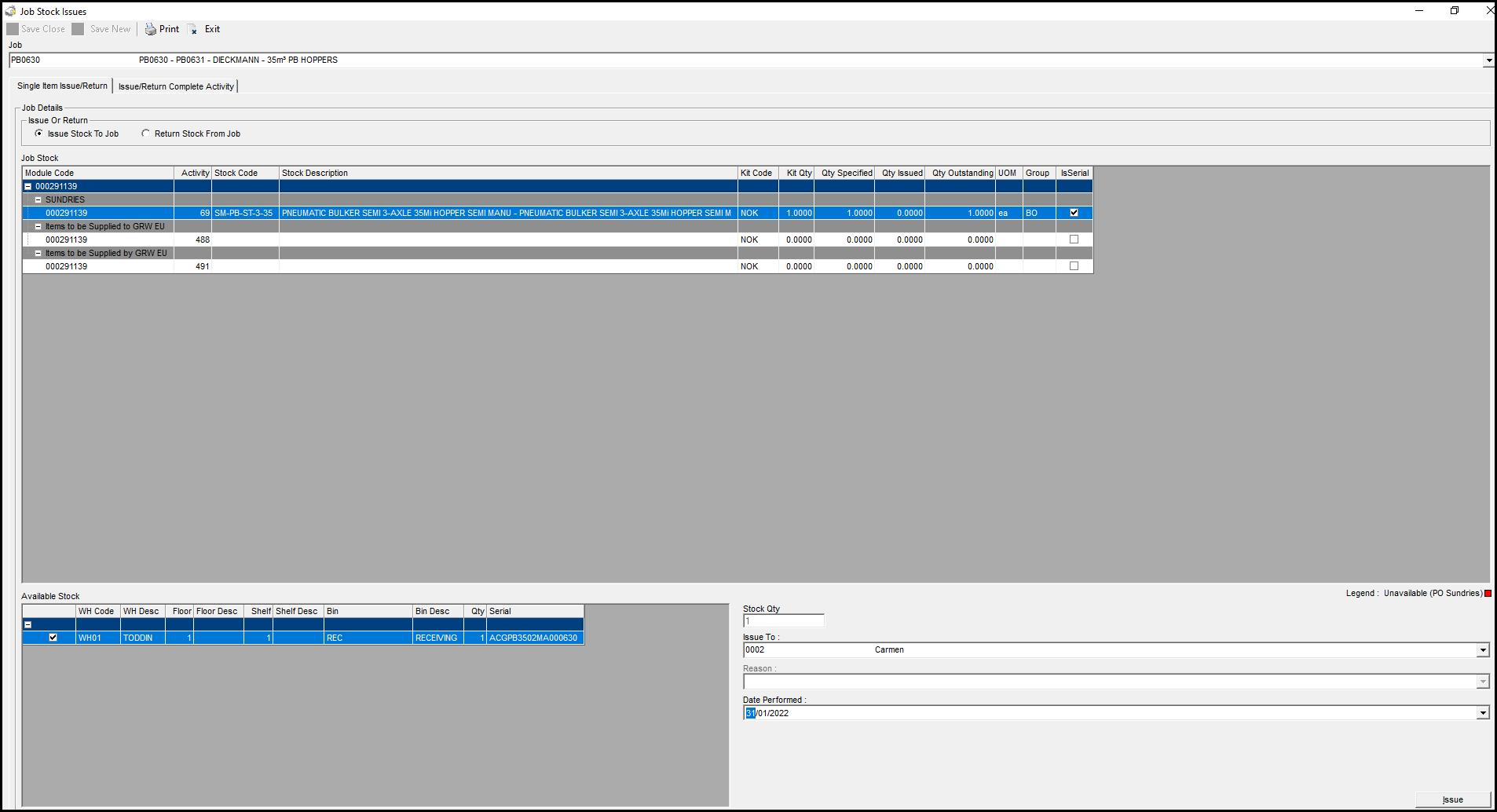
7. Issue the serialized item from wisERP.
Created with the Personal Edition of HelpNDoc: Don't be left in the past: convert your WinHelp HLP help files to CHM with HelpNDoc