How to setup your stock item as a kanban item
1. How to setup your stock item as a kanban item.
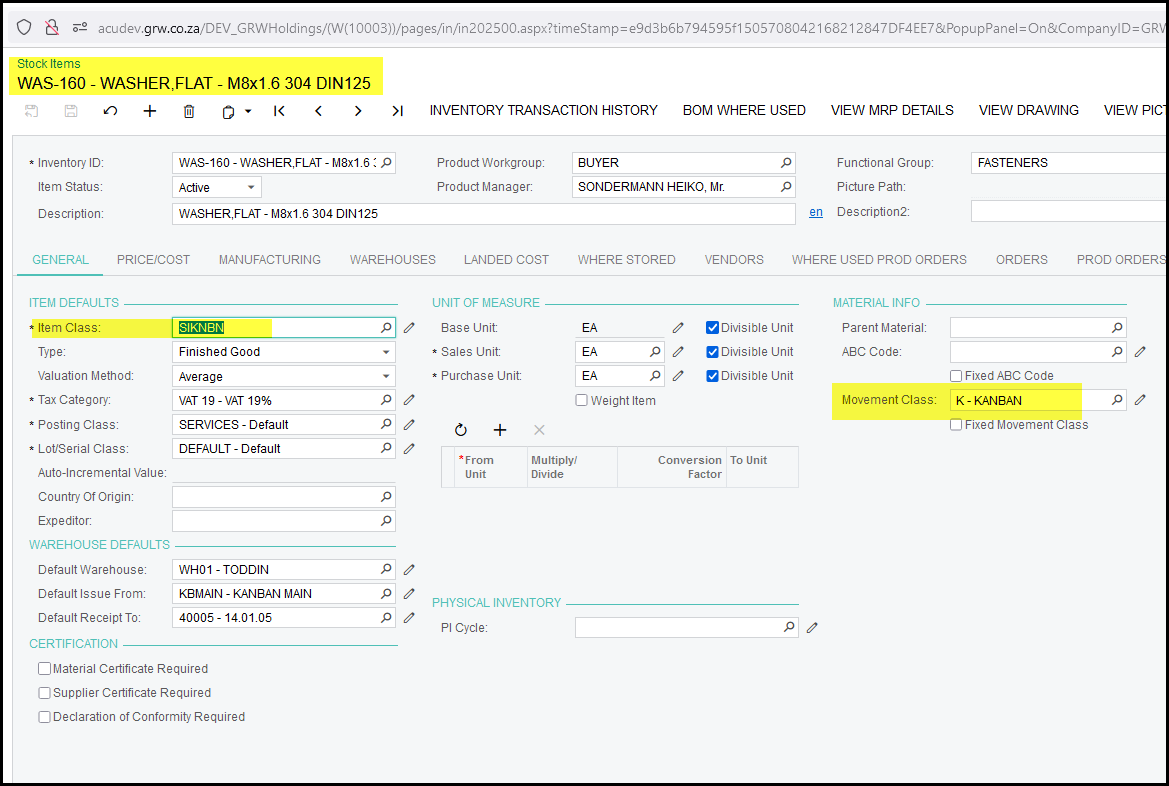
The item class should be SI-KNBN. This class is setup to allow negative stock issues.
The item must also be linked to the KANBAN movement class.
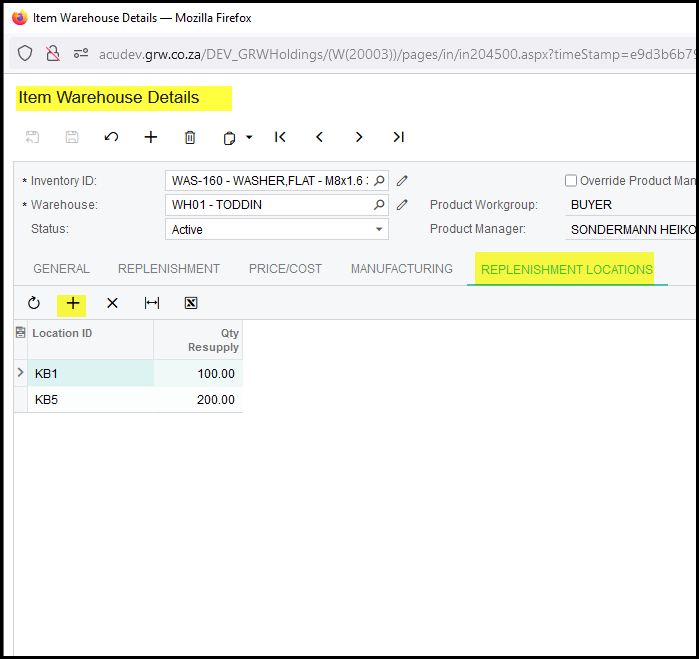
2. You must add kanban locations to the stock item. This indicates all your kanban locations for this specific item.
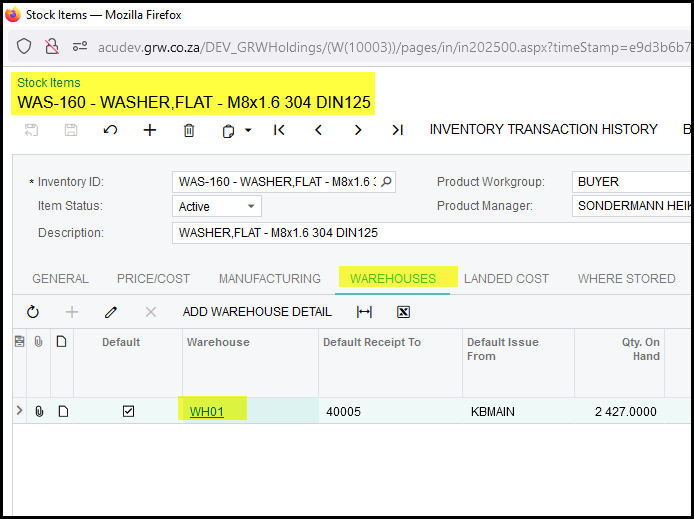
You do the setup on the warehouse settings on the stock item. See below.
3. Click on + to add a location. Also input the qty to resupply each time the location is empty.
How to do a kanban request to refill or resupply your kanban location:
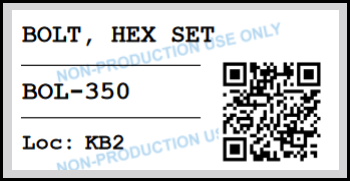
When you kanban location is empty. Use your mobile device to scan the QRCode on the shelf/bin.
Created with the Personal Edition of HelpNDoc: Converting Word Documents to eBooks: A Step-by-Step Guide with HelpNDoc