How to print parts movement with qty on hand for replenishment purposes
1. Click on Inventory>inquiries>inventory transaction summary
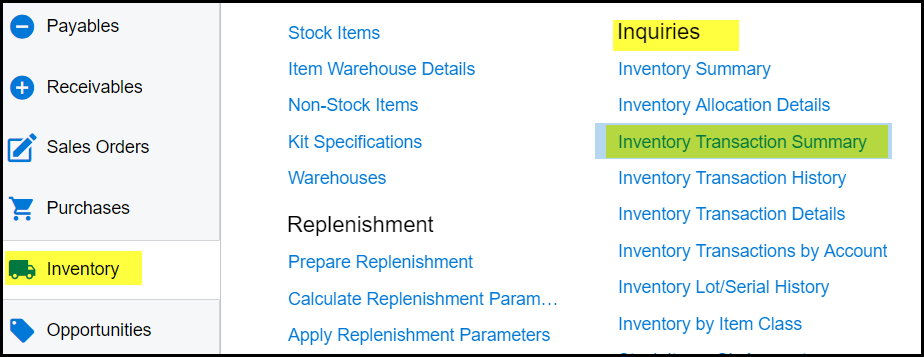
2. When you click on this summary report this system will first run the report for all warehouses, please wait for the report to tun completely before you enter your selections.
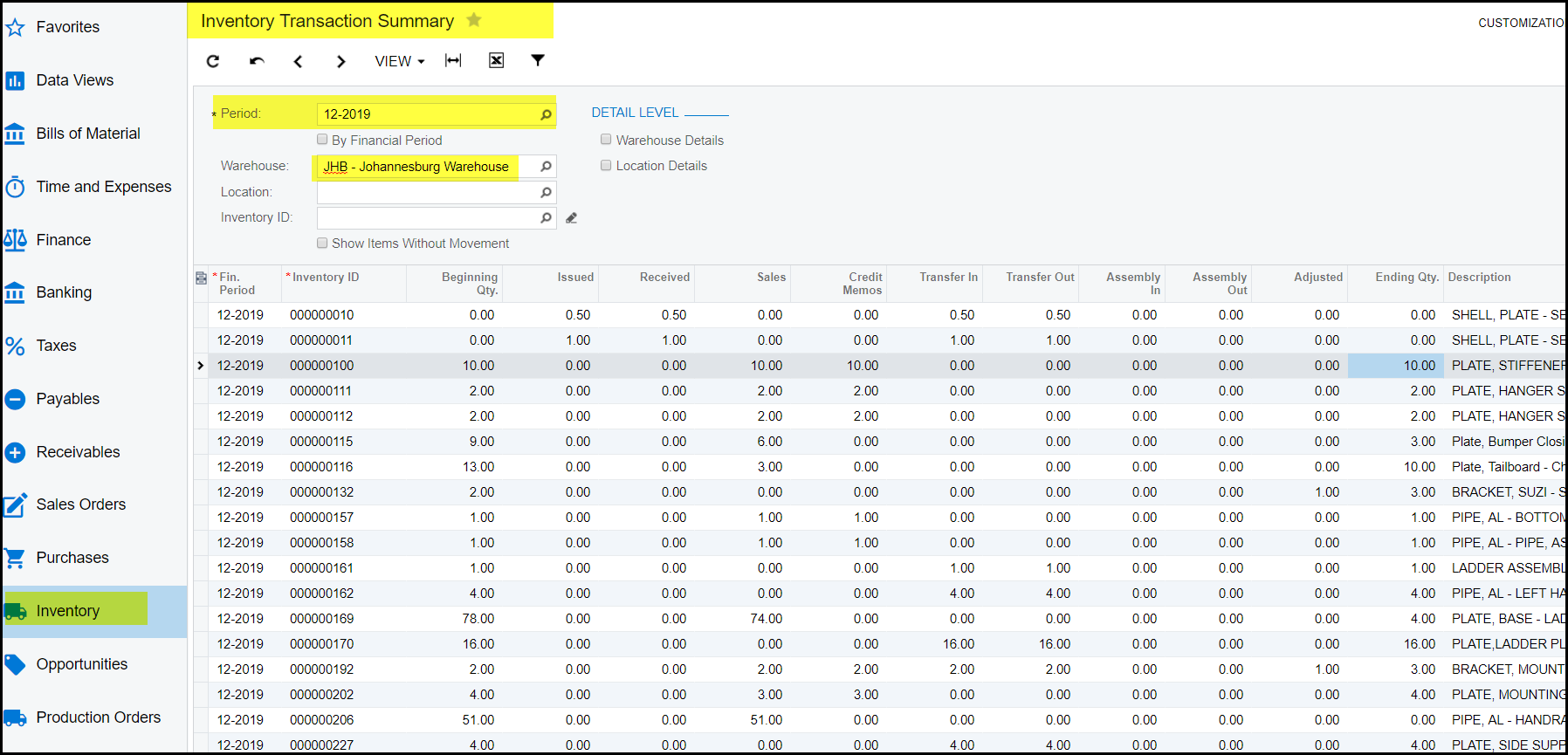
3. This report show your movement on stock items for a specific period. Period 01-2019 - August 2018, 02-2019 - September 2018. Example
below is 12-2019 July 2019, the last period of the 2019 financial year.
4. Select your warehouse.
5. This report can be export to excel if needed.
Created with the Personal Edition of HelpNDoc: Elevate Your CHM Help Files with HelpNDoc's Advanced Customization Options