How to place a PO for operations directly against a job
1. Make sure that on the production order details and the specific line item the box 'Mark for PO' should is ticked.
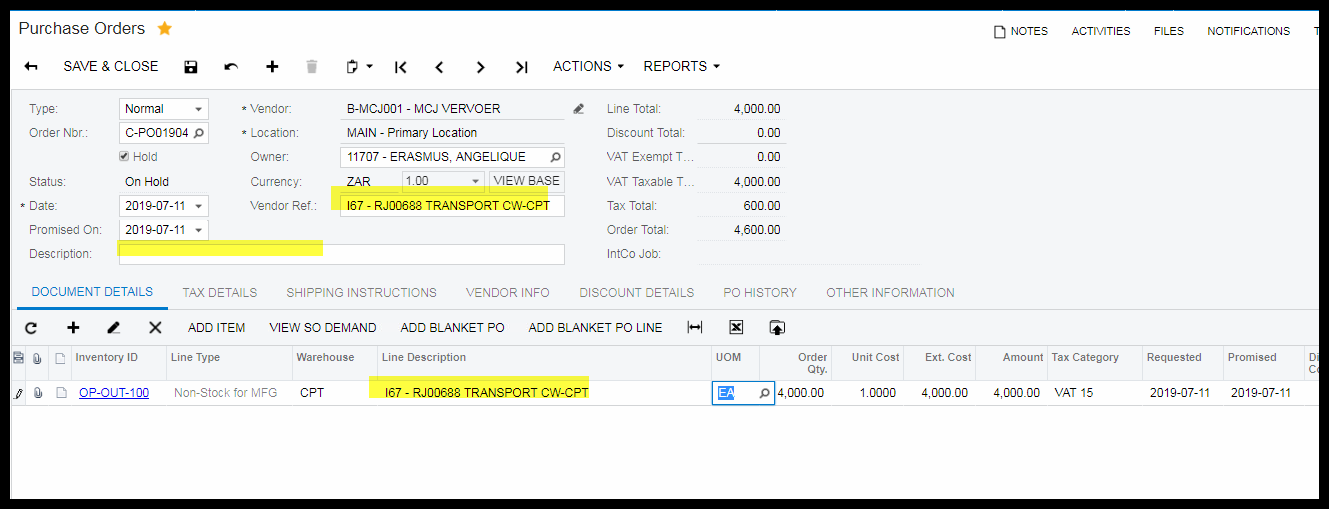
TIP: OP-OUT-100 - we put the price as qty in and the price is R1.00
2. To be able to tick this box, the job must be 'On Hold', so do this step before the job is released.
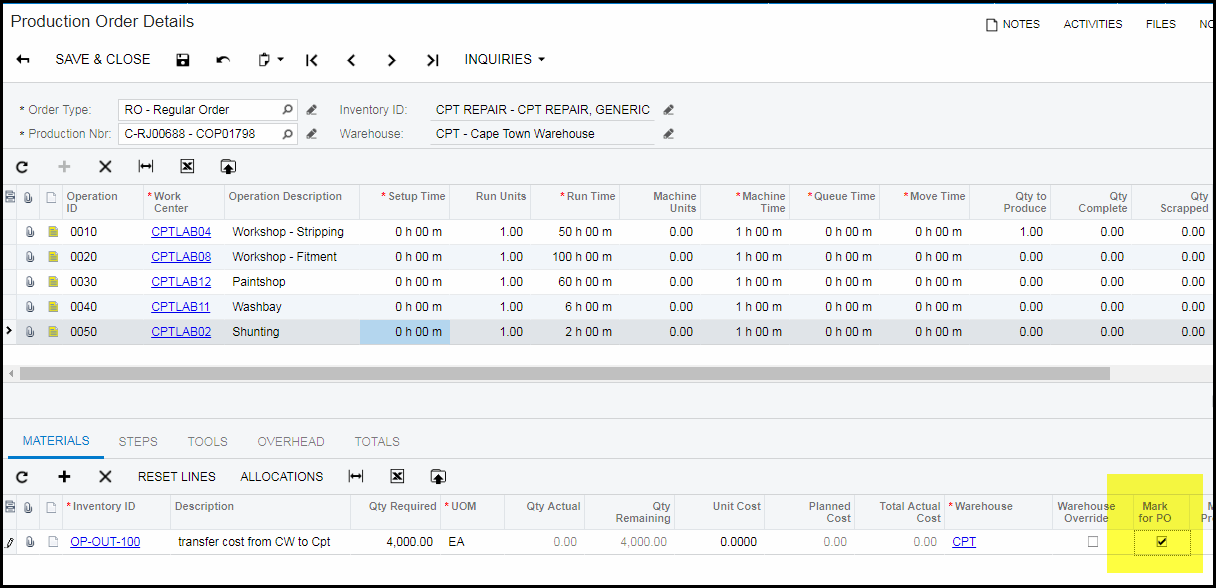
3. To create the PO make sure that the job is not on hold and is released.
4. Go to inquiries>critical material
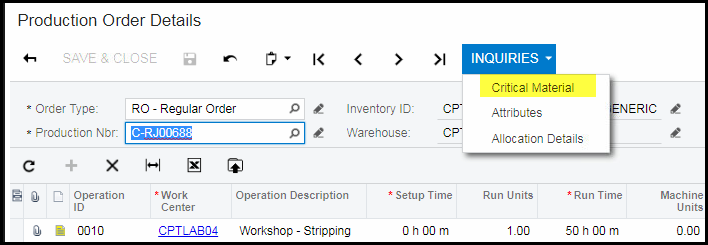
5. Click on 'show all items' and tick the specific operation you want to order.
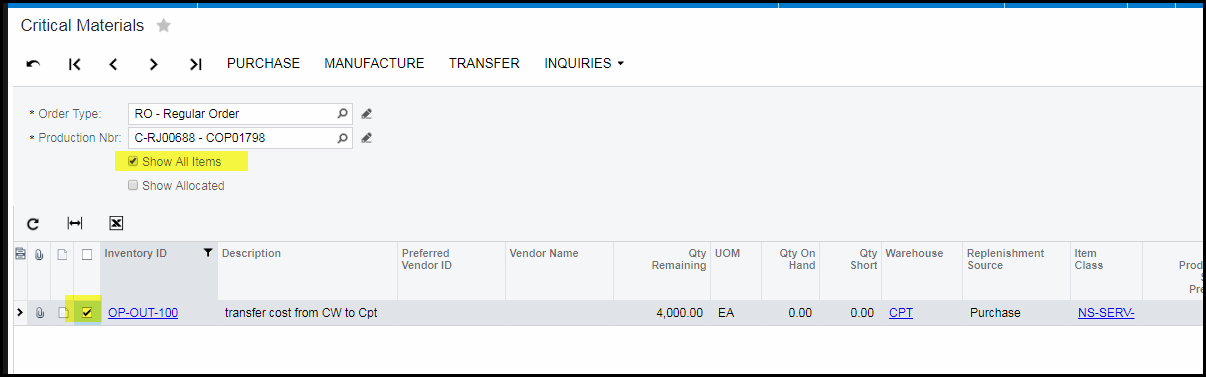
6. Click on 'PURCHASE' on the top of the screen.
7. Search and select the supplier to which the order needs to be made out.
8. Click on 'CREATE'.
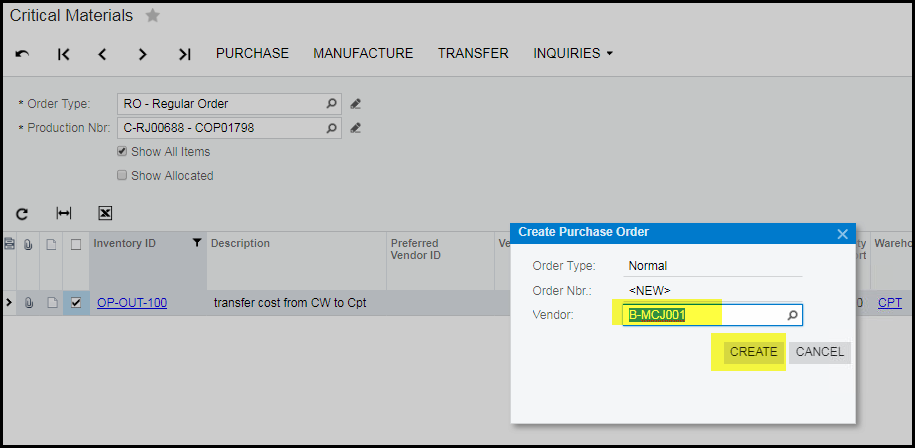
9. This will open your Purchase order.
10. Check your price, add references of the supplier. It is also good to add your production order nr for later references.
11. If you are 100% all info is correct and added, take order off hold and save.
12. Go to reports and email/print your PO.
Created with the Personal Edition of HelpNDoc: Revolutionize Your CHM Help File Output with HelpNDoc