How to open a new financial year
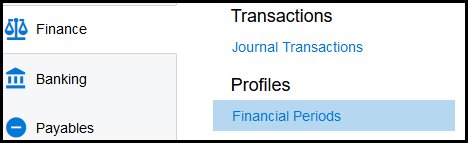
1. Click on Finance>Financial Periods
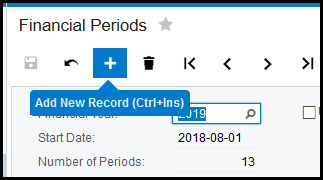
2. Click on the '+' to add a new year
3. The next year will automatically show.
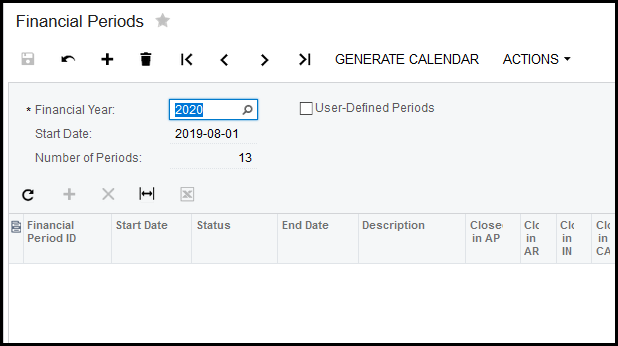
4. Click on 'GENERATE CALENDER'.
5. It will show your new year, click on OK.
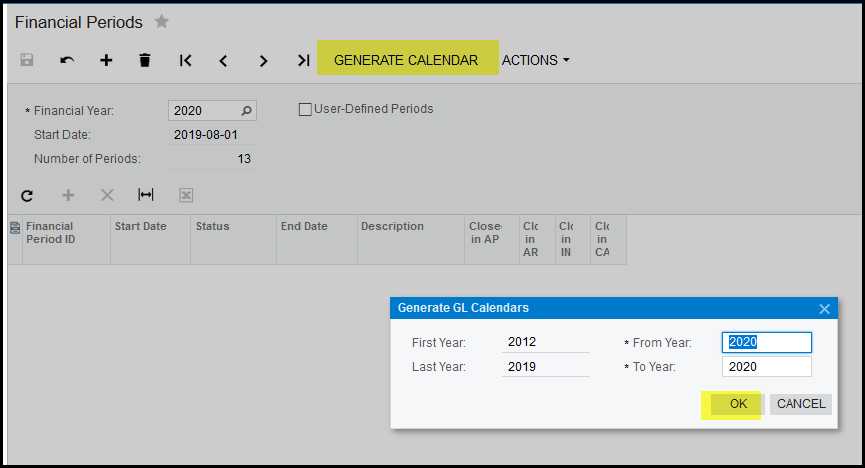
6. Your new calendar will be created.
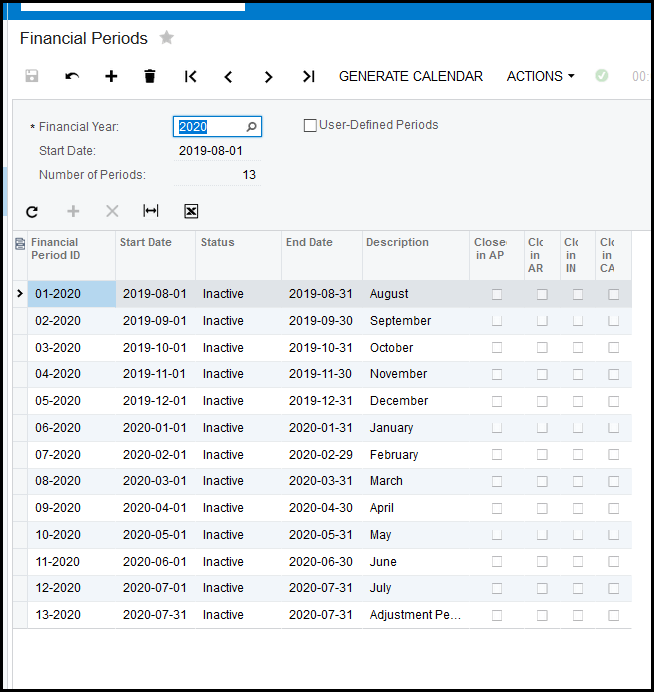
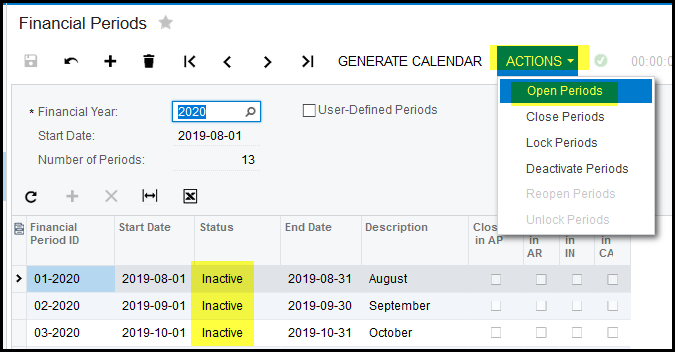
7. Your periods will be inactive.
8. Go to Actions>Open Periods to open your periods.
Created with the Personal Edition of HelpNDoc: Easily create Web Help sites