How to close financial periods
1. You can close the modules AP, AR, Stock and Cash one by one or you can tick to close the financial period at once. See below the different 'ticks'
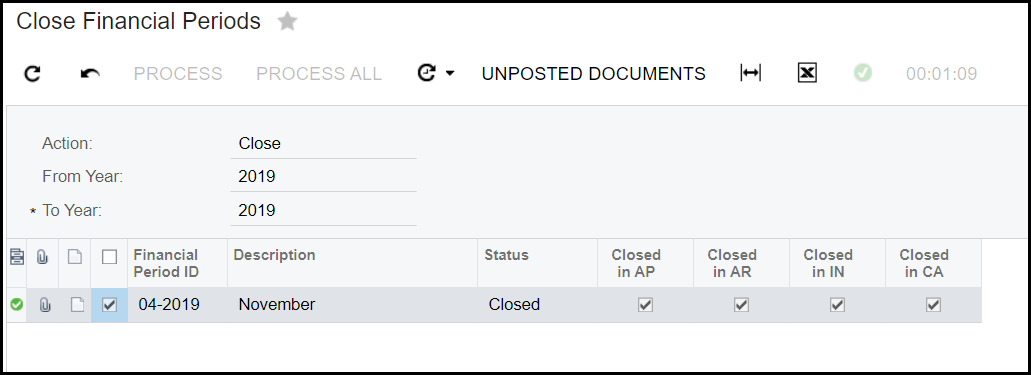
2. How to close the modules one by one.
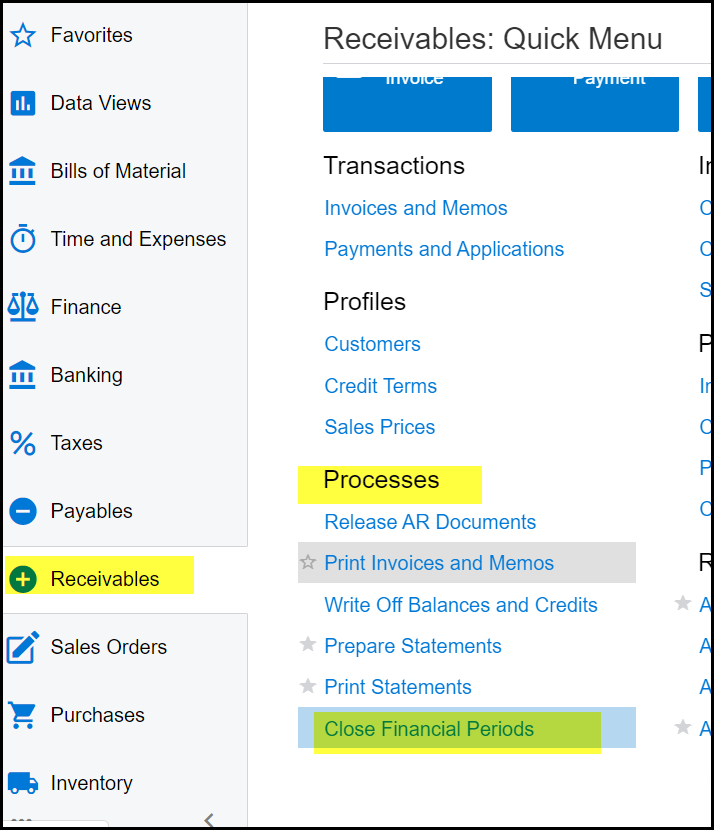
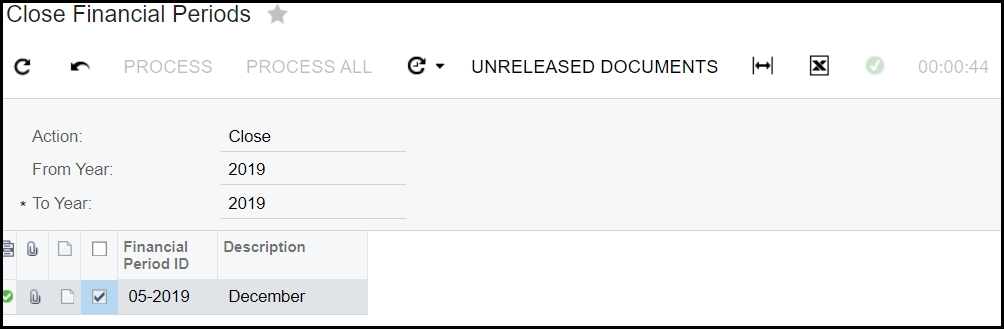
3. Go to Receivables>Processes - Close Financial Periods
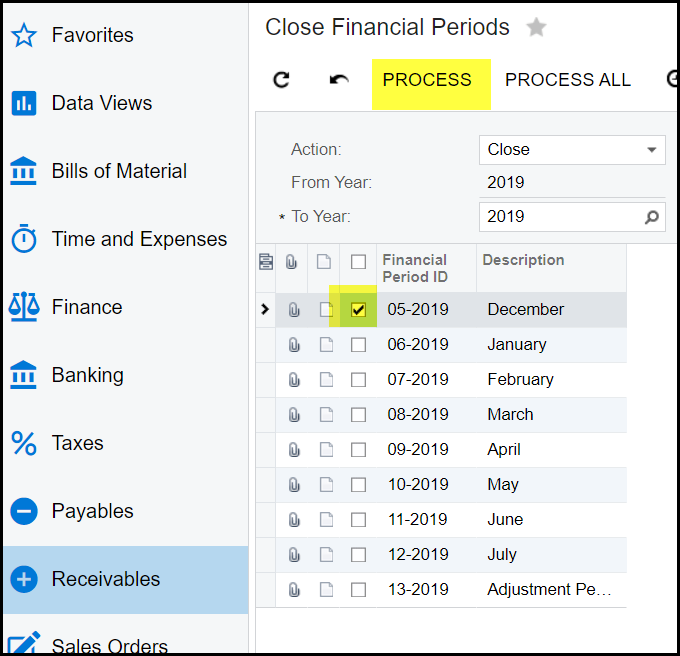
4. Tick the period and process
5. If the period cannot close because there are still unreleased transactions in the module you will get an error.
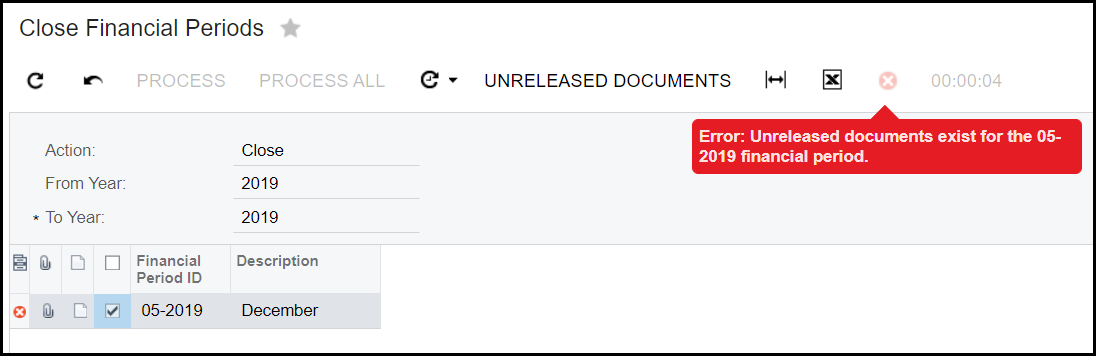
6. To view which transactions need to be processed, click on 'unreleased documents'.
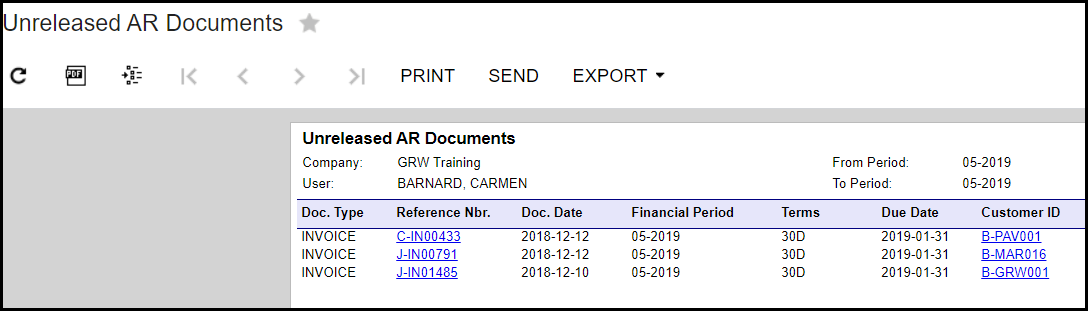
7. Click on each transaction's hyperlink attend to the unreleased transactions.
8. When all transactions is posted, go through the same process of closing the AR's period.
9. If you go to finance>financial period - it will show that the AR period is closed. See below.
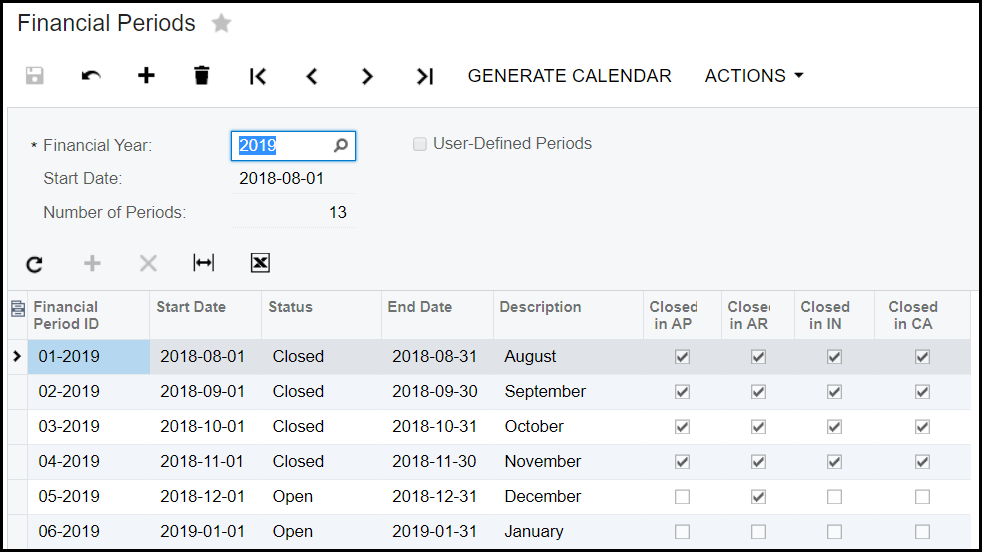
9. Follow this process for AP, IN and Cash modules.
10. Once all the modules is closed you still need to close the financial period.
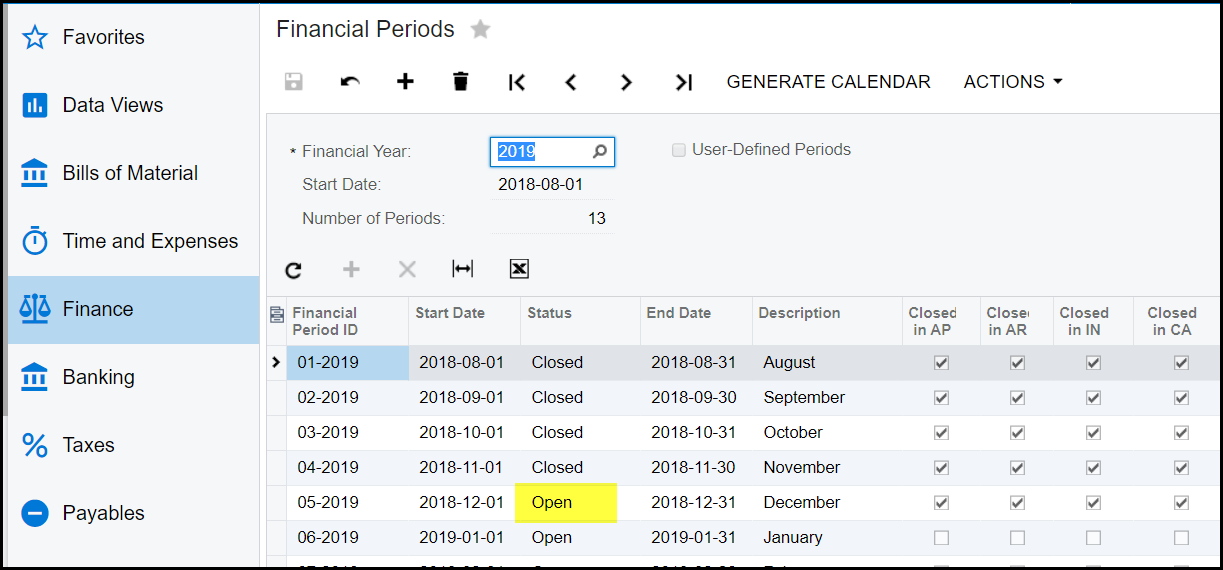
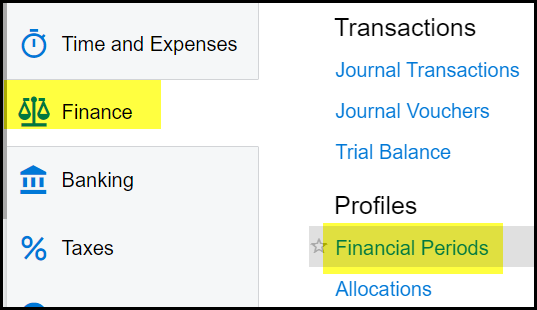
11. Go to finance>Financial periods
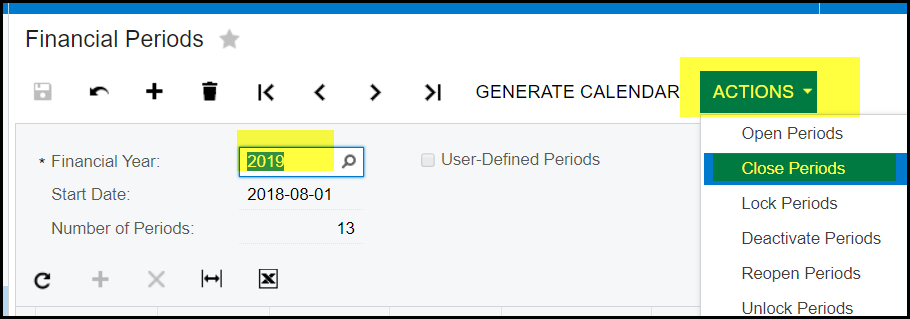
12. Go to actions>Close periods
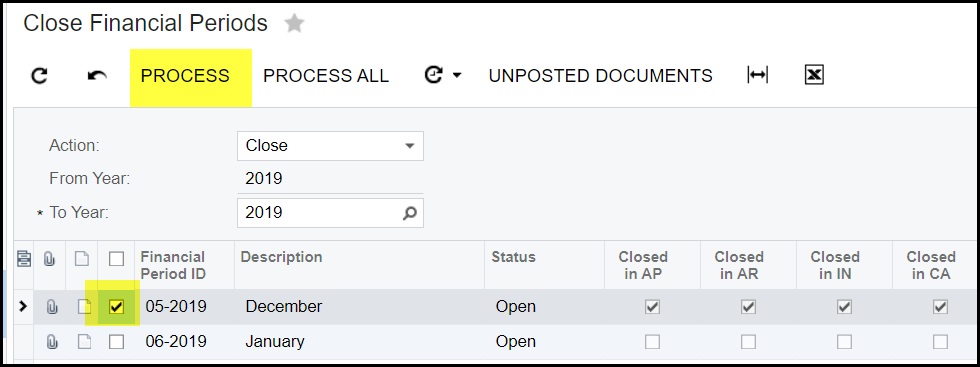
13. Tick the period and 'PROCESS'
14. Again view the unposted documents when you get an error. This will be general journals not processed.
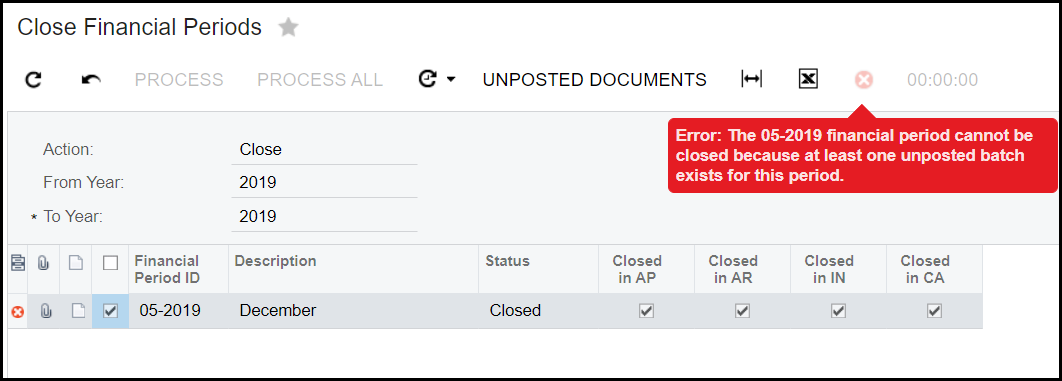
15. Only when all unposted docs is posted you will be able to close the financial period.
Created with the Personal Edition of HelpNDoc: Streamline your documentation process with HelpNDoc's HTML5 template