How to make comments or notes on purchase orders
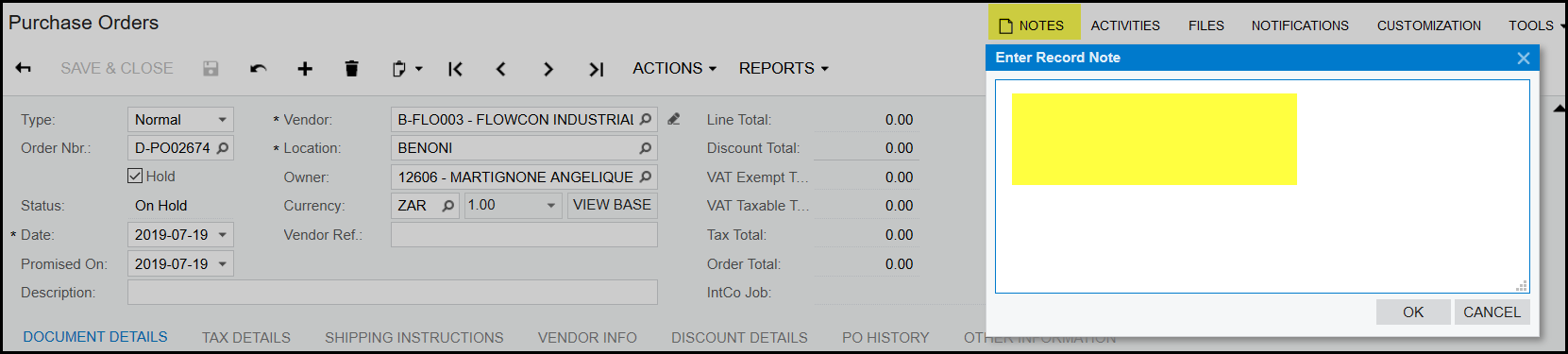
1. If you want to print a note/comment on your order that will show on the bottom of your printed purchase order, use the 'NOTES'
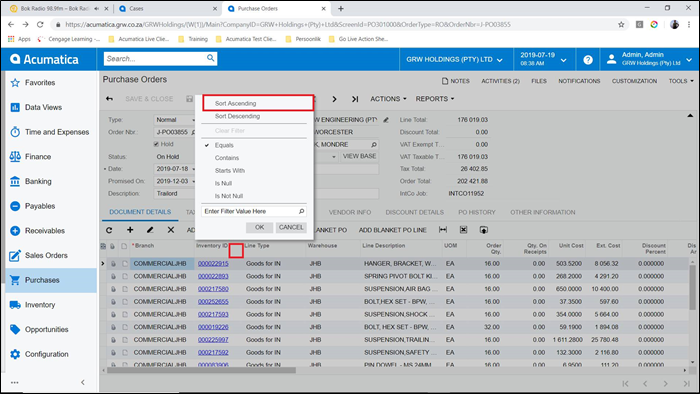
2. If you want to add a comment to the last inventory code and this should print in the last row of the purchase order, first make sure that your items on the order is sorted by ascending.
Then input your note on the last item code. Acumatica will automatically print according to an ascending sorting of the lines.
Created with the Personal Edition of HelpNDoc: Write eBooks for the Kindle