How to link a vendor for label printing
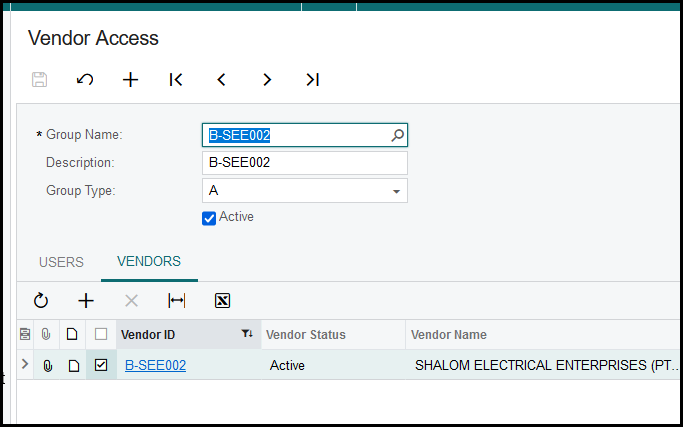
1. Add the vendor on row-level security.
Use the supplier code as group name and description.
Add the vendor to the vendors tab.
Tick the specific vendor ID.
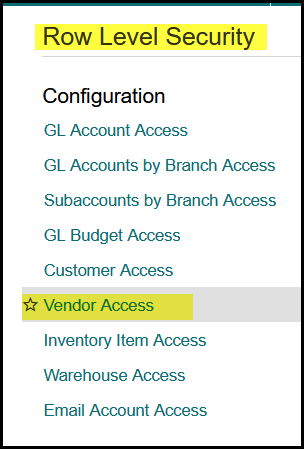
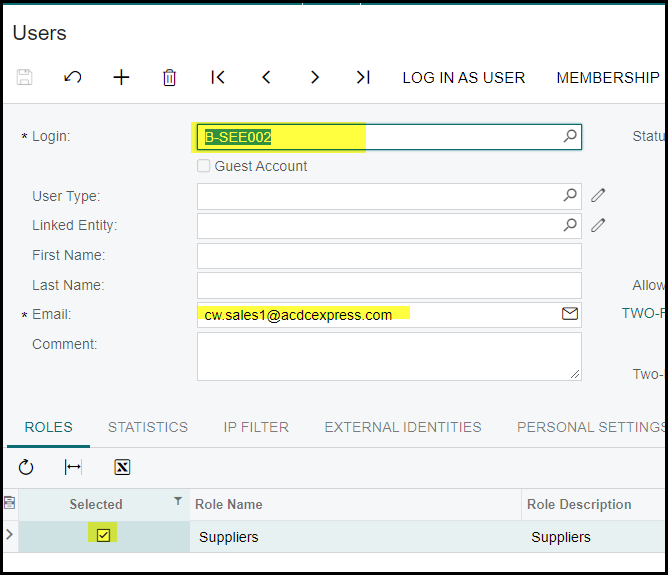
2. Create the supplier as a user, the login is the supplier code and the password is the same, just in lower case. Add the email of the supplier. The user must be linked to the 'suppliers' role.
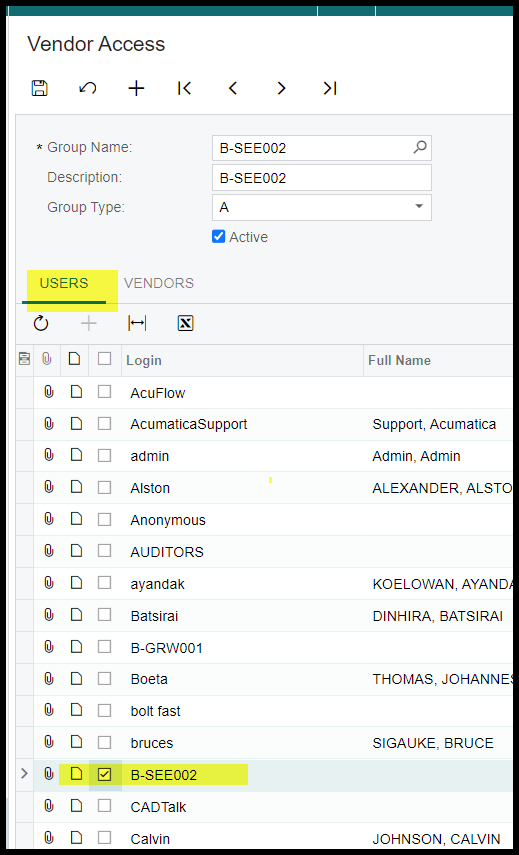
3. Once the user is created, go to row-level security and link the user(vendor).
4. A supplier and it stock items should be add on a Vendor Price Worksheet to print a stock label. Stock will not show if it is not linked.
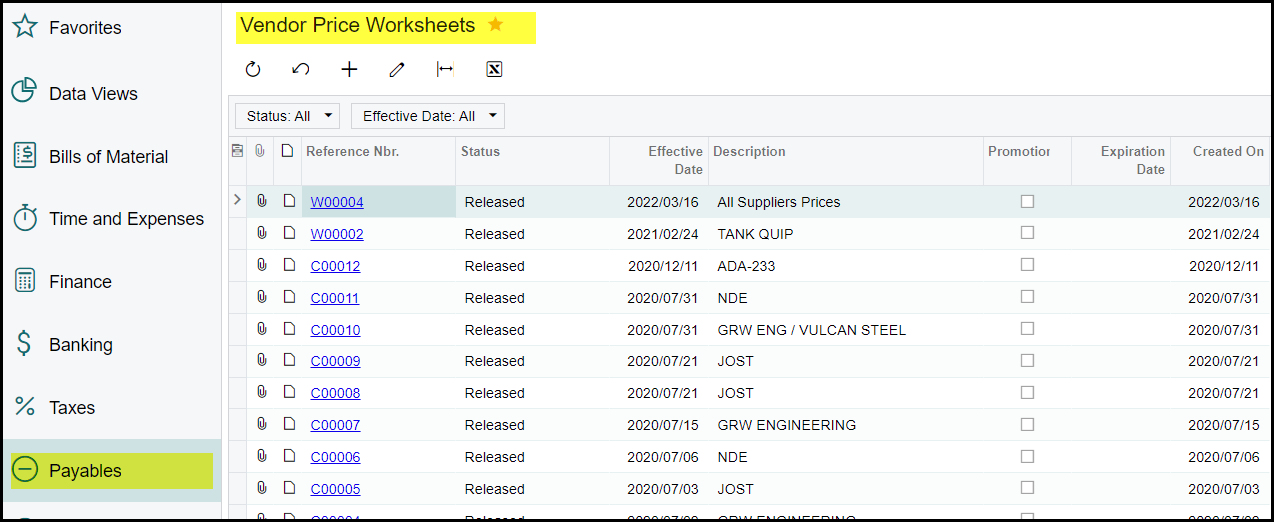
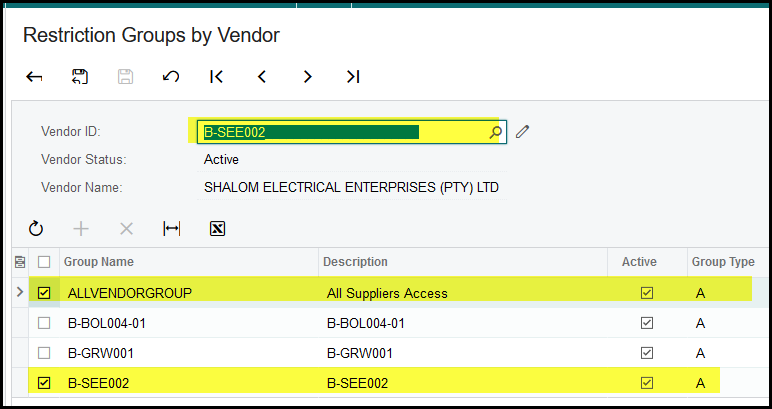
5. Make sure that your supplier is link to the restriciton groups by Vendor. Go to the specific Vendor>Actions>View restriction groups by Vendor and make sure the selected tick is on.

Created with the Personal Edition of HelpNDoc: Full-featured Documentation generator