How to issue stock to a job
1. You can issue stock directly from the job.
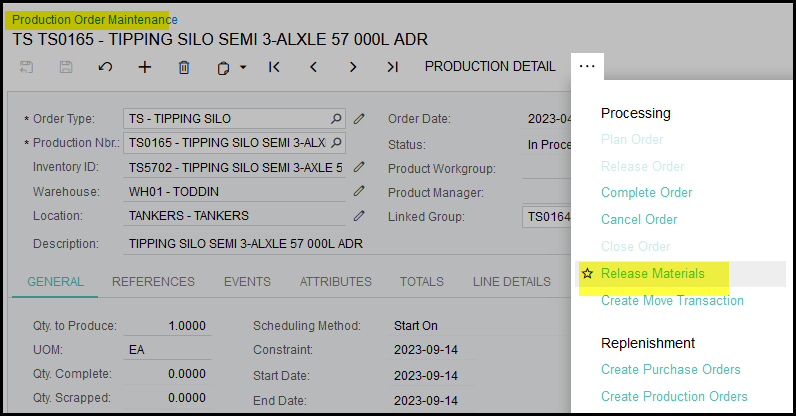
2. On the job maintenance screen you can release materials.
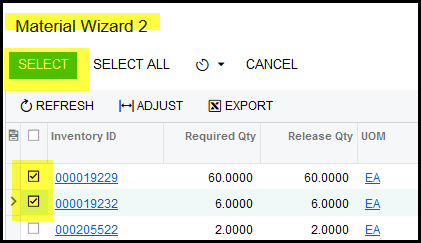
3. The wizard will open with all stock that is on hand to issue to the job.
4. Tick the items you want to issue and click on select.
5. This will open up a material issue transaction.
6. If everything is correct with the transaction you can release.
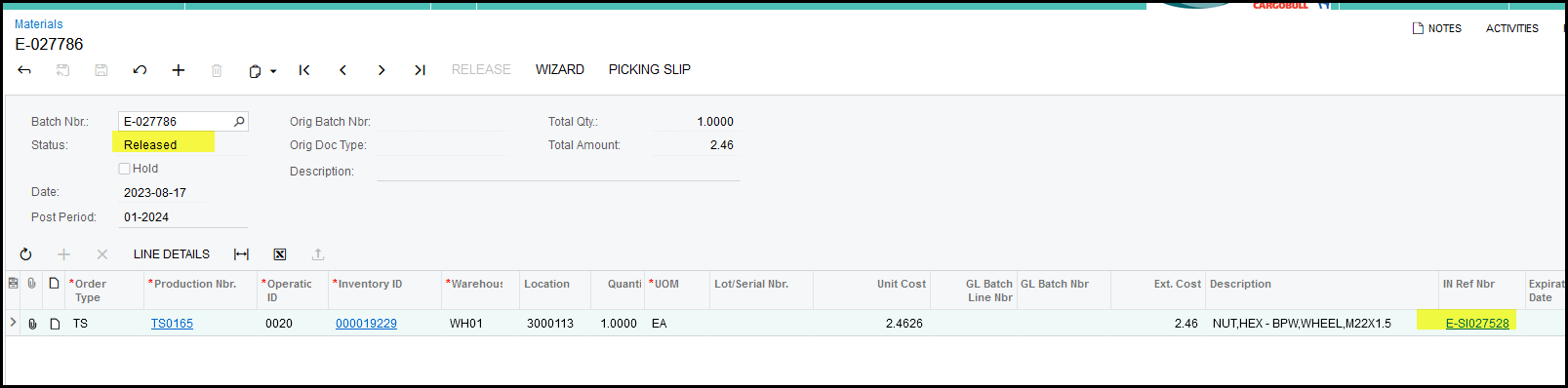
7. Make sure that its status changed to release.
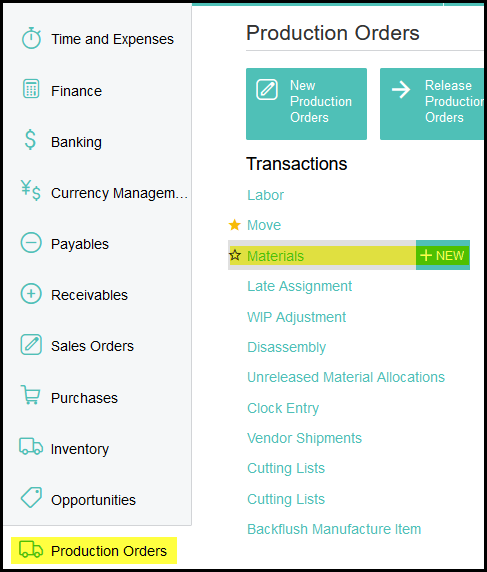
8. You can also do a stock issue from the production order screen>transactions>materials
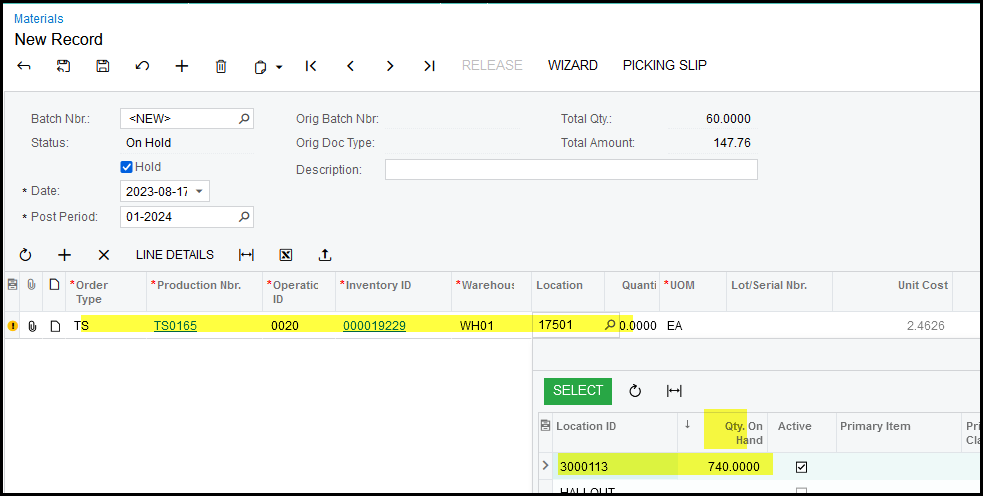
9. Add a line and the rest of the detail. The default location will pop-up, but click on the qty on hand descending and select your location.
10. It will automatically show the qty for that operation of the job.
11. When done release the transaction.
12. See the IN transaction reference.
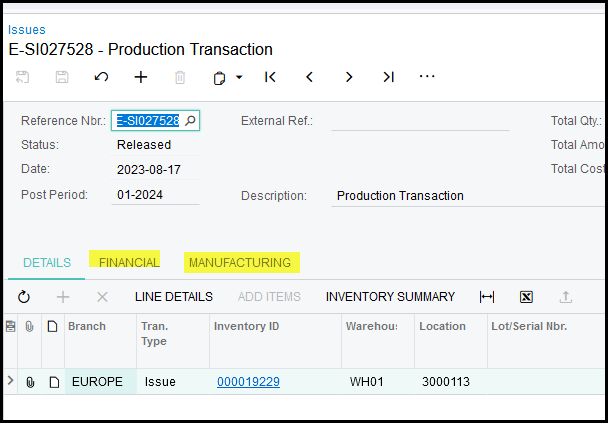
13. If you click on the IN Ref you will see the Financial tab(GL transaction) and the Manufacturing tab(material issue to the job).
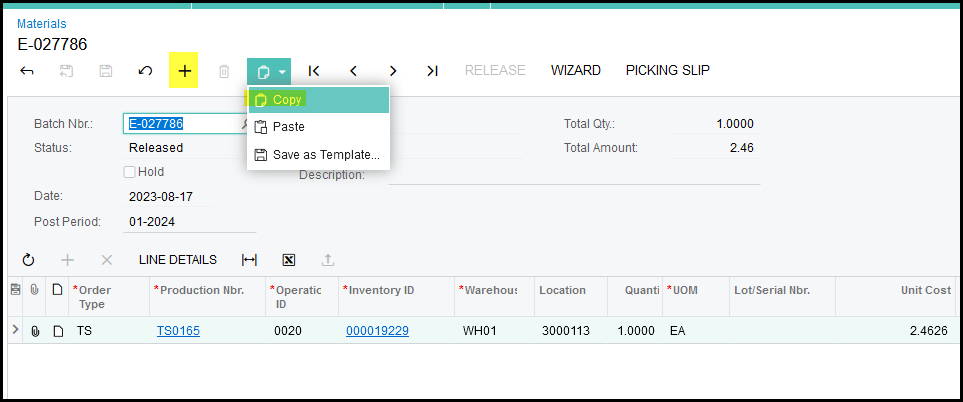
14. To return the stock that was issue you can copy your batch info and just type in a minus before the quantity.
15. Click on copy and then on the +.
16. Stand in the description and then paste.
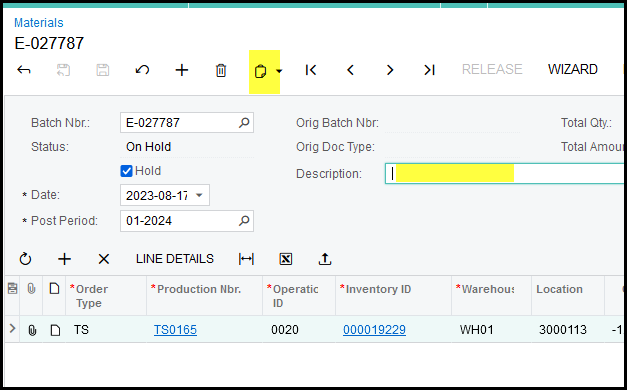
17. Make sure that your qty is changed to -.
18. Release your batch.
Created with the Personal Edition of HelpNDoc: Free help authoring tool