How to edit product manager of an item
1. Go to inventory>open the item you want to edit.
2. Go to product workgroup - we allocate "Buyer" to items for MRP purposes.
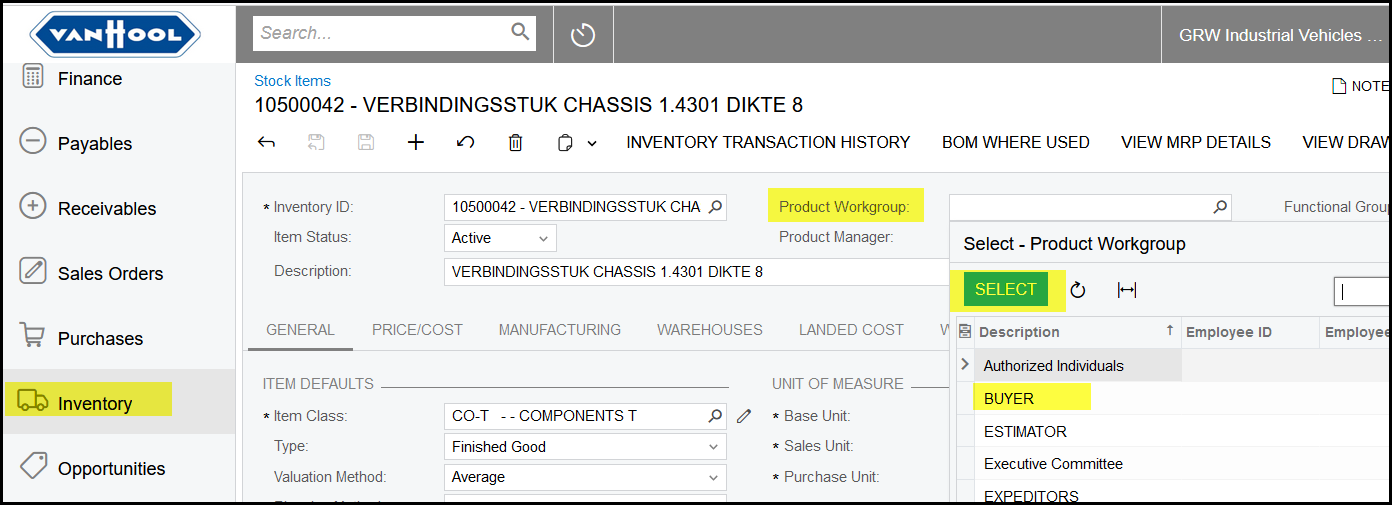
3. Select the relevant buyer from the list and save.
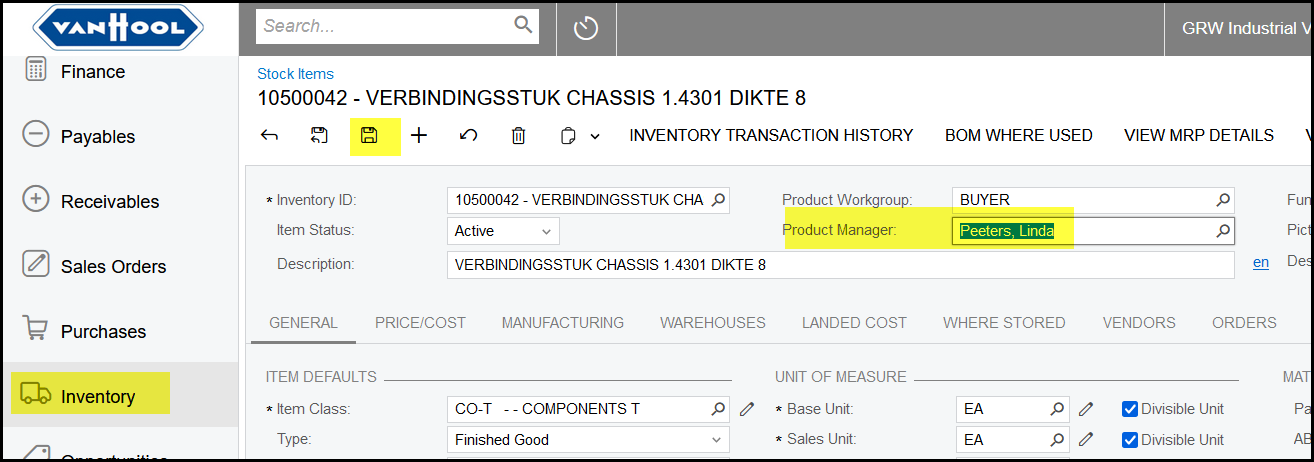
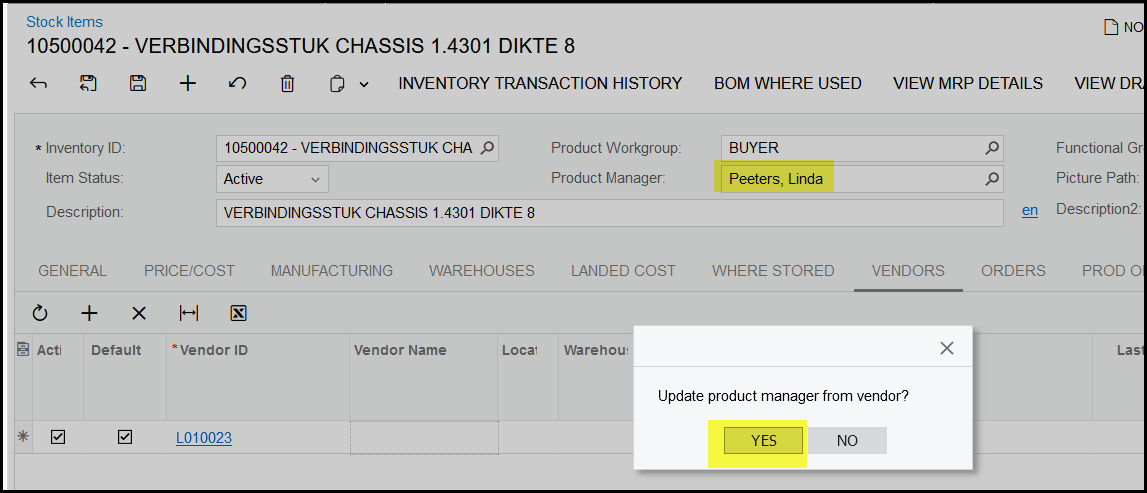
4. Now if you add a vendor to the stock item.
It will asked if the stock item should be updated according to the vendors info ( the buyer that is linked to the vendor).
If you select 'yes' it will update from the vendor and 'no' will not override it and keep the save info of the buyer.
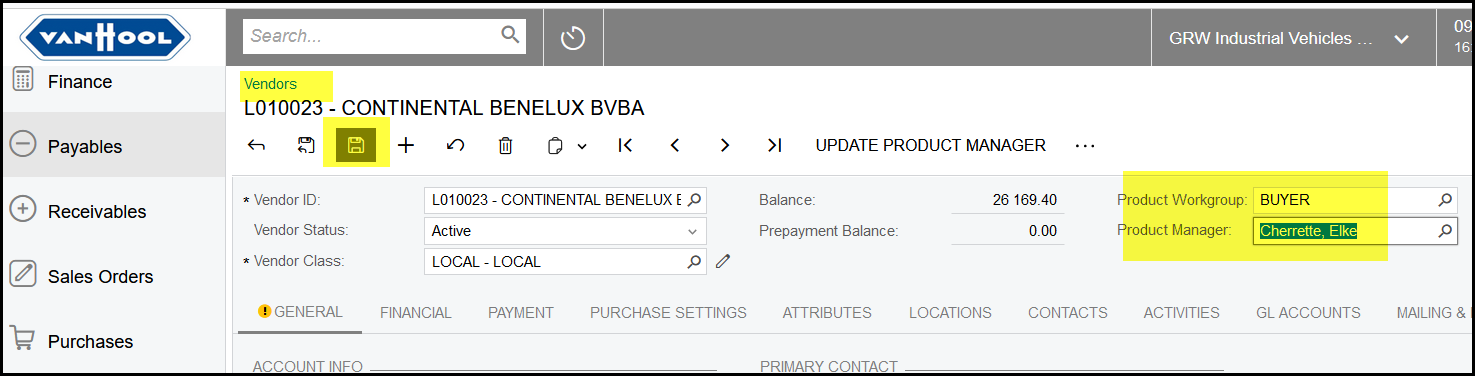
5. We selected 'yes' so it updated with 'Elke', because Elke is linked to the supplier.
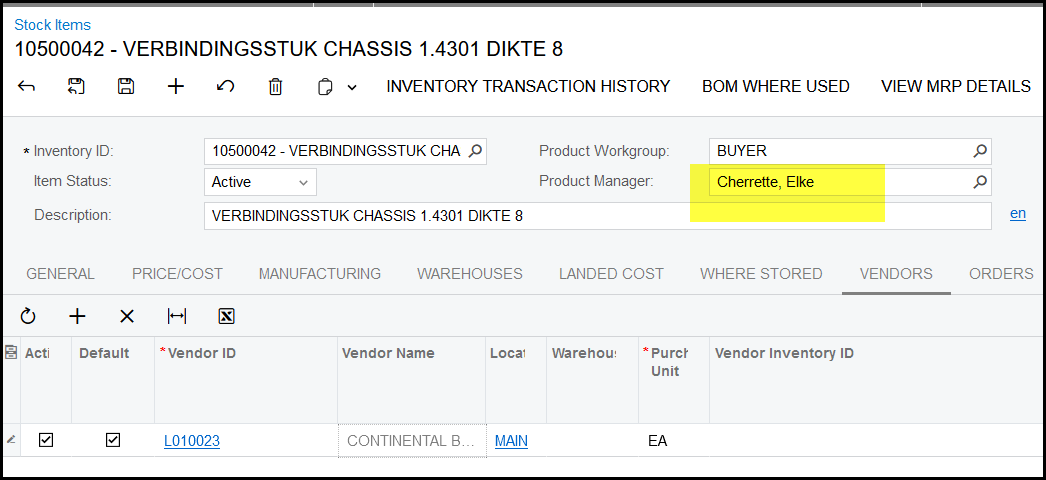
6. Here is the vendor screen where you can see that Elke is linked to L010023.
Created with the Personal Edition of HelpNDoc: Easily create Qt Help files