How to create a purchase order
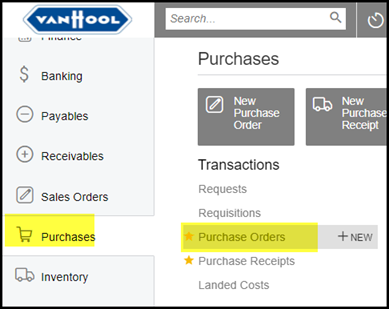
1. Click on Purchases>Transactions>Purchase orders
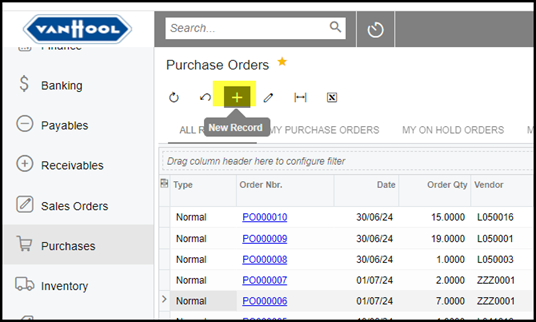
2. Click on the + to create a new purchase order.
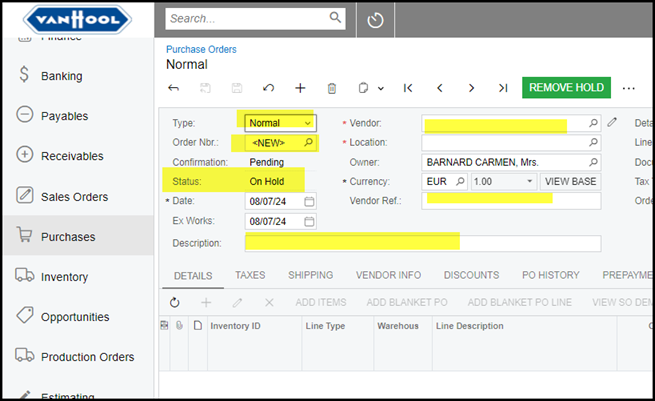
3. Select your Vendor and make sure of the currency of your order. Save.
Your status of the purchase order will be 'On Hold'
The field Vendor Ref is the quote number or ref of the supplier.
The description field is a header description of the order and helpful for searches in history of PO's, but not compulsory.
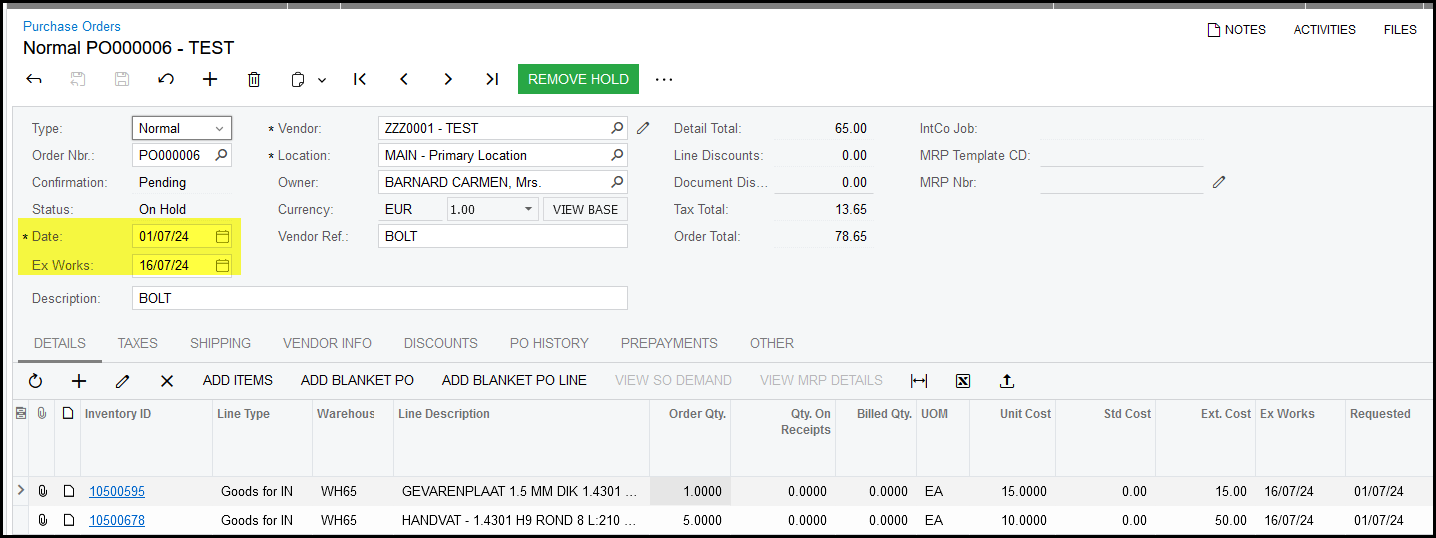
4. The field Date - is the date when you create the PO. Ex works date is the date when you need to items to be ready at the supplier, this will show as
due date on the printed document. Only change the ex works date when you completed all the lines on the PO. On the warning pop-up message select yes.
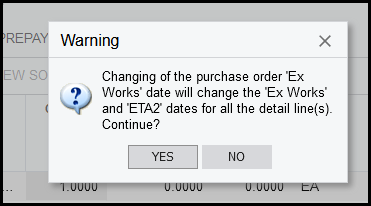
5. Once you save your order the purchase order will have a number.
Click on the + the add stock items to your purchase order.
In the Inventory ID field start typing your stock code or description, the search will pop-up. Select your code and click on tab or enter.
Select your warehouse - this field is compulsory.
Enter your qty and price (Unit Cost).
The price of the item will automatically use the last cost. You can edit the unit cost.
Also note that Acumatica allows you to have the same item code on different lines - this can be confusing but is possible to do.
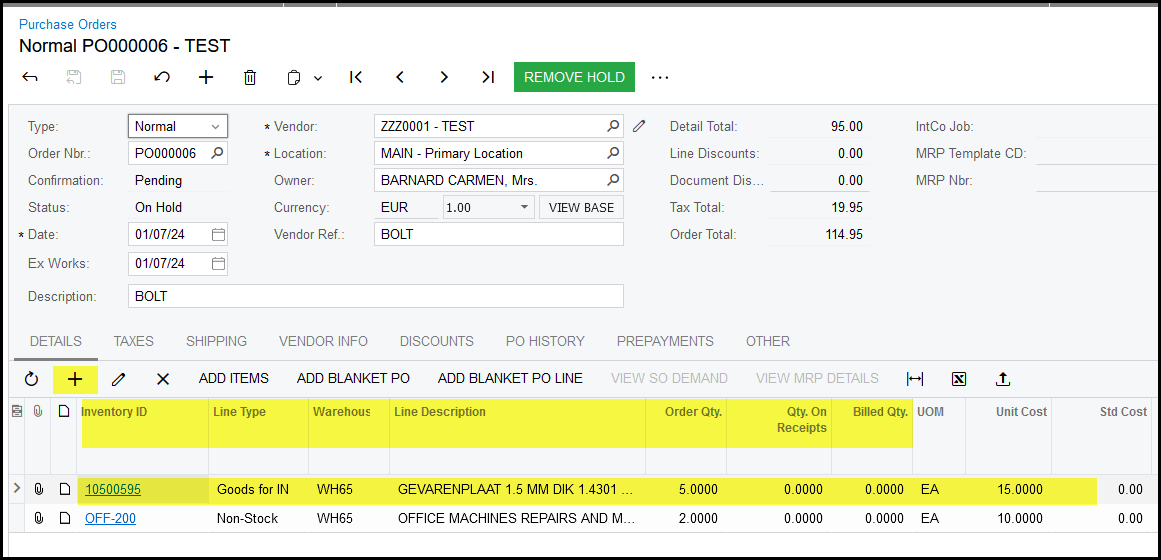
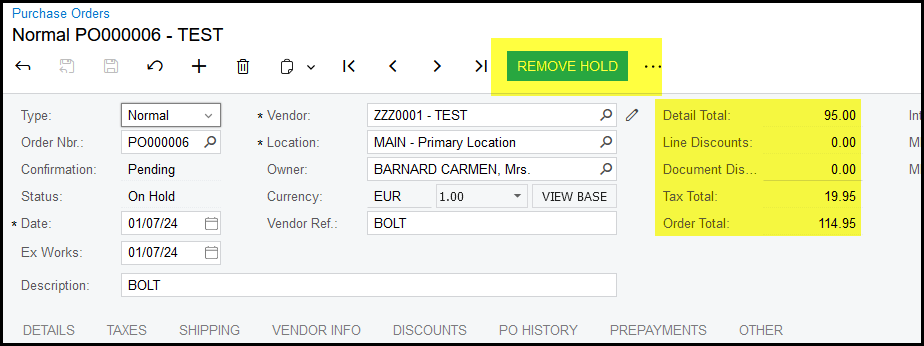
6. When your order is complete please check your totals. Remove Hold.
7. Your order status is OPEN and ready to email or print and send per email.
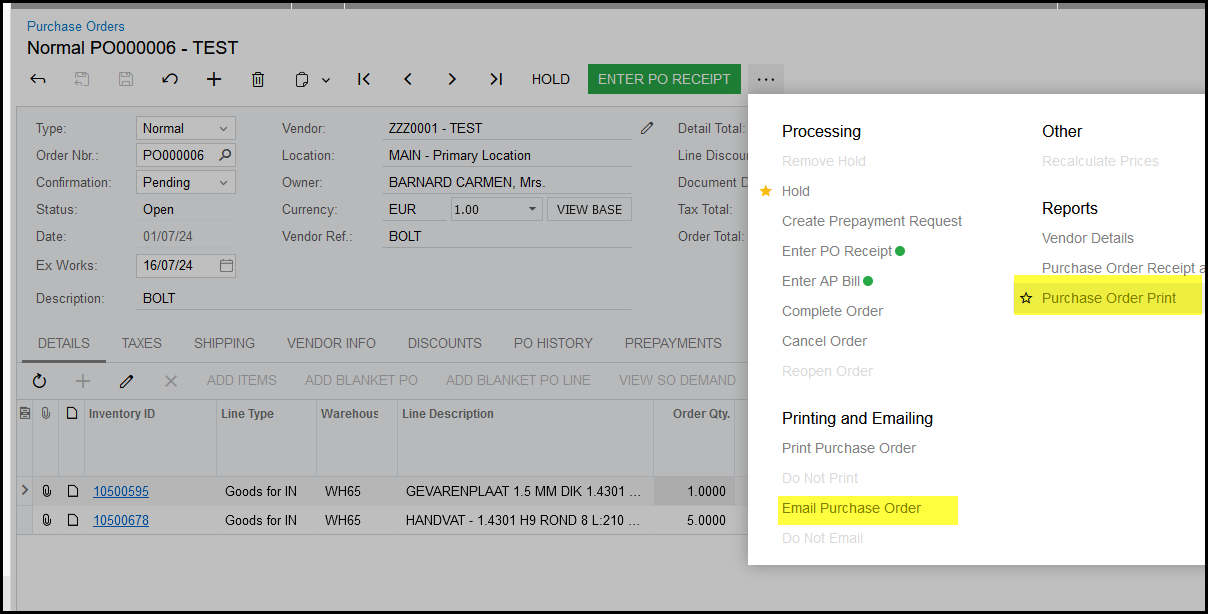
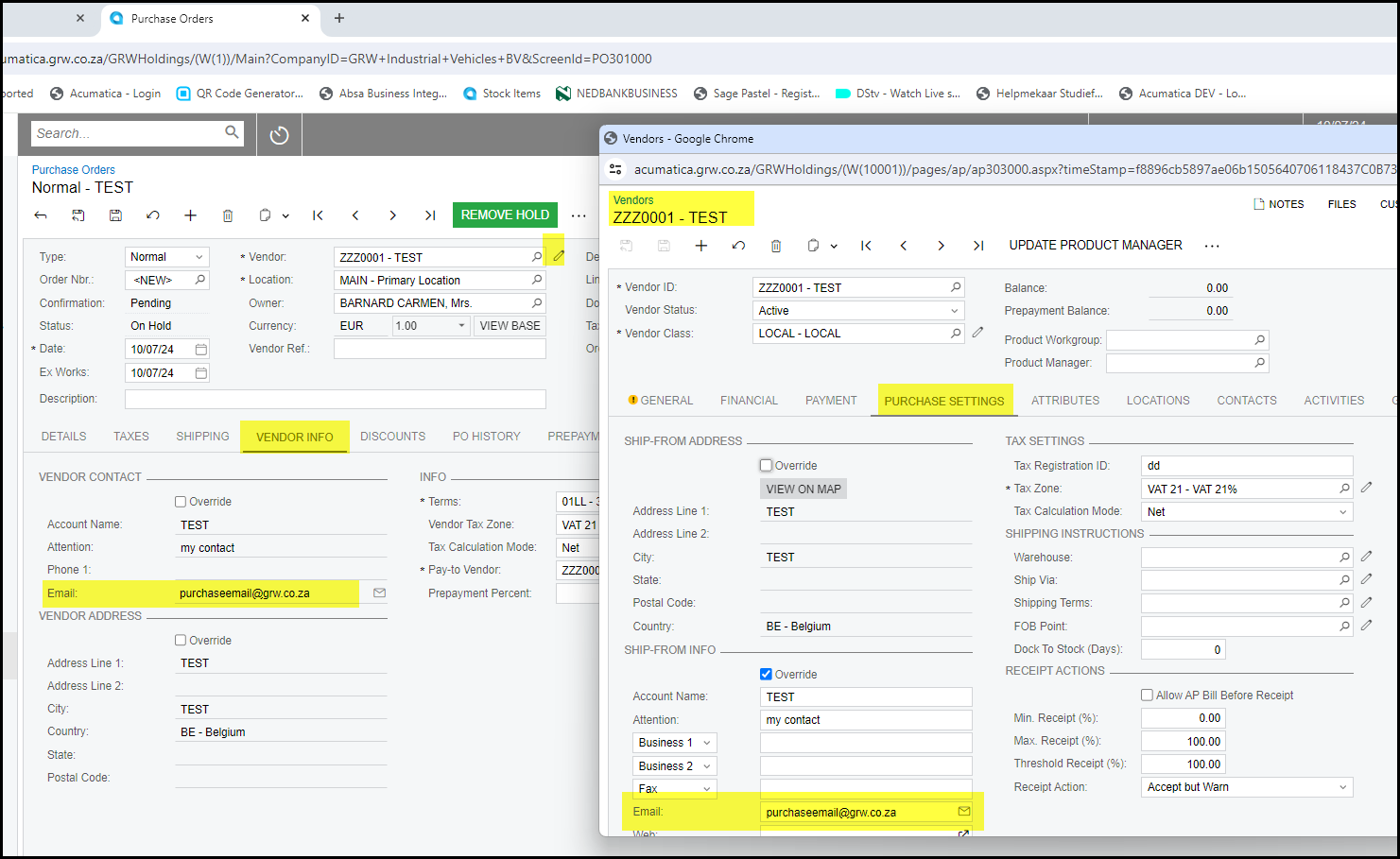
8. If you click on 'Email Purchase order' this will automatically run. The email address used is the email address on the PO tab Vendor Info. It can be
override while you complete the PO.
You can also change the email address of a vendor permanently. When you click on the edit Vendor  see below.
Go to purchase settings to edit the email address of a specific vendor permanently.
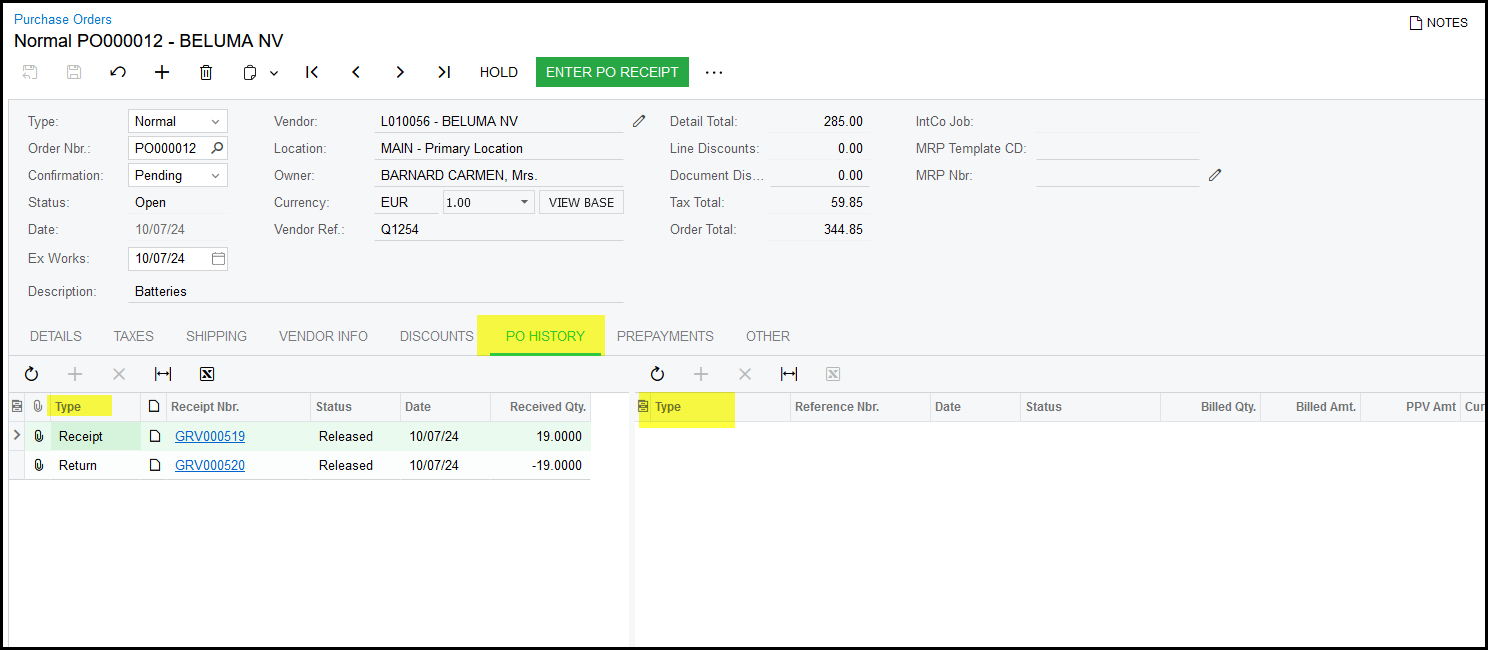
9. To history of a PO, click on PO History.
On the left the receipts and returns shows.
On the right the bill and debit bills shows.
Created with the Personal Edition of HelpNDoc: Produce Kindle eBooks easily