How to cancel a PO with a status as complete
1. When a PO status is completed but you want to cancel the PO.
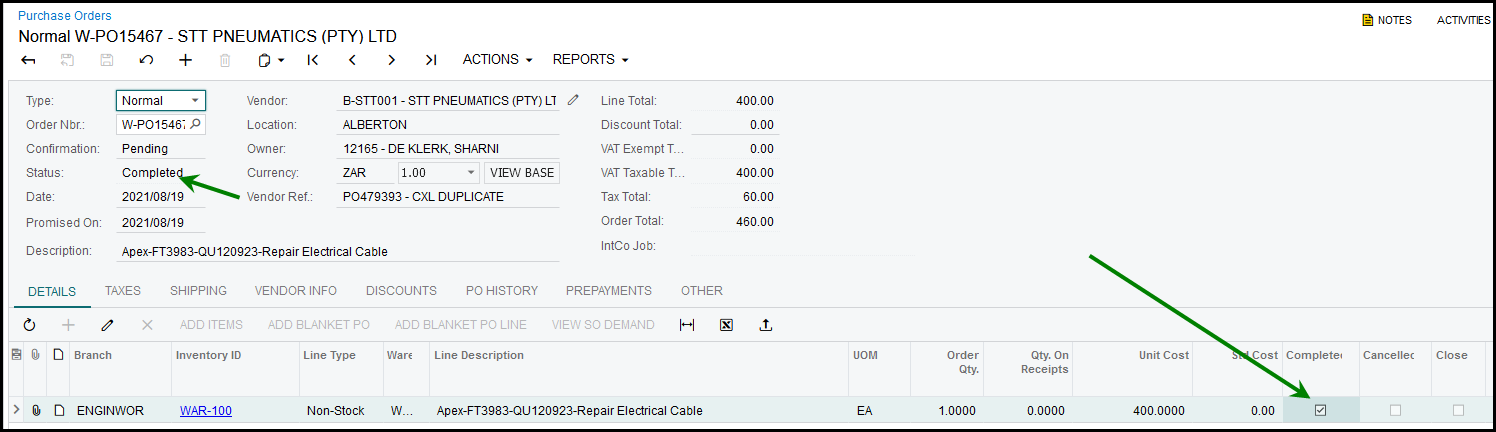
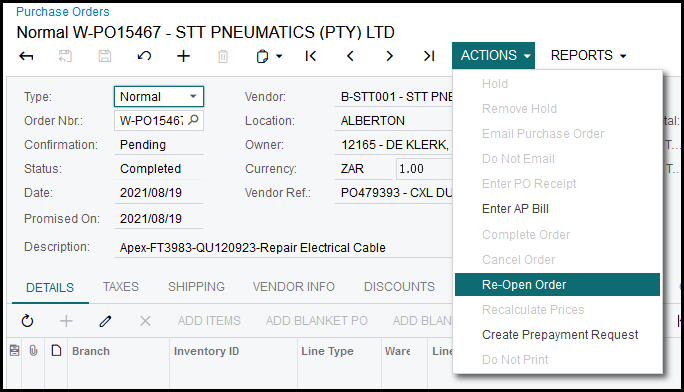
2. Go to Actions to Re-open your order.
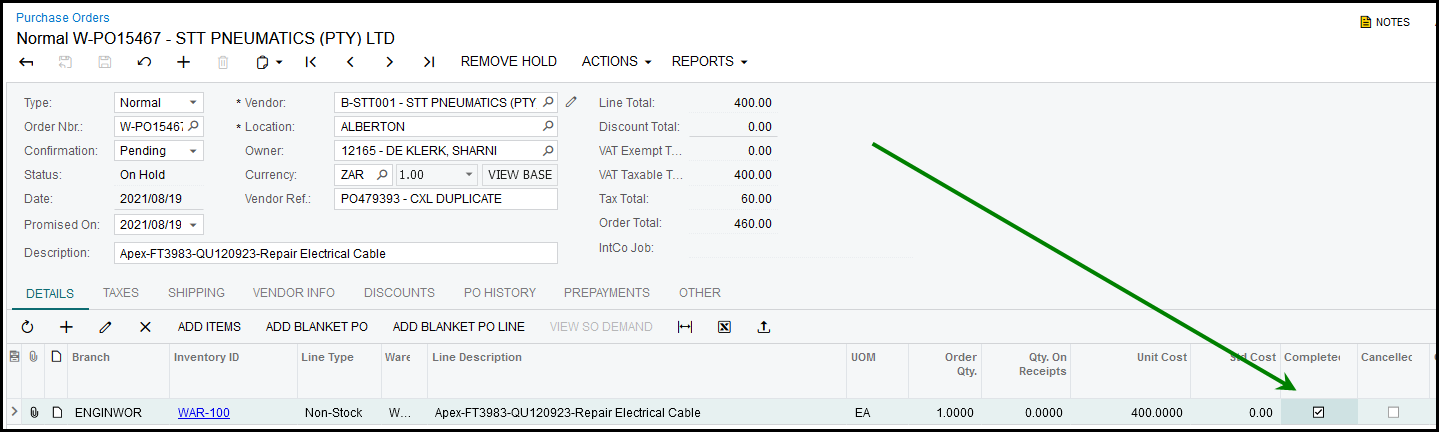
3. Your order will be 'on hold', your specific order line will show 'completed', untick it.
4. Go to Actions and 'remove hold', the PO will now be 'open'.
5. Go to Actions and 'Cancel Order'
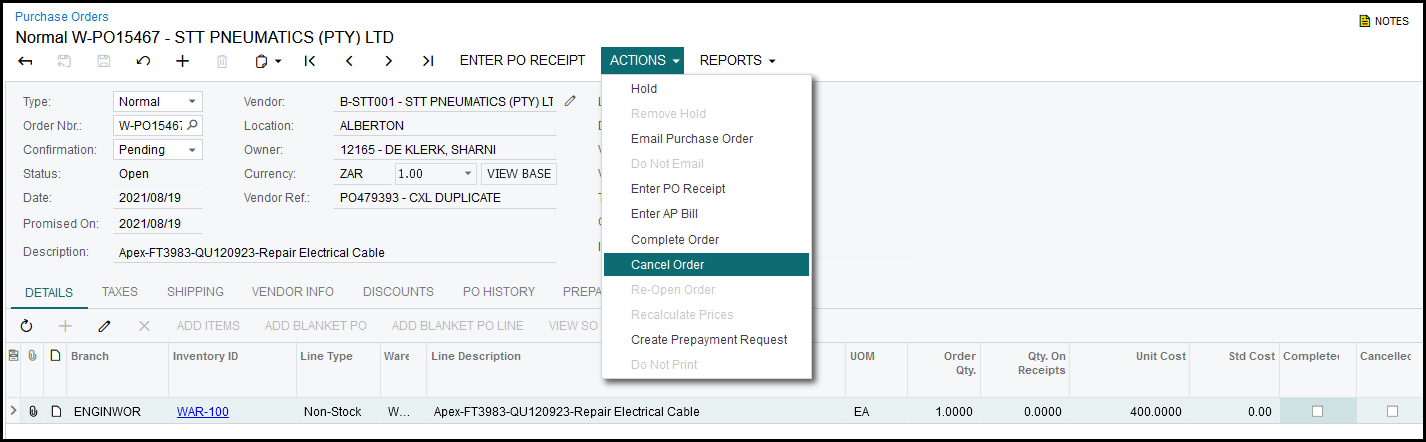
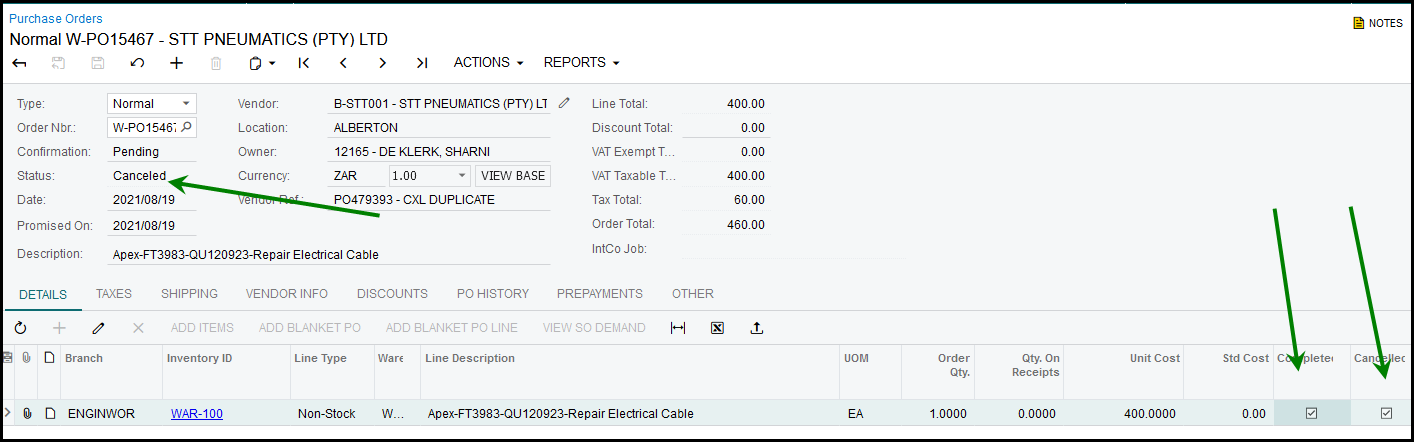
6. The PO Canceled.
Created with the Personal Edition of HelpNDoc: Easily create EPub books