How to add a sales person to a customer
1. Key account managers can be linked to customers.
2. This will help debtors clerks to identify which sales person is linked to a customer.
3. On the customer enquiry view there is a column that displays the sales person.
4. Please note that one can add more than one sales person, but only the sales person marked as the default will display on the enquiry.
5. To add a sales person as default go to receivables>Profiles - customers>open your customer>click on the tab - Sales Persons
6. Click on the '+ to add a sales person.
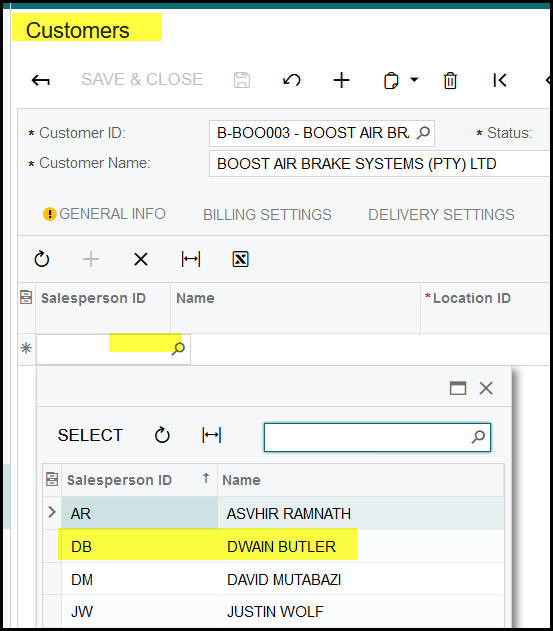
7. If there are more than one sales person, tick the one that should be the dault.
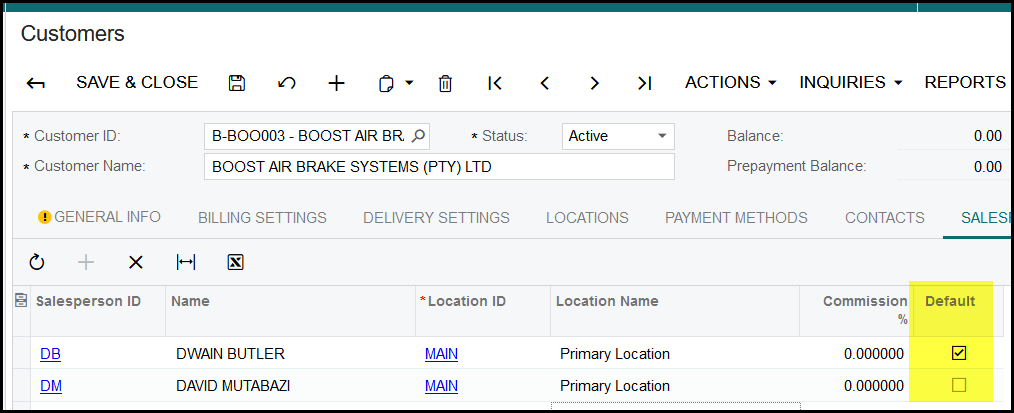
8. Only the sales person marked as default will display on the customer view.
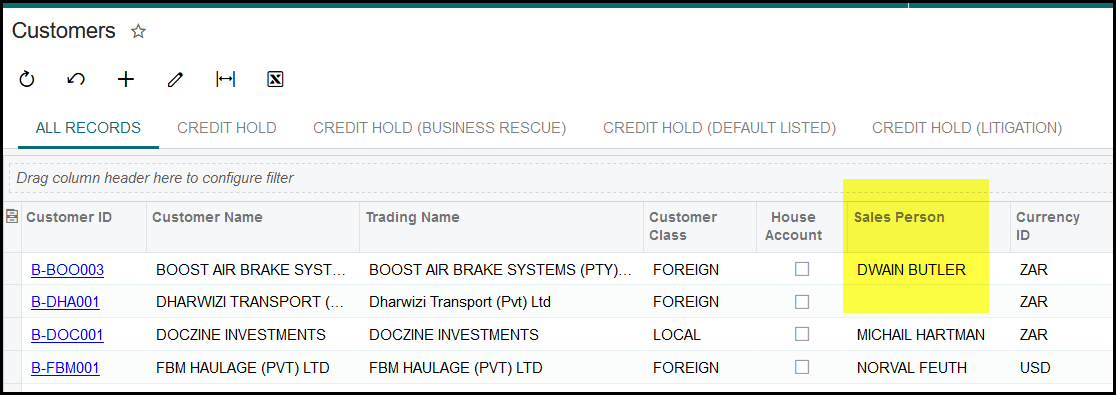
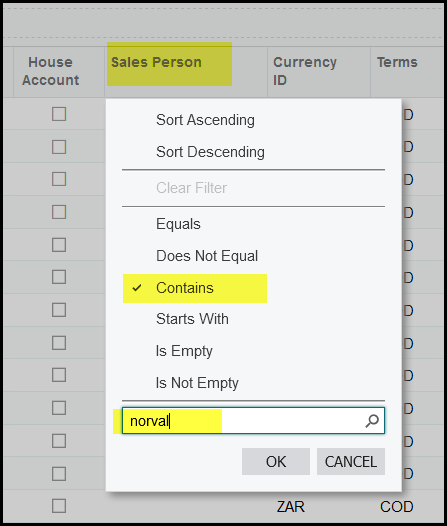
10. If you want to view a specific sales persons customers, click on the column - Sales Persons
11. Set the filter to 'contains'
12. Type in a part of the name of sales person and click on OK.
Created with the Personal Edition of HelpNDoc: Maximize Your Documentation Efficiency with a Help Authoring Tool