How to add a new job title/position
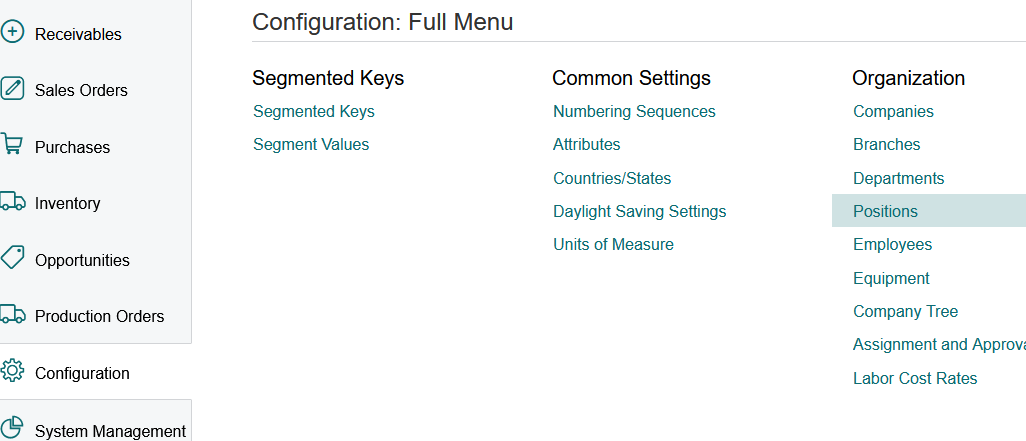
1. Click on Configuration>Organization>Position
2. Go to the last page to see the last Position ID nr used.
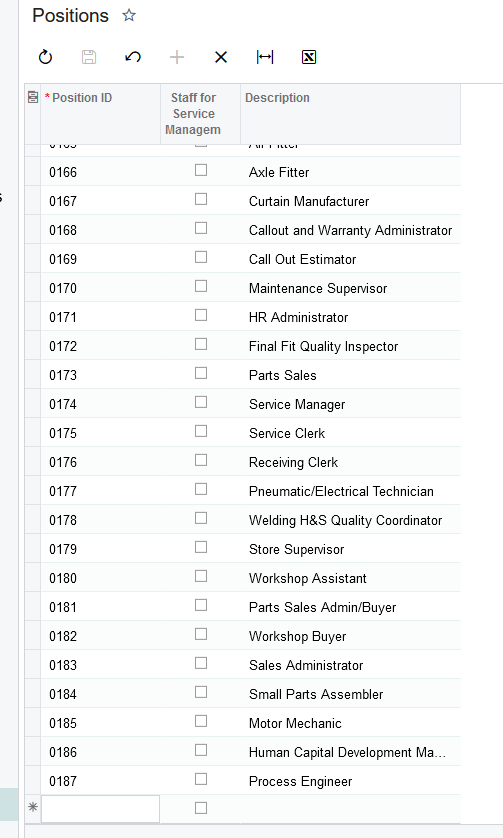
3. Click on the '+' to add a new position, type in the next Position ID number and Description.
4. Click on SAVE.
Created with the Personal Edition of HelpNDoc: Streamline Your Documentation Process with HelpNDoc's Project Analyzer