Dashboards
1. The "UNALLOCATED ITEMS" Dashboard gives the End User the ability to Allocate the Unallocated Pickingslip Lines to a specific Expeditor:
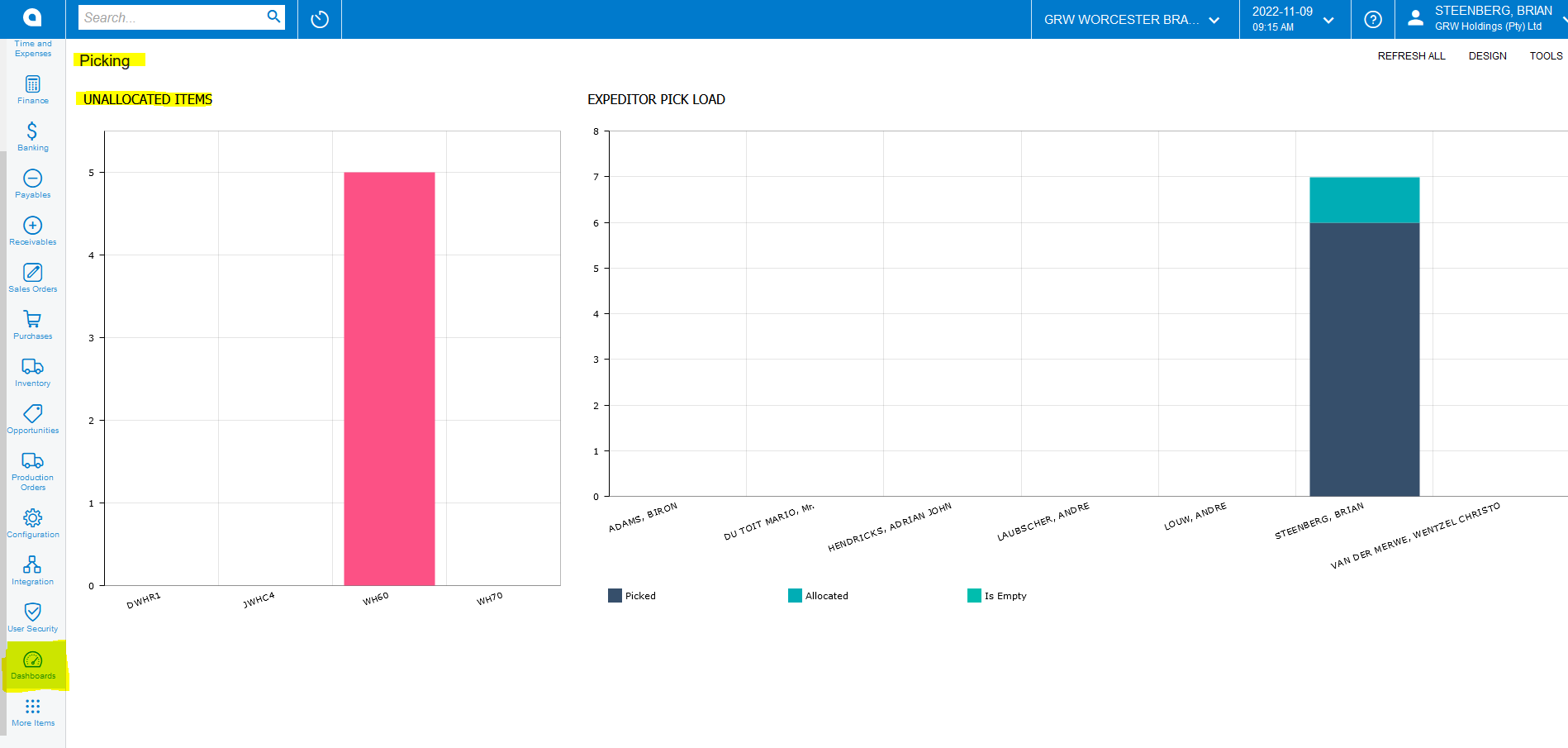
2. Once the End User clicks on the Unallocated Bar the following Process Screen will Open "Picking Allocate Process":
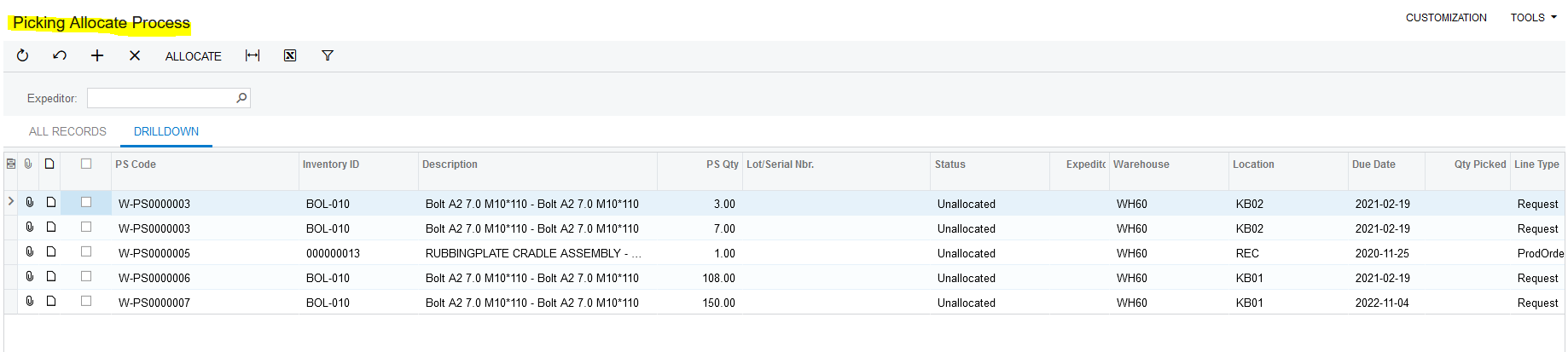
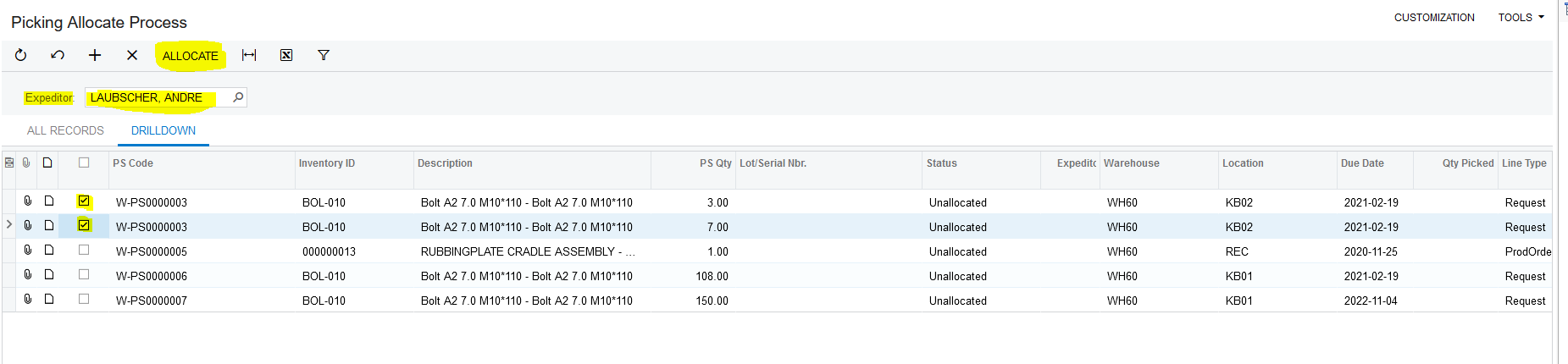
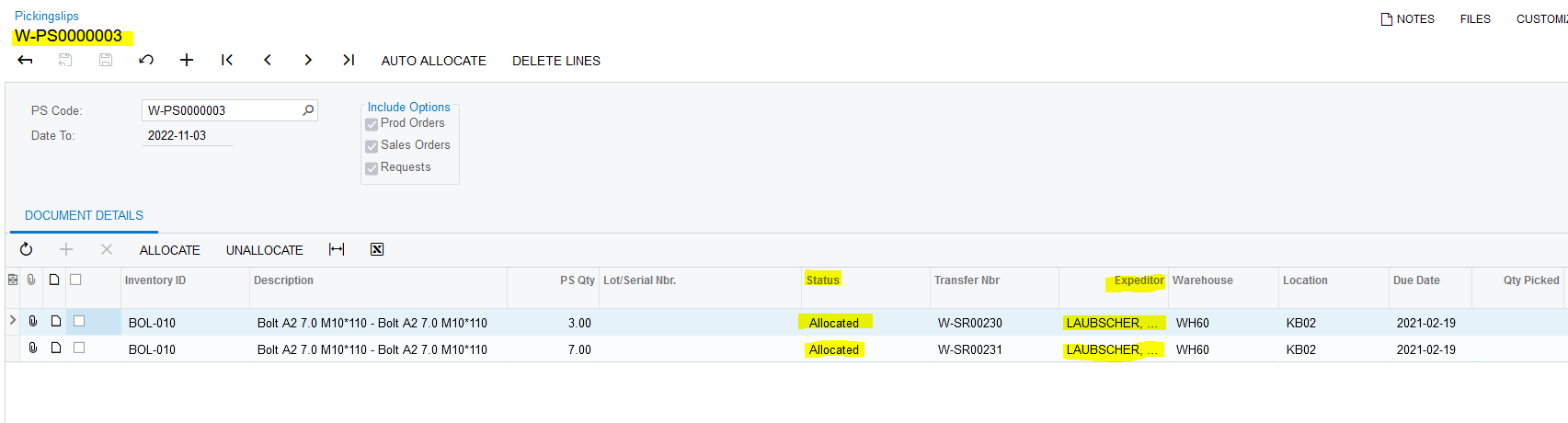
3. This gives the End User the ability to select an Expeditor, select the relevant Pickingslip Lines he wants to allocate to this Expeditor and then clicks on the Action "ALLOCATE". This Action triggers an Allocation on the specific Pickingslip and Line:
Created with the Personal Edition of HelpNDoc: Bring your WinHelp HLP help files into the present with HelpNDoc's easy CHM conversion