
How to quote and order outside labour on a job
1. When you quote for outside labour, add an operation for outside labour with qty 1. Follow these steps.
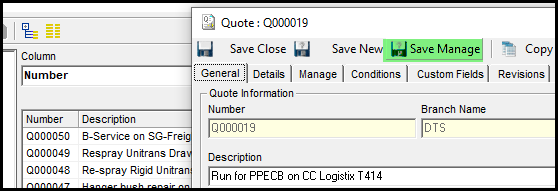
2. Go to save & manage on the quote.
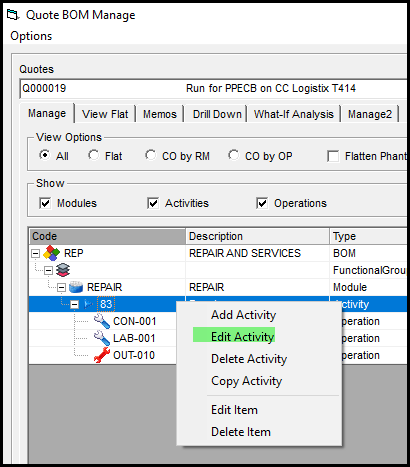
3. Click on the module and right click and edit activity.
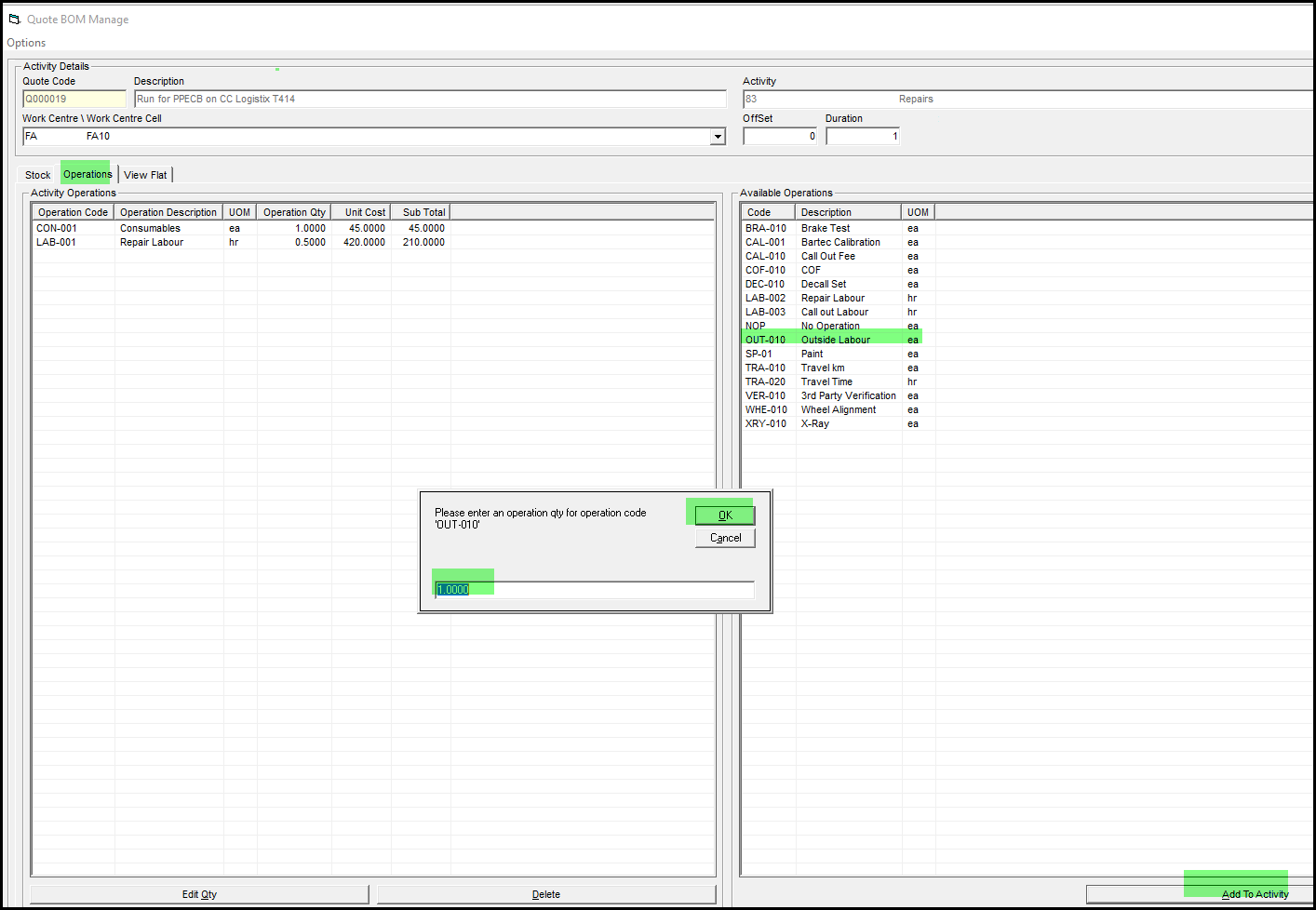
4. Click on operations and add Outside labour with qty of 1.
5. Close this screen.
6. To change your quote price go to view flat.
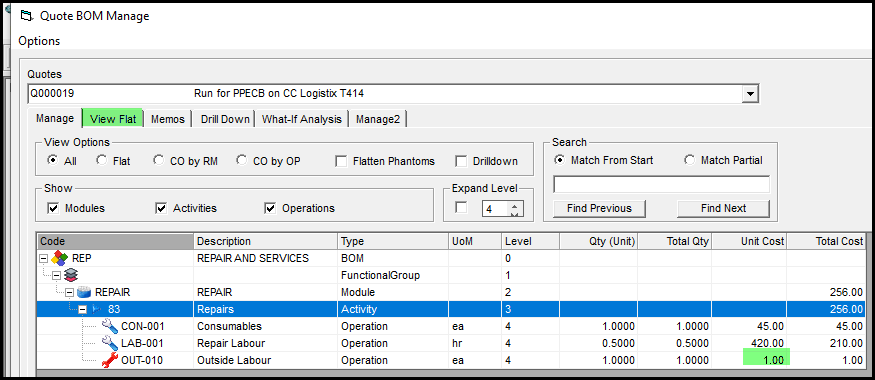
7. Click on operations and double click on the cost edit your price to the price for the quote.
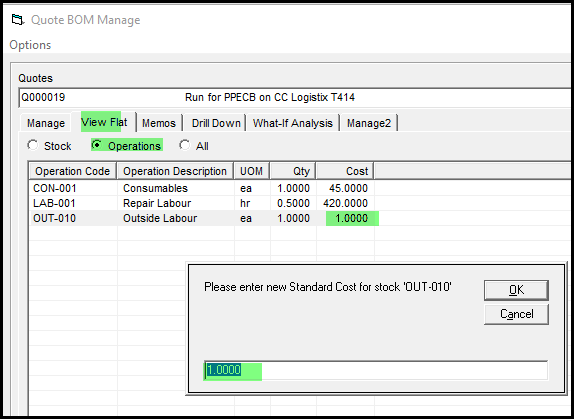
8. Your quote is now correct. Your job will open correct with 1 qty.
9. Add OUT-010 on the supplier price list as R1.00
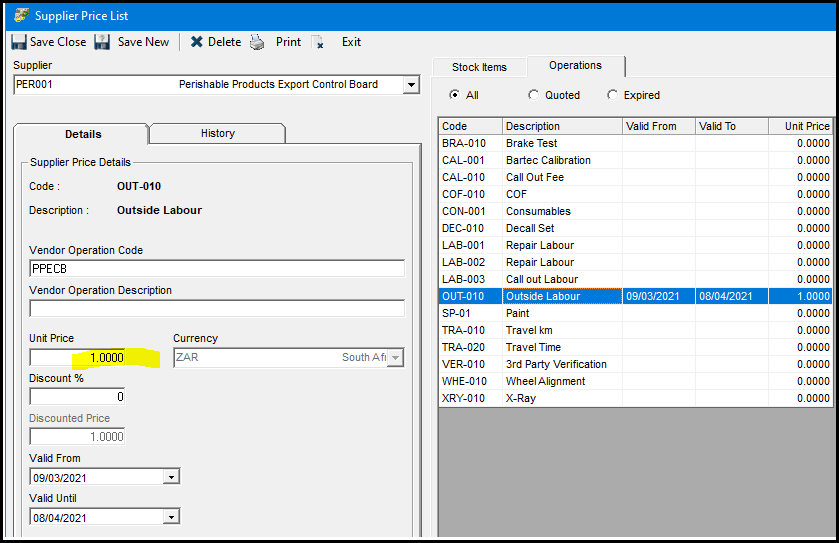
10. When you place your PO for the operation your will order directly against the job at the price that the supplier charge, with qty of 1.
Created with the Personal Edition of HelpNDoc: Maximize Your Documentation Capabilities with HelpNDoc's User-Friendly UI