Instruction for stock creation data
1. In the excel only completed the yellow and green highlighted columns.

2. Explanation of the columns:
Column A - Stock Code - the item code of the stock item
Column B - Description - description of the stock item
Column C - LongDesc - long description of the stock item
Column D - Unit Cost - latest cost price or average cost of the item that is available
Column E - DefaultWarehouse - the default warehouse where the stock is stored
Column F - DefaultStorageLocation - the default location/bin where the stock is stored (the location should be in the
warehouse selected in column E)
Column I - StockUom - the unit of measure for stock holding
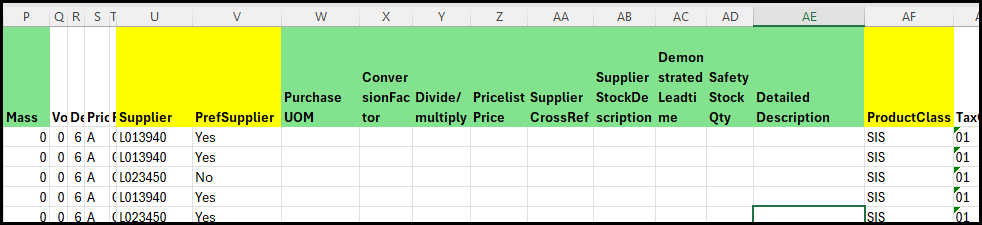
Column P - Mass - is the weight in kg if it is available not mandatory field
Column U - Supplier - the supplier code in Syspro
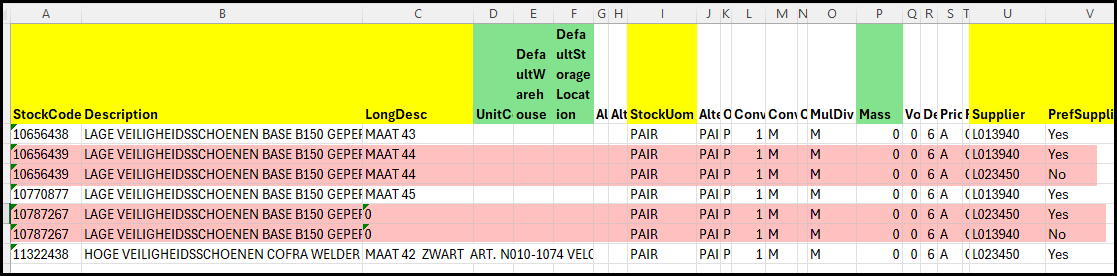
Column V - PrefSupplier - indicate with 'Yes' or 'No' if this supplier is also the preferred supplier. If you purchase
a stock item from more than one supplier you will have load the code mulitple times in this list.
See example below of stock code 10656439 and 10787267.
Column W - PurchaseUOM - the UOM for the supplier
Column X - ConversionFactor - the conversion factor between StockUom and Purchase unit of measure
Column Y - Divide/Multiply - Should the purchase uom be divided or multiplied with the stockuom - normally at
Van Hool(Mapper) it is mulitply
Column Z - PricelistPrice - the price of the supplier
Column AA - SupplierCrossRef - the stock reference code with the supplier for this item
Column AB - SupplierDescription - the description of the item with the supplier
Column AC - DemonstratedLeadtime - the calender days of the leadtime with the supplier
Column AD - SafetyStockQty - the safety stock qty you want have in stock as a buffer
Column AE - Detailed Description - the full detailed description with all exstra info needed for supplier to see on the PO or
for yourself for more info - this will print on the PO.
Column AF - ProductClass - for consumables it will Be SIS of SIA. The SI stands for Stock item and the S or A at the
end is the Mapper Staff Code.
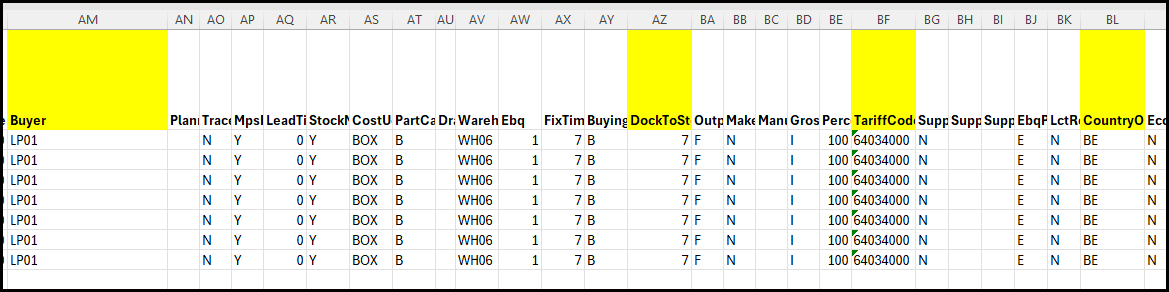
Column AM - Buyer - the buyer code in Syspro (ask for the code from the ERP team if you are not sure)
Column AZ - DockToStock - the calendar days it takes the stock to transport from the supplier to your warehouse.
Column BF - TariffCode - this not mandatory but good to add
Column BL - Country of Origin - country code where the stock is purchased from
Created with the Personal Edition of HelpNDoc: News and information about help authoring tools and software